
Last updated: August 2026 (Shrawan 2083). App features change frequently — always download from the official Play Store or App Store only.
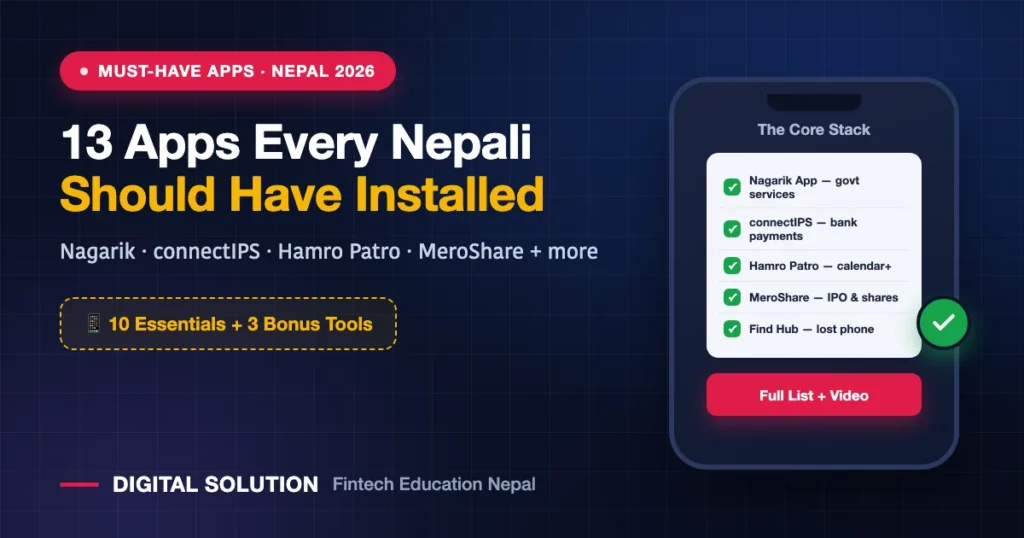
Your phone probably has 60 apps and you use eight of them. This list is the opposite problem: 13 mobile apps every Nepali should actually have installed — 10 essentials plus 3 bonus tools — covering government services, banking, navigation, telecom, shares, and the security apps almost nobody sets up until after something goes wrong.
Watch the full video explanation, then read the details below:
Quick List: The 13 Apps
| # | App | What it’s for |
|---|---|---|
| 1 | Nagarik App | Government services in one place — PAN, license, PCC, tax |
| 2 | Your bank’s mobile banking app | Transfers, QR payments, account access |
| 3 | connectIPS | Pay directly from your bank account, no wallet balance |
| 4 | Google Maps | Navigation, live location, finding hospitals/ATMs/pumps |
| 5 | Hamro Patro | Nepali calendar, news, forex, gold rates, date converter |
| 6 | Nepal Police App | Report crimes, police clearance, station info |
| 7 | NTC / Ncell app | Balance, packs, offers for your operator |
| 8 | Hamro Nepali Keyboard | Typing in Nepali |
| 9 | Ride-hailing (Pathao / inDrive / Yango / Uber) | Getting around your city |
| 10 | MeroShare | IPO applications, share portfolio, demat services |
| 🎁 11 | Google Lens | Visual search, copy text from any image |
| 🎁 12 | Google Authenticator | 2FA codes that work without internet |
| 🎁 13 | Find Hub / Find My | Locate, lock or erase a lost phone |
1. Nagarik App — Government Services in Your Pocket
The government’s own super-app, and the single most useful app on this list. Through Nagarik App you can create and link your PAN, view the tax you’ve paid, see your citizenship details, apply for a Police Clearance Certificate (PCC), and access a growing catalogue of government services — roughly 20 today, with plans to add many more.
The everyday killer feature: showing your driving licence during a traffic check straight from the app, instead of carrying the card. It’s also now the gateway to opening a bank account by scanning a QR code at Nabil, Siddhartha, Nepal Bank and others — and it works on your National ID (NIN) identity backbone.
2. Your Bank’s Mobile Banking App
Whichever bank holds your account — that bank’s app belongs on your phone. Fund transfers, QR payments at shops, balance checks, statements, card controls. If you genuinely don’t want mobile banking, skip to the next app: connectIPS covers most of the same ground without a wallet balance.
3. connectIPS — Pay Straight From Your Bank Account
Built by Nepal Clearing House Limited (NCHL), connectIPS works differently from a wallet. You link one or more bank accounts, and when you pay, the money is debited directly from the bank — the app acts as the middleman rather than holding your money.
Use it for government payments, P2P transfers, fund transfers and utility bills like electricity. A practical bonus: because connectIPS charges are classified as clearing house services, its transaction fees don’t carry 13% VAT the way wallet service charges do.
4. Google Maps
Nepal’s map data has improved dramatically. Beyond navigation, use it for live location sharing (safety when travelling), and for finding the nearest hospital, ATM, petrol pump or pharmacy in an unfamiliar area. Even Apple users are often better served by Google Maps in Nepal — Google simply has more local data.
5. Hamro Patro — Nepal’s Original Super App
No list of Nepali apps is complete without it. Hamro Patro is the most-used Nepali calendar app, but it does far more: news, panchanga details, public holidays, BS ⇄ AD date converter, forex rates, gold and silver prices, and radio. One app replacing five.
6. Nepal Police App — The Underrated One
Most people don’t know this exists. The Nepal Police app lets you report incidents and file complaints from your phone instead of walking into a station, request a police clearance certificate, and find station and contact information across the country. Genuinely useful and badly underrated — and worth having before you need it. (If you’re dealing with online fraud specifically, also read our fraud recovery guide.)
7. Your Telecom Operator’s App (NTC or Ncell)
NTC users need the Nepal Telecom app; Ncell users need the Ncell app. Balance, validity, data usage, pack activation and — critically — app-only offers that are frequently cheaper than USSD prices, especially on Ncell. Compare the two networks in our NTC vs Ncell guide, and keep the essential codes handy from the NTC codes reference. Both operators now also support eSIM.
8. Hamro Nepali Keyboard
If you type in Nepali — messages, Facebook comments, official applications — a proper Nepali keyboard changes everything. Hamro Nepali Keyboard handles romanised typing (typing “namaste” to get नमस्ते) and is far faster than fighting your phone’s default input.
9. A Ride-Hailing App (Pathao, inDrive, Yango or Uber)
Which one depends on your city:
| City / Area | Commonly used |
|---|---|
| Kathmandu Valley | Pathao (most widely used), inDrive, Yango, Uber |
| Pokhara | inDrive (also now formally legal in Gandaki) |
| Chitwan | Pathao |
Yango entered Nepal in 2025 and has grown fast, and Uber has now arrived too — so the market is more competitive than ever. On user feedback, Pathao is generally rated strongest on safety in Kathmandu though often slightly pricier; inDrive’s negotiate-your-fare model appeals to price-sensitive riders. Install at least one; many people keep two and compare fares.
10. MeroShare — Your Entry to the Share Market
If you’ve ever wanted to apply for an IPO, MeroShare is the tool. Through it you apply for primary share issues, view your share portfolio, access demat-related services, and transfer shares after selling. For anyone starting in Nepal’s capital market, this is the first app you install.
🎁 Bonus 1: Google Lens
Point your camera at anything and ask what it is — a plant, a component, a product label. Its most underrated use is copying text out of the real world: photograph a document, form or notice and lift the text straight into your phone. Also excellent for visual search when you don’t know what something is called.
🎁 Bonus 2: Google Authenticator (or Microsoft Authenticator)
Most people rely on SMS codes for two-factor authentication — which fails exactly when you need it: phone left behind, no network, or a lost SIM. An authenticator app stores your accounts and generates verification codes offline, no signal required.
Set it up on your important accounts (Google, Facebook, work email) today, and save your backup codes somewhere safe. This one app prevents a huge share of account-lockout disasters.
🎁 Bonus 3: Find Hub (Android) or Find My (Apple)
Google’s device-finding service is now called Find Hub (renamed from “Find My Device” in 2025); Apple’s is Find My. Either one lets you locate a lost phone, play a sound on it, lock it remotely, or erase its data — and both track paired devices like laptops, earbuds and tablets, with battery levels.
Set this up now, not after your phone disappears. And if it does go missing, your very first move isn’t finding the phone — it’s blocking the SIM, because that’s what protects your banking OTPs.
⚠️ One Rule for All 13: Official Stores Only
Every app here — banking, government, security — must be downloaded from the Google Play Store or Apple App Store only. Never install banking or government apps from third-party sites, APK links shared on Facebook, or “modded” versions. Fake banking apps are one of the most effective ways Nepalis lose money, and no convenience is worth that risk.
Frequently Asked Questions
Which is the most important app for Nepalis?
Nagarik App — it consolidates government services (PAN, licence display, PCC, tax records) that otherwise require separate offices and portals, and it’s expanding steadily. See the full picture of Nepal’s online services in our government services guide.
Do I need both a wallet and connectIPS?
Not necessarily. Wallets hold a balance and are convenient for small everyday payments; connectIPS debits your bank account directly and its clearing fees are VAT-exempt. Many people keep both and choose by transaction type.
Which ride-sharing app is best in Nepal?
It depends on your city. Pathao dominates Kathmandu and rates well on safety; inDrive is popular in Pokhara and with price-negotiating riders; Yango and Uber are newer entrants competing on price. Install one, compare when you can.
Is the Nepal Police app really useful?
Yes — reporting, complaints, police clearance certificates and station information without visiting a station. It’s one of the most underrated apps in the country.
What’s the safest way to secure my accounts?
An authenticator app for 2FA, a screen lock, Find Hub/Find My enabled, and a SIM PIN. Never share OTPs — and remember that a bank or government office never needs your PIN, password or OTP.
🤝 Want more practical digital guides like this?
Subscribe to Digital Solution on YouTube for videos like the one above, and ask us anything about apps, government services or digital security.
Disclaimer: Digital Solution Nepal is an independent educational website and is not affiliated with the apps listed. Features, availability and service areas change — verify on each app’s official listing. Download banking and government apps only from the official Play Store or App Store.
Phone, SIM and Telecom: Practical Guides
Keeping your number safe, knowing what is registered to you, and what to do when a phone is lost.
- SIM Ownership Rules in Nepal: How Many SIMs Can You Have (and Whose Name Is Yours In?)
- Phone Lost or Stolen in Nepal? Block Your SIM First — Then These 6 Steps
- How to Update Nepal Telecom KYC Online (2026 Guide)

Rabin Paudel
Rabin Paudel is the Founder of Digital Solution, a Content Creator, and an AI Trainer. He shares practical and easy-to-understand content on Artificial Intelligence, Digital Literacy, Online Services, FinTech, and Technology. His mission is to make technology simple, accessible, and useful for everyone.
View all posts by Rabin Paudel →