
Last updated: July 2026 (Shrawan 2083). Portal flows and charges follow Nepal Telecom’s current practice — verify on esim.ntc.net.np before applying.
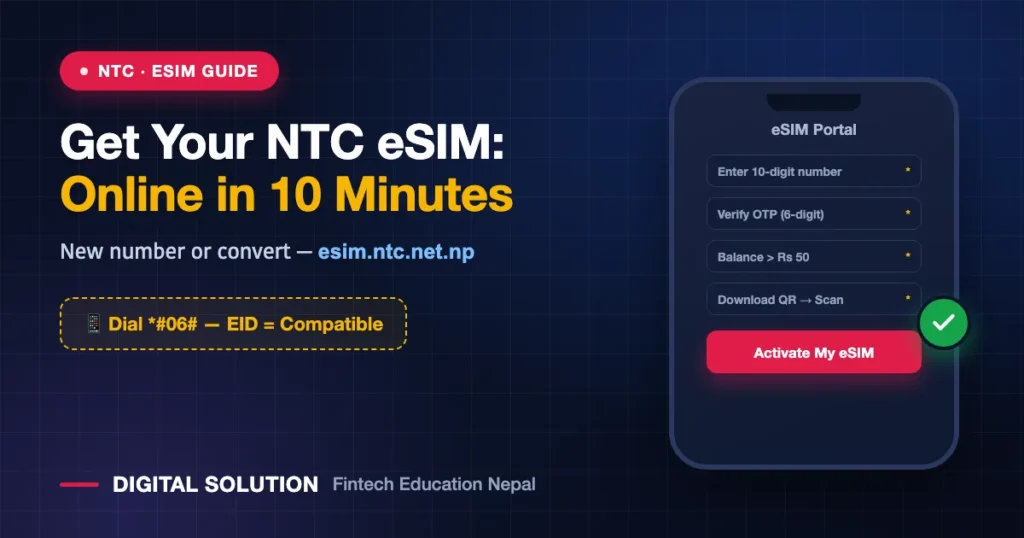
No more fiddling with SIM ejector pins: a Nepal Telecom eSIM lives inside your phone’s software, activates by scanning a QR code, and can be set up entirely online at esim.ntc.net.np — whether you want a brand-new NTC number or to convert your existing physical SIM. This guide covers both paths step by step, the phone-compatibility check that takes ten seconds, the fee, and the mistakes that break eSIM installs.
First: Is Your Phone eSIM-Compatible?
The ten-second check: dial *#06# on your phone. If you see an EID number in the list that appears, your phone supports eSIM. No EID = no eSIM — stay on a physical SIM for now.
| Brand | eSIM Support (General Rule) |
|---|---|
| iPhone | iPhone XS/XR and everything newer (11–17 series), plus recent iPad Pro/Air/Mini models |
| Samsung | Flagship/mid-high models from ~2020 onward (S20 and later, Fold/Flip series) |
| Google Pixel | Pixel 3 and later |
| Others | If it’s a mid-to-high-end phone released after 2019, it likely supports eSIM — but trust the *#06# check |
One warning before you start: phones bought abroad can be eSIM-locked to a carrier or region — the EID check still passes but installation fails. If your phone came from overseas, confirm it’s unlocked first.
What You Need
- An eSIM-compatible, unlocked phone (checked above)
- Internet connection (Wi-Fi is safest during install)
- For a new eSIM: your ID for KYC (citizenship/passport/license — the same KYC rules as any SIM)
- For a conversion: your active NTC SIM (the OTP goes there) and main balance above Rs 50 — the eSIM charge is deducted from balance
Path 1: Convert Your Existing NTC Number to eSIM
The most common case — same number, new digital form:
- Go to esim.ntc.net.np — Nepal Telecom’s official eSIM portal (the same portal used for lost/damaged SIM replacement).
- Choose the physical-SIM-to-eSIM conversion option.
- Enter your 10-digit NTC number and click “Send OTP.”
- Enter the 6-digit OTP that arrives on your phone and click “Verify & Continue.” (This is why the old SIM must still be working — keep it in the phone until this step.)
- Complete the payment step — ensure your main balance is above Rs 50; the charge deducts automatically.
- Tap “Activate My eSIM” and download your QR code.
- Install it: on your phone go to Settings → Mobile/Cellular → Add eSIM → scan the QR. The profile downloads and your number now lives in software. Your old physical SIM stops working once the eSIM activates.
Path 2: Get a Brand-New NTC Prepaid eSIM
- On esim.ntc.net.np, click “Get New Prepaid eSIM.”
- Register your account (email/mobile) and verify with the OTP.
- Complete the online KYC — personal details plus your ID document, the same identity rules as any SIM purchase. (Nepal’s SIM KYC system explained: our full SIM ownership & KYC guide.)
- Choose your number and pay as the portal directs.
- Download the QR and install exactly as in Path 1, step 7.
Prefer offline? The Nepal Telecom app offers the same flows, and any NTC office can issue an eSIM over the counter.
Installing the QR Correctly (Where People Go Wrong)
- Use Wi-Fi during installation — the eSIM profile downloads over the internet, and mid-install drops corrupt the setup.
- The QR is usually single-use. Don’t scan it “to test” on another phone — it will bind there. Install on the phone you actually want.
- Screenshot/save the QR safely anyway, and note where the portal lets you re-download if needed.
- After install: set the eSIM as your line for calls/SMS/data in Settings, and restart once if the network doesn’t register immediately.
Why Switch to eSIM at All?
| Benefit | Why It Matters in Nepal |
|---|---|
| Can’t be lost or damaged | No more Rs 50 replacement runs for broken SIMs |
| Dual SIM without the tray juggling | Keep NTC eSIM + another operator’s physical SIM in one phone |
| Harder to steal | A thief can’t pop out your eSIM to intercept OTPs — meaningful protection for banking/wallet security |
| Travel-friendly | Add a foreign travel eSIM alongside your NTC number without removing anything |
FAQ
How much does a Nepal Telecom eSIM cost?
For conversion, keep your main balance above Rs 50 — the charge deducts from balance. New-eSIM pricing shows on the portal at purchase. Amounts change with NTC’s offers, so treat the portal’s figure as final.
Can I convert my NTC number to eSIM without visiting an office?
Yes — the whole conversion runs online at esim.ntc.net.np with OTP verification, as long as your current SIM is active to receive the OTP.
What happens to my old physical SIM after conversion?
It deactivates once the eSIM goes live. Your number, balance and packages carry over — only the SIM’s form changes.
I changed phones. How do I move my NTC eSIM?
eSIM profiles don’t hop between phones like plastic SIMs — you’ll need a new profile/QR for the new device via the portal or an NTC office. Plan the switch before wiping your old phone.
My phone shows no EID with *#06#. Any workaround?
No — eSIM is hardware-level. You’ll need an eSIM-capable phone; until then, physical SIM service is identical.
Is an eSIM safer for banking OTPs?
Meaningfully, yes — physical SIM theft/swap is a real fraud vector, and an eSIM can’t be ejected and dropped into another phone. Pair it with good OTP hygiene: never share codes with anyone.
🤝 Stuck at KYC, OTP or QR install?
Digital Solution helps with SIM, KYC and telecom processes — send us a screenshot and we’ll point you right.
Disclaimer: Digital Solution Nepal is an independent educational/digital-service assistance website, not affiliated with Nepal Telecom. Flows, charges and device support change — esim.ntc.net.np and official NTC channels are final.

Rabin Paudel
Rabin Paudel is the Founder of Digital Solution, a Content Creator, and an AI Trainer. He shares practical and easy-to-understand content on Artificial Intelligence, Digital Literacy, Online Services, FinTech, and Technology. His mission is to make technology simple, accessible, and useful for everyone.
View all posts by Rabin Paudel →