
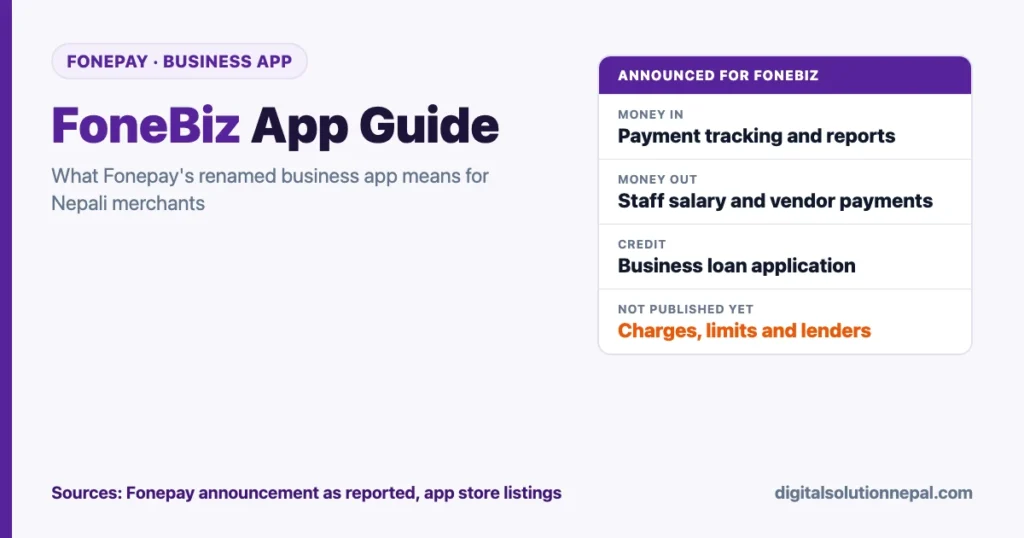
As of 13 October 2026 (27 Asoj 2083). The new features are as reported by Onlinekhabar and Artha Dabali from Fonepay’s announcement. What the app does today is from Fonepay’s own website and its app store listings, read on 13 October. Charges, limits and lending partners have not been published; confirm on official Fonepay channels before acting.
If you run a shop, restaurant, clinic or online store in Nepal and accept Fonepay QR, the app you use to see those payments now has a new name: FoneBiz. The FoneBiz app is the rebranded Fonepay Business App, announced at the first Fonepay Honors 2083 event on Friday, 9 October 2026.
According to the announcement, it is meant to go beyond “money received” alerts and handle more of your daily business in one place: tracking payments, paying staff and suppliers, viewing reports, applying for business loans and joining loyalty programmes.
This guide explains what FoneBiz does, what is confirmed and what is still unclear, which businesses benefit most, and how to get ready to use it.
Key takeaways
- FoneBiz is the Fonepay Business App, rebranded. The Google Play and App Store listings of the same app are now titled “FoneBiz by Fonepay”.
- Six announced functions: customer payment tracking, staff salary payments, vendor payments, business reports, business loan applications and loyalty programmes.
- It builds on what merchants already had: Fonepay QR acceptance, voice notification for payments and on-request withdrawal to your bank account.
- Not everything is published yet. Fonepay has not publicly listed charges, limits, partner lenders or a rollout date for the new functions. On 13 October the Google Play description still listed the older payment features only.
- Best fit: small and mid-sized businesses that already take most payments by QR and still manage salaries, suppliers and records by hand.
What is the FoneBiz app?
FoneBiz is Fonepay’s business app for merchants. Fonepay announced it at Fonepay Honors 2083, held at The Soaltee in Kathmandu, alongside three consumer tools: AutoPay by Fonepay, Fonepay Circle and Talk to Pay.
According to Fonepay’s announcement as reported by Onlinekhabar and Artha Dabali, FoneBiz will let businesses:
- view details of payments received from customers;
- pay staff salaries;
- pay vendors and suppliers;
- see business reports;
- apply for business loans;
- take part in customer loyalty programmes.
Onlinekhabar adds that the company’s goal is to offer these from a single app.
The core idea is simple. Until now, the Fonepay Business App was mainly where a merchant confirmed that a QR payment had arrived. FoneBiz repositions that same app as the place where a business watches money coming in, money going out and money it may need to borrow.
Who runs Fonepay?
Fonepay is operated by Fonepay Payment Service Limited. Its website describes it as licensed by Nepal Rastra Bank (NRB) to work as a Payment System Operator and as a subsidiary of F1Soft Group. Fonepay calls its QR “the most used QR service in Nepal”.
ShareSansar reported in April 2026 that the network had grown to more than 2 million merchants and more than 2.5 million transactions a day, worth over NPR 15 billion.
That scale matters for merchants. Your customers already pay through Fonepay QR from most bank and wallet apps, so FoneBiz starts with your existing payment data. It does not ask you to change how customers pay.
FoneBiz features at a glance
| Feature | What it does | Who benefits most | Status on 13 October 2026 |
|---|---|---|---|
| Payment tracking | Shows payments received from customers through Fonepay | Every QR merchant | In the app; payment details and statements are in the store listing |
| Business reports | Summaries of sales and transactions | Shops with daily volume, businesses with several counters | Announced |
| Staff salary payment | Pay employees from within the app | Restaurants, retail chains, clinics, schools | Announced; process and charges not published |
| Vendor payment | Pay suppliers and distributors | Wholesale buyers, kirana stores, pharmacies | Announced; process and charges not published |
| Business loan application | Apply for business credit through the app | Growing businesses that need working capital | Announced; lending partners and terms not published |
| Loyalty programmes | Take part in customer reward programmes | Cafes, salons, repeat-purchase retail | Announced; details not published |
| Voice notification | Audio alert when a QR payment arrives | Busy counters, cash-heavy shops | In the Business App since June 2024 |
| On-request withdrawal | Move collected funds to your bank account at any time | Businesses managing daily cash flow | In the Business App since January 2025 |
Why the rebrand matters: from “payment received” to “business managed”
This section is our reading, not Fonepay’s statement.
Many small businesses in Nepal already accept QR payments. The real pain sits after the payment:
- Records live in three places: the QR app, a handwritten khata (खाता, ledger) and the owner’s memory.
- Salary day means cash withdrawals or one-by-one mobile banking transfers.
- Supplier payments are scattered across bank apps, cheques and cash handovers.
- Getting a loan means paperwork, even though the business’s digital sales history already shows its cash flow.
FoneBiz attempts to close that loop. When incoming payments, outgoing payments and reports sit in the same app, the merchant gets a clearer picture of the business. Lenders may get a clearer one too.
That is the shift we see: Fonepay is moving from carrying payments to helping a merchant run the business around them.
FoneBiz features explained in detail
1. Customer payment tracking and business reports
Every Fonepay QR payment already creates a digital record. The app shows those records as payment details and statements, and FoneBiz adds business reports.
How much the reports show has not been published. Depending on what your app offers, they can help you to:
- reconcile end-of-day sales without counting every QR alert;
- see your busiest hours and days;
- compare this month’s QR sales with last month’s;
- share clean records with your accountant when VAT returns or income tax are due.
Tip: The app can only report what passes through Fonepay. Cash sales and payments on other systems will not appear. For a full picture, keep recording cash separately.
2. Staff salary payments
Paying salaries from the same app that collects revenue means fewer cash withdrawals and a digital trail for every payment.
Why this matters in Nepal:
- Digital salary records help when staff apply for loans or need proof of income.
- They support compliance as SSF (Social Security Fund) contributions and formal employment records become more common.
- They reduce the risk of keeping large amounts of cash on the premises.
Confirm before using: whether salary can be paid to an account at any bank, whether there is a charge for each payment, and the daily limit.
3. Vendor and supplier payments
Retail shops, restaurants and pharmacies pay suppliers almost daily. FoneBiz is meant to let you settle those bills from the app.
Practical uses, once the feature is in your app:
- Pay your distributor directly after a delivery.
- Keep a payment history for each supplier, which helps in a dispute.
- Match supplier payments against your reports to understand margins.
4. Business loan applications
This is potentially the most valuable FoneBiz feature for growing businesses. The announcement says merchants will be able to apply for a business loan through the app.
What to understand:
- FoneBiz is the application channel, not the lender. Loans in Nepal are issued by banks and financial institutions under NRB rules. Interest rates, collateral and the approval decision will come from the lender.
- Your digital sales history becomes an asset. Steady QR collections are evidence of cash flow. Merchants who put more of their sales through QR may be in a stronger position when applying.
- Compare before you accept. Check the interest rate, processing fee and repayment terms against what your own bank offers.
5. Loyalty programmes
FoneBiz lets merchants take part in loyalty programmes. Fonepay has not yet published how they work, for example cashback, points or partner offers.
Why it can still matter: a cafe, salon or grocery store lives on repeat customers. If rewards are tied to paying by Fonepay QR at your shop, customers get a reason to return and you get more digital sales records.
6. Features carried over from the Fonepay Business App
The store listing under the FoneBiz name still describes the features merchants already use:
- Voice notification. An audible confirmation when a QR payment is received, switched on from the notification settings. Fonepay introduced it in June 2024. Our guide to QR payment voice notification has the steps.
- On-request withdrawal. Launched in January 2025. ShareSansar reported that merchants can withdraw collected funds to their bank account at any time, or set automatic transfers, without additional charges.
- Static and dynamic QR. One QR for all payments, or a unique QR for each bill that can be linked to a billing or POS system.
- Refunds and statements. Fonepay’s Business App page lists full or partial refunds, settlement information and a notification on each transaction.
Which businesses should use FoneBiz first?
These are our suggestions, based on the announced features.
| Business type | Most useful FoneBiz features | Why |
|---|---|---|
| Kirana and grocery stores | Voice notification, vendor payments, reports | High daily volume, many suppliers |
| Restaurants and cafes | Salary payments, reports, loyalty | Many staff, repeat customers |
| Pharmacies and clinics | Vendor payments, reports | Frequent distributor payments, need for clean records |
| Private schools and coaching centres | Salary payments, reports | Monthly teacher payroll, fee collection tracking |
| Online sellers on Facebook and Instagram | Payment tracking, loan application | Need proof of sales for working capital |
| Small hotels and homestays in Pokhara, Chitwan and on trekking routes | Reports, salary payments | Seasonal cash flow, seasonal staff |
If most of your sales are still in cash, start by asking more customers to pay by QR. FoneBiz is only as useful as the share of your business that flows through it.
How to get started with FoneBiz: step by step
Fonepay has not published a setup guide for the new functions. Steps 2, 3 and 5 follow Fonepay’s own pages and its store listing. The rest is our advice.
- Check whether you already have a Fonepay merchant account. If you display a Fonepay QR and receive payment alerts, you do.
- Get a Fonepay QR if you do not have one. Fonepay’s business page gives two routes: contact your bank, or fill out the online merchant enrollment form. The app also has a Register option, where you fill in a “Know Your Merchant” form and your acquiring bank approves it.
- Update the app. Search for “FoneBiz by Fonepay” on Google Play or the App Store. It is the same listing as the old Fonepay Business App, so there is no separate app to install. Existing users update the one they have.
- Log in with your merchant credentials and confirm your linked settlement bank account.
- Turn on voice notification in the notification settings if you have not already.
- Explore reports first. Review a full week of transactions to understand your sales pattern.
- Test salary and vendor payments with a small amount once those features appear in your app. Check charges and limits before moving larger sums.
- Apply for a loan only after comparing terms with your own bank’s offer.
Safety reminder: Never share your password or OTP with anyone who calls, whoever they say they are. Download the app only from the official app stores. Our OTP, PIN and password safety guide covers the common tricks.
What FoneBiz does not replace yet
To set realistic expectations:
- Your accounting software. FoneBiz reports cover Fonepay transactions, not your full books, stock, VAT returns or IRD filings.
- Your bank relationship. Loans come from banks and financial institutions. Your bank remains important for credit history and larger financing.
- Cash management. Many customers still pay cash. You need a separate record for cash sales.
- POS hardware for card-heavy businesses. If you accept many international cards, check how card payments appear before you drop an existing system.
Open questions merchants should ask
Before relying on FoneBiz for payroll or credit, ask Fonepay or your acquiring bank:
- Are salary and vendor payments charged per transaction? Is there a monthly limit?
- Can I pay staff and vendors at any bank, or only within certain networks?
- Which banks or financial institutions provide loans through FoneBiz, and on what terms?
- How long are reports stored, and can I export them as Excel or PDF?
- Can I add staff logins with limited access, such as a cashier who sees payments but cannot make transfers?
- How do loyalty programmes work, and who funds the rewards?
These questions matter. A tool that saves time but adds hidden charges or locks in your data can cost more than it saves. Our guide to what a merchant QR costs in Nepal covers the charges that are already published.
How FoneBiz fits with Fonepay’s other new tools
FoneBiz was one of four tools announced at Fonepay Honors 2083. The other three are aimed at everyday users:
- AutoPay by Fonepay automates recurring payments such as electricity and water bills, subscriptions and regular transfers.
- Fonepay Circle helps families, businesses and communities manage and split shared expenses.
- Talk to Pay lets customers start and complete payments using voice commands.
Together, these tools point toward one goal: more of Nepal’s daily money flow happening digitally, on both sides of the counter. For all four tools and the list of winners, read our earlier post: Fonepay Talk to Pay, AutoPay, Circle and FoneBiz, with all 25 Fonepay Honors 2083 winners.
Want to digitize your business operations?
Digital Solution helps Nepali businesses set up digital payments, automate routine tasks and train teams on AI and digital tools. व्यवसाय डिजिटल बनाउन सम्पर्क गर्नुहोस्।
Frequently asked questions
What is FoneBiz?
FoneBiz is the new name of the Fonepay Business App. According to Fonepay’s announcement, it combines payment tracking, staff salary and vendor payments, business reports, business loan applications and loyalty programmes for Fonepay merchants.
Do I need to register again for FoneBiz?
FoneBiz is a rebrand of the existing Fonepay Business App, and the app store listing is the same app under a new name. Existing merchants should be able to continue with their current account after updating. Contact Fonepay or your bank if your login does not work after the update.
Is FoneBiz free to use?
Fonepay’s business page says there are no fees for accepting QR payments, and on-request withdrawal was launched without additional charges. Charges for the newer functions, such as salary payments, vendor payments and loans, have not been publicly listed as of 13 October 2026. Check before using them.
Can I get a business loan through FoneBiz?
The announcement says merchants will be able to apply for business loans through the app. The loan itself is issued by a bank or financial institution, which sets the interest rate and decides on approval.
Does FoneBiz work for small shops?
The app is for Fonepay merchants of any size, from a single-counter kirana store to a business with several branches. Smaller shops are likely to benefit most from voice notification, payment tracking and vendor payments.
Conclusion: treat your QR data as a business asset
The FoneBiz app signals a shift in Nepal’s digital payments market. Accepting QR payments is no longer the finish line. The next advantage belongs to merchants who use their digital payment data to manage staff, suppliers and growth.
Start small: update the app, study your reports for a week and move one routine payment, such as a regular supplier, onto FoneBiz once that function reaches your app. Then decide, with real numbers, whether payroll and credit should follow.
Sources
- Onlinekhabar, report on Fonepay Honors 2083 and the four new features (25 Asoj 2083, 11 October 2026): https://www.onlinekhabar.com/2026/10/2036812/outstanding-contributors-to-the-digital-payments-sector-honored-at-phonepe-honors
- Artha Dabali, “Fonepay Honors Recognizes Excellence Across Nepal’s Digital Payments Ecosystem” (11 October 2026): https://arthadabali.com/2026/10/11/94919
- Google Play, “FoneBiz by Fonepay” listing, read 13 October 2026: https://play.google.com/store/apps/details?id=com.f1soft.fonepay.merchant
- App Store, “FoneBiz by Fonepay” listing, read 13 October 2026: https://apps.apple.com/us/app/fonepay-business/id1465584249
- Fonepay, business page and its questions and answers: https://fonepay.com/business
- Fonepay, Business App page: https://fonepay.com/business/app
- ShareSansar, “Fonepay Reappoints CEO Diwas Kumar for Four-Year Term, Eyes Expansion and IPO” (21 April 2026): https://www.sharesansar.com/newsdetail/fonepay-reappoints-ceo-diwas-kumar-for-four-year-term-eyes-expansion-and-ipo-2026-04-21
- ShareSansar, “FonePay Introduces ‘On-Request Withdrawal’ for Businesses” (7 January 2025): https://www.sharesansar.com/newsdetail/fonepay-introduces-on-request-withdrawal-for-businesses-2025-01-07
- Bizshala, report on Fonepay’s voice notification service (20 Jestha 2081, 2 June 2024): https://bizshala.com/index.php/article/4005
Digital Solution Pvt. Ltd. is an independent publisher and is not affiliated with Fonepay or any bank. The announced functions are reported from Fonepay’s announcement through the media named above; the sections marked as our reading or our suggestions are ours. Features, charges and availability can change. Confirm with Fonepay or your bank before you rely on them.

Rabin Paudel
Rabin Paudel is the Founder of Digital Solution, a Content Creator, and an AI Trainer. He shares practical and easy-to-understand content on Artificial Intelligence, Digital Literacy, Online Services, FinTech, and Technology. His mission is to make technology simple, accessible, and useful for everyone.
View all posts by Rabin Paudel →