
As of 13 October 2026 (27 Asoj 2083). The channels, form fields and legal provisions below were read on the Nepal Telecommunications Authority’s own website. We did not create an account or submit a complaint while preparing this guide.
An NTA complaint is the formal way to tell the Nepal Telecommunications Authority that your internet provider has charged more than it is allowed to. The Authority approves every ISP tariff, and on 10 October 2026 it said that charging above the approved rate would bring action.
That statement only helps if customers know how to use it. This guide covers the whole path: how to check that you really were overcharged, what to send your ISP first, the three ways to reach NTA, and what the law lets NTA do.
It follows our audit of approved tariffs against ISP websites, which found several plans priced above the approved figure with taxes added.
Quick answers
| Question | Answer |
|---|---|
| Where to complain online | NTA Complaint Handling System, complain.nta.gov.np |
| Is there a form | Yes, the Grievance Application on nta.gov.np |
| NTA email | info@nta.gov.np |
| NTA phone | +977-1-5355474 |
| NTA office | Jamal, Kathmandu |
| Complain to the ISP first? | Yes. NTA’s form asks what the ISP replied |
| Legal basis | Telecommunications Act, 2053, sections 16, 42 and 47 |
Step 1: check that you were actually overcharged
A bill that went up is not automatically a breach. The test is the approved tariff.
- Find your ISP and speed in NTA’s approved list. Our ISP-by-ISP tariff guide has the ten largest providers, and the full NTA list is linked under Sources.
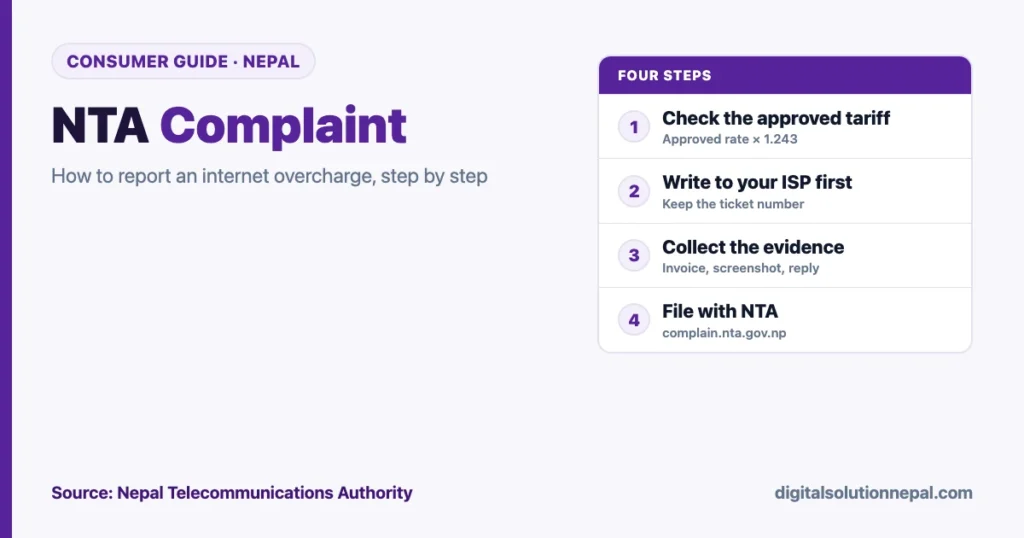
- Add the taxes. Approved tariffs exclude the 10% telecommunication service charge and 13% VAT. Multiply the approved monthly figure by 1.243.
- Multiply by the months you paid for, unless NTA approved a separate price for that term.
- Compare only the internet charge. Drop wire, router rental and a refundable deposit are separate lines.
A worked example. An approved tariff of Rs 1,190 a month becomes Rs 1,479 with both taxes. If the internet charge on your invoice for one month is higher than that, you have a case worth raising.
One caution. If your ISP’s page says a price excludes VAT, add 13% to it before you compare.
Step 2: complain to your ISP first, in writing
Do this before you go to the regulator. NTA’s own grievance form has two fields for it: what you told the provider, and what the provider answered.
- Use the ISP’s app, email or ticket system so there is a record. A phone call leaves nothing to attach.
- State the package, the amount charged, the approved tariff and the difference.
- Ask for a corrected invoice or a refund of the excess.
- Note the ticket number and the date.
NTA publishes a list of ISP toll-free numbers on its website, linked under Sources. Use it to open the ticket, then ask for the reply by email.
Step 3: collect your evidence
Put these in one folder before you file.
- The invoice or payment receipt showing the internet charge and the term.
- Your customer ID and the name on the account.
- The package name and speed.
- A dated screenshot of the ISP’s price page for your plan.
- The approved tariff: the page of NTA’s list with your ISP’s entry.
- Your message to the ISP and its reply, or proof that it did not reply.
Your arithmetic belongs here too. One line is enough: approved figure, taxes added, amount charged, difference.
Step 4: file the NTA complaint
NTA’s website offers three routes. Use the first if you can, because it leaves a record on both sides.
Route 1: the NTA Complaint Handling System
The address is complain.nta.gov.np. It opens on a login page.
- Choose the register link.
- Enter your first name, last name, mobile number, email address and a password.
- Log in with that email and password.
- Lodge the complaint and attach your evidence.
We stopped at the registration screen, so we cannot describe the screens after login. If the system asks for a category, a billing complaint is the closest fit.
Route 2: the Grievance Application form
NTA’s website carries a grievance form addressed to the Chairman of the Authority. It asks for:
| Field | What to write |
|---|---|
| Name, address, phone | Yours, as on the ISP account |
| Service provider | The ISP’s registered name |
| Type of service | Fibre internet, with speed and term |
| Subject of grievance | Billing. The form’s options include a wrong bill and “other” |
| Details | Dates and the sequence of events |
| What you want | For example, refund of the excess or a corrected bill |
| Complaint to the provider | A short account, with copies attached |
| Provider’s reply | What it said, if anything |
The page has a submit button. The form also lists NTA’s email, info@nta.gov.np, in its heading, so the same points can also be sent as a written application with your attachments, or delivered to the office in Jamal.
Route 3: phone and visit
NTA’s contact page gives +977-1-5355474 and the address Jamal, Kathmandu, P.O. Box 9754. A call is useful for asking about a complaint you have already filed. It is not a substitute for a written one.
What to write: a short model
Keep it to facts. This is a pattern you can adapt.
- I am a customer of [ISP name], customer ID [number], at [address].
- I subscribe to [speed] Mbps for [term]. On [date] I was charged Rs [amount] as the internet charge.
- NTA’s approved tariff list dated 2083/05/16 shows Rs [amount] a month for this package, excluding taxes. With 10% TSC and 13% VAT that is Rs [amount] for [term].
- The amount charged is Rs [difference] more than that.
- I wrote to the provider on [date], ticket [number]. Its reply was: [reply, or “no reply”].
- I request that the Authority examine whether the charge is within the approved tariff and direct a refund of any excess.
- Attached: invoice, screenshot, approved tariff page, correspondence.
Do not call the provider dishonest. You are asking the regulator to compare two numbers.
What the law lets NTA do
Three sections of the Telecommunications Act, 2053 matter here.
| Section | What it says |
|---|---|
| 42 | A licensee’s service charge must be approved by the Authority, published as directed, and proper and reasonable. The list of charges has to be submitted at least three months before it takes effect |
| 16 | The Authority has the power to settle disputes between a licensee and a customer |
| 47 | For breaking the Act or the Authority’s orders, a fine of up to Rs 50,000, and the Authority may have compensation for any loss recovered from the offender |
NTA has also acted in public this month. On 10 October it said it had received no proposal from ISPs to raise tariffs and warned of action against overcharging. On 12 October, according to press reports, it told ISPs to publish every approved package, price and condition on their websites, apps and service centres.
That second instruction helps you directly. Once an ISP publishes its approved packages, you can attach its own page as evidence.
What to expect, and what to avoid
- No published timeline. We found no stated time limit for NTA to decide a consumer complaint. Keep your complaint reference and follow up.
- Keep paying the undisputed amount. Section 43 of the Act allows a provider to stop service when a customer fails to pay. Dispute the excess; do not stop paying altogether.
- One complaint per issue. Sending the same complaint through all three routes slows things down.
- A bill that rose is not always a breach. Our audit found yearly plans at WorldLink, Vianet and Subisu below the approved figure. Do the arithmetic first.
Other problems you can take to NTA
The grievance form is not only for prices. Its own checklist covers:
- a wrong bill, or a bill for a service you did not use;
- a penalty charged for late payment;
- delay in connection, relocation or transfer of ownership;
- repair and maintenance problems and service quality.
For a failed wallet or bank transfer the regulator is different. Our guide to digital payment and banking complaints covers Nepal Rastra Bank’s process.
Need the complaint letter or application drafted?
Send us your invoice and we will prepare the document for you to submit. निवेदन वा उजुरी पत्र तयार गर्न सम्पर्क गर्नुहोस्।
Frequently asked questions
How do I file an NTA complaint online?
Go to complain.nta.gov.np, register with your name, mobile number, email and a password, log in and lodge the complaint with your evidence attached.
What is the NTA complaint email?
info@nta.gov.np. It appears on NTA’s contact page and at the head of its grievance form.
What is the NTA complaint number?
NTA’s contact page lists +977-1-5355474. For your ISP’s own toll-free line, use the list on NTA’s website.
Do I have to complain to my ISP before NTA?
NTA’s grievance form asks what you told the provider and what it replied, so do that first and keep the ticket number.
Can NTA fine an ISP for overcharging?
The Telecommunications Act allows a fine of up to Rs 50,000 for breaking the Act or the Authority’s orders, and lets the Authority have compensation recovered for a loss.
How do I know the approved price of my internet package?
Look up your ISP and speed in NTA’s approved tariff list, then multiply the monthly figure by 1.243 to add TSC and VAT.
Conclusion
An NTA complaint works best when it is small and exact: one package, one invoice, one approved figure and the difference between them. Write to your ISP first, keep the reply, then file through NTA’s Complaint Handling System or its grievance form with everything attached.
The regulator has said twice this month that the approved tariff is the limit. A complaint with the numbers in it is how that statement reaches your bill.
Sources
- Nepal Telecommunications Authority, Complaint Handling System: https://complain.nta.gov.np/
- Nepal Telecommunications Authority, Grievance Application form: https://nta.gov.np/page/grievance-application
- Nepal Telecommunications Authority, contact page: https://nta.gov.np/contactus
- Nepal Telecommunications Authority, ISP toll-free numbers: https://nta.gov.np/tollfreeno
- Telecommunications Act, 2053, English text published by NTA: https://nta.gov.np/uploads/contents/Telecom%20Act%20Upto%20date%20Eng.pdf
- Nepal Telecommunications Authority, Updated Approved Tariff List of Internet Service Providers (2083/05/16): https://nta.gov.np/uploads/contents/Updated%20Approved%20Tariff%20List%20of%20Internet%20Service%20Providers%2020830516.pdf
- The Himalayan Times, “NTA warns internet providers against unauthorised tariff hikes” (10 October 2026): https://thehimalayantimes.com/ampArticle/1040594
- Peoples’ Review, “NTA warns ISPs against charging above agreed internet package rates” (12 October 2026): https://peoplesreview.com.np/2026/10/12/nta-warns-isps-against-charging-above-agreed-internet-package-rates/
Digital Solution Pvt. Ltd. is an independent publisher and is not affiliated with NTA or any ISP. This guide explains a public process and is not legal advice. The model text is ours; adapt it to your own facts.

Rabin Paudel
Rabin Paudel is the Founder of Digital Solution, a Content Creator, and an AI Trainer. He shares practical and easy-to-understand content on Artificial Intelligence, Digital Literacy, Online Services, FinTech, and Technology. His mission is to make technology simple, accessible, and useful for everyone.
View all posts by Rabin Paudel →