
As of 13 October 2026 (27 Asoj 2083). Screen names are taken from the Mero Share application of CDS and Clearing Limited. Counts of banks and participants are from CDSC’s website on that date. This guide explains a process. It does not recommend any share.
To apply for an IPO in Mero Share, log in, open My ASBA, pick the issue, enter the number of kitta, your bank, your CRN and your four-digit transaction PIN, and submit. The money is blocked in your bank account, not sent, until the shares are allotted.
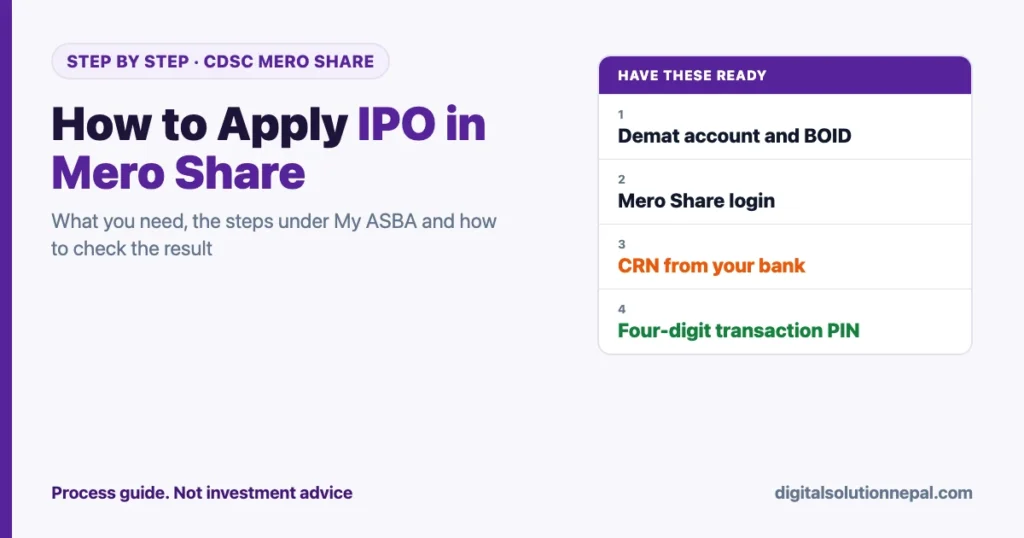
Before any of that works, three things have to be in place: a Demat account, a Mero Share login and a CRN from your bank. Most failed applications trace back to one of those, not to the form.
IPO stands for initial public offering, the first sale of a company’s shares to the public. Kitta (कित्ता) is the everyday word for one unit of a share.
Quick answers
| Question | Answer |
|---|---|
| Where to apply | meroshare.cdsc.com.np or the Mero Share app, run by CDSC |
| Menu | My ASBA, then the issue under Current Issue |
| What you need | Demat account, Mero Share login, bank account, CRN, transaction PIN |
| Transaction PIN | Four digits, set by you in Mero Share |
| Where the money goes | It is blocked in your bank account until allotment |
| Result | iporesult.cdsc.com.np, with your 16-digit BOID |
What you need before you can apply
| Item | What it is | Where it comes from |
|---|---|---|
| Demat account | The account that holds your shares electronically. It gives you a 16-digit BOID | A depository participant: a bank, capital company or broker |
| Mero Share | CDSC’s online service for Demat account holders | The same depository participant |
| Bank account | The account the application amount is blocked in | Your bank |
| CRN | C-ASBA Registration Number, which links your bank account to the application system | Your bank |
| Transaction PIN | A four-digit number that confirms each application | You set it inside Mero Share |
C-ASBA is the centralised system through which share applications are made, with the amount blocked in the applicant’s account. ShareSansar’s reports from 2018 record that the Securities Board made it compulsory for public issues from 11 Falgun 2074.
On 13 October 2026, CDSC’s website listed 124 depository participants registered in Mero Share and 43 banks registered in C-ASBA. Your bank must be one of those 43.
How to apply IPO in Mero Share: the steps
- Log in. Open Mero Share, select your depository participant from the list, and enter your username and password.
- Open My ASBA. The page has four tabs: Current Issue, Applicable Issue, Application Report and Old Application Report.
- Find the issue under Current Issue. Each line shows the company, the type of share and the issue’s open and close dates.
- Choose Apply. The form is headed “Apply for Company Share”. It shows the issue’s minimum and maximum quantity.
- Select your bank and the bank account number. The branch fills in by itself.
- Enter the applied kitta. The amount is calculated from the number of kitta and the price per unit.
- Enter your CRN.
- Accept the declaration and continue.
- Enter your four-digit transaction PIN and submit.
Then open Application Report. Your application appears there with its status. That entry, not the success message, is your proof that the application went through.
How many kitta to apply for
The form shows a minimum and a maximum quantity for each issue. Read them there, because they belong to that issue.
Public issues for general investors have commonly carried a minimum of 10 kitta. When an issue is heavily oversubscribed, shares are distributed in small lots, so applying for far more than the minimum does not always improve the outcome. Blocking a large amount also ties up your money until allotment.
How much to apply for, and whether to apply at all, is your decision. Read the prospectus first.
What happens to your money
When you submit, the bank blocks the application amount in your account. You cannot spend it, but it has not left the account.
- If you are allotted shares, the amount for the allotted kitta is debited and the rest is released.
- If you are not allotted any, the full amount is released.
Keep the full amount in the account until the result. If the balance is short when the bank tries to block it, the application fails.
How to check the IPO result
CDSC runs a public result page at iporesult.cdsc.com.np.
- Select the company.
- Enter your 16-digit BOID.
- Type the captcha and choose View Result.
Inside Mero Share, the same answer appears in My ASBA under Application Report, which shows the allotted quantity for each application. Allotted shares then appear under My Shares.
Applying from the mobile app
The Mero Share app follows the same order: My ASBA, the issue, the form, the PIN. Install it only from the official app store listing of CDS and Clearing Limited, and log in with the same depository participant, username and password.
Common problems and what they mean
| Problem | Likely cause | Fix |
|---|---|---|
| “CRN is required” or CRN rejected | No CRN, or it belongs to a different bank account | Ask your bank for the CRN of the account you selected |
| Bank not in the list | Your bank account is not linked, or the bank is not in C-ASBA | Register for C-ASBA at your bank |
| Transaction PIN error | The PIN must be four digits, numbers only | Reset it from Change Transaction PIN |
| Issue missing from Current Issue | The issue has not opened, has closed, or is for a reserved group | Check the open and close dates |
| Cannot log in | Mero Share or Demat account not renewed, or wrong participant chosen | Renew from the app, or contact your depository participant |
| Application rejected | Wrong details or a short balance | Use “Reapply” in Application Report while the issue is still open |
Mero Share and the Demat account both carry a yearly renewal. The app has an option to renew your accounts by online payment.
Rules that protect you
- One person, one application. Apply only from your own Demat account, in your own name.
- Never share the transaction PIN or password. With them, someone else can apply and transfer in your name. Our OTP, PIN and password safety guide covers the basics.
- Use only the official address. The service is on cdsc.com.np. A look-alike site that asks for your login is a trap.
- No one can guarantee allotment. Anyone selling a “sure allotment” is lying.
- Keep your own records. If a relative applies for you, the account, PIN and bank alerts should still be yours.
For a wider look at account safety for investors, see our note on the NEPSE DataHub ransomware attack.
After allotment: tax and records
Shares bought in an IPO have a purchase price that matters later. When you sell, capital gains tax is worked out from it. Our guide to capital gains tax on shares explains the rates and the holding period.
If a bank or embassy asks for proof of funds, a share holding is shown separately from a bank balance. Our guide to the bank statement and balance certificate explains the difference.
Need help with forms and documents?
We help with applications, scans and online form filling. फारम र कागजातमा सहयोग चाहिए भने सम्पर्क गर्नुहोस्।
Frequently asked questions
How do I apply for an IPO in Mero Share?
Log in, open My ASBA, choose the issue under Current Issue, select Apply, enter your bank, the number of kitta and your CRN, accept the declaration and confirm with your four-digit transaction PIN.
What is a CRN number and where do I get it?
CRN is the C-ASBA Registration Number. Your bank issues it when you register your account for share applications.
Can I apply for an IPO without a Demat account?
No. Mero Share is a service for Demat account holders, and allotted shares are credited to the Demat account.
How do I check my IPO result?
Go to iporesult.cdsc.com.np, select the company, enter your 16-digit BOID and the captcha, and view the result. It also shows in Mero Share under Application Report.
Is my money deducted when I apply?
No. It is blocked in your bank account. It is debited only for the shares you are allotted, and the rest is released.
What is the transaction PIN in Mero Share?
A four-digit number you set yourself. Every application is confirmed with it.
Conclusion
Once the Demat account, Mero Share login and CRN are ready, learning how to apply IPO in Mero Share takes a few minutes: My ASBA, the issue, the kitta, the bank, the CRN, the PIN. Then check Application Report to confirm it was received, and CDSC’s result page after allotment.
The process is simple. The decision is not. Read each prospectus, apply only with money you can leave blocked, and keep your PIN to yourself.
Sources
- CDS and Clearing Limited, Mero Share: https://meroshare.cdsc.com.np/
- CDS and Clearing Limited, website, counts of registered depository participants and C-ASBA banks, read 13 October 2026: https://cdsc.com.np/
- CDS and Clearing Limited, IPO result page: https://iporesult.cdsc.com.np/
- ShareSansar, reports on banks issuing the C-ASBA Registration Number and on C-ASBA becoming compulsory (2018): https://www.sharesansar.com/newsdetail/nepal-sbi-bank-launches-c-asba-service-from-today-urges-investors-to-get-crn-no-mero-share-facility
Digital Solution Pvt. Ltd. is an independent publisher and is not affiliated with CDSC, any bank or any issuer. This is a guide to a process and is not investment advice. Screens can change; follow what the application shows you.

Rabin Paudel
Rabin Paudel is the Founder of Digital Solution, a Content Creator, and an AI Trainer. He shares practical and easy-to-understand content on Artificial Intelligence, Digital Literacy, Online Services, FinTech, and Technology. His mission is to make technology simple, accessible, and useful for everyone.
View all posts by Rabin Paudel →