
Last updated: July 2026 (Shrawan 2083). Check tools and SMS codes follow DoTM’s current services — verify on dotm.gov.np if anything changes.
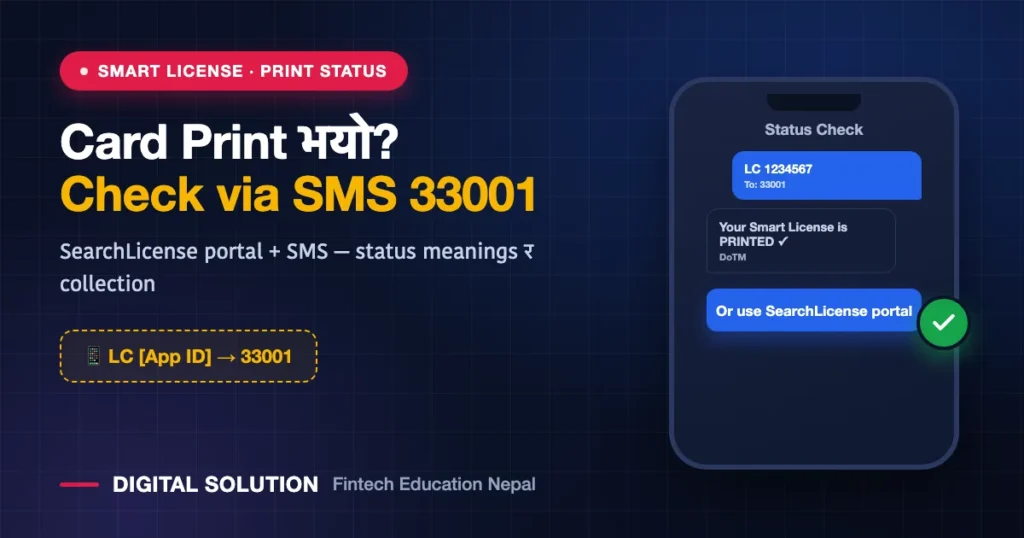
Trial pass भयो — अब कार्ड कहिले? The gap between passing and holding the physical smart card is where everyone anxiously Googles. Good news: smart driving license print status is checkable in under a minute — from the DoTM SearchLicense portal or a simple SMS to 33001. Here’s every method, what each status actually means, and how collection works.
📥 FREE Download: Driving License Complete Checklist (PDF)
Apply गर्नुअघि चाहिने सबै — documents, age, exam format, fees, SMS codes — २ पानाको checklist। Print गरेर टिक लगाउँदै जानुहोस्।
⚠️ Note the difference: this guide is for your DRIVING LICENSE card. Looking for National ID card print status instead? That’s a different system — use our NID card status check guide.
Method 1: The SearchLicense Web Portal
- Go to DoTM’s license search page: dotm.gov.np/DrivingLicense/SearchLicense.
- Enter your Application ID (the reference number you saved when applying — told you it mattered).
- Submit — the current print/production status of your card displays.
Method 2: SMS to 33001 (Works on Any Phone)
| Type | Send To | You Get |
|---|---|---|
| LC [space] ApplicationID | 33001 | License/card status for your application |
| WT [space] ApplicationID | 33001 | Written-result/application-stage info |
Standard SMS rates apply. This works from a basic phone — useful for family members checking on behalf of someone without internet.
Method 3: Verify Full License Details Online
Already have your license number and want the record (photo, categories, validity)? Use the license-check tool at your provincial eDLVRS portal/licensecheck — enter date of birth + license number and search. Handy for verifying a duplicate/renewed card’s data landed correctly (duplicate guide, renewal guide).
What the Statuses Mean
| Status Signal | Meaning | Your Move |
|---|---|---|
| Processing / pending | Record confirmed, card not yet in print queue | Wait; re-check weekly |
| Sent for printing / in production | Card is in the central print pipeline | Wait; the queue moves in batches |
| Printed | Card exists 🎉 | Watch for distribution status/notice |
| Dispatched / ready for distribution | Card sent toward your office | Collect per your office’s process |
Exact wording varies by system update — the sequence (processing → printing → printed → distribution) is the constant.
How Long Does Printing Take?
Honestly: it varies — central printing works through national batches, and backlogs have historically ranged from weeks to much longer depending on card stock and volume. The practical approach: check monthly, not daily; your interim proof (receipts, pass records) covers you meanwhile — and follow official notices for batch announcements. We flag major backlog/clearance news on our channels when it drops.
Collecting Your Card
- Status shows printed/distribution → your office (the one you applied at) handles handover per its notice — some publish lists, some SMS.
- Bring your application slip/ID + citizenship; collection fees (card fee) are settled per your payment stage if not already paid (payment guide).
- Check the card on the spot — name spelling, categories, dates. Errors are easiest to raise before you leave the counter (and our correction guide covers the fix path).
FAQ
How do I check if my smart license is printed?
Enter your Application ID at dotm.gov.np/DrivingLicense/SearchLicense, or SMS LC [space] ApplicationID to 33001.
I lost my Application ID. Can I still check?
Your eDLVRS account shows your application record — log in and retrieve the number (login recovery: fix guide). The office can also trace it from your identity details.
Can I drive while the card is “printed” but not collected?
Carry your valid interim proofs per your office’s practice — a passed record with receipts is your defensible position at a check, but the physical/collected card is the clean answer. Collect promptly once distribution opens.
My status hasn’t moved for months. Is my application lost?
Almost always it’s the print backlog, not your file. If status is frozen at an early stage beyond reason, visit your office with your Application ID for a record check.
Card status बुझिएन? आफ्नो status को screenshot पठाउनुहोस् — Digital Solution ले के stage हो भनेर भनिदिन्छ। Site को WhatsApp (+977 9766597181) बाट सम्पर्क गर्नुहोस्; print batch news का लागि follow गर्नुहोस्।
Disclaimer: Digital Solution Nepal is an independent educational/digital-service assistance website, not a government body. Status tools, SMS codes and distribution practice follow DoTM’s current services — verify on official portals (dotm.gov.np / your provincial eDLVRS portal).

Rabin Paudel
Rabin Paudel is the Founder of Digital Solution, a Content Creator, and an AI Trainer. He shares practical and easy-to-understand content on Artificial Intelligence, Digital Literacy, Online Services, FinTech, and Technology. His mission is to make technology simple, accessible, and useful for everyone.
View all posts by Rabin Paudel →