
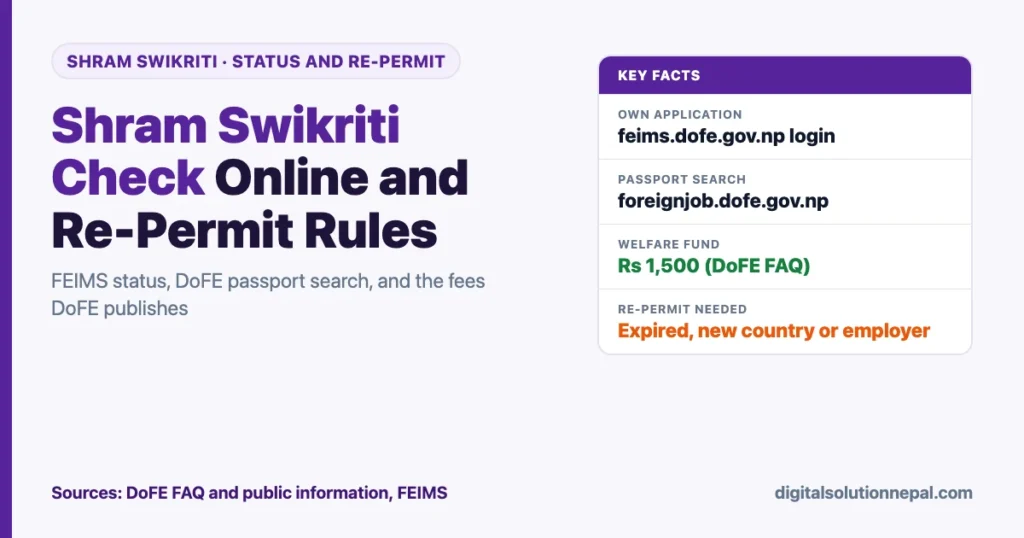
As of 20 October 2026 (4 Kartik 2083). Checked against the Department of Foreign Employment’s website (services list, FAQ and “important information” pages), the FEIMS portal at feims.dofe.gov.np, the DoFE search portal at foreignjob.dofe.gov.np, and the Social Security Fund’s foreign employment pages. Fee figures are those published on the DoFE FAQ on that date; the amount FEIMS shows at payment time is the one that applies.
A Shram Swikriti check (श्रम स्वीकृति, labour permit or labour approval) takes under a minute once you know which of the two DoFE screens to use. If you applied yourself, the status is in your FEIMS account. If you want to confirm that a permit exists against a passport, for example one arranged by a manpower company, the Department’s public search page does that without a login.
This guide covers both checks, what each status means, and then the rules for a re-labour permit (पुनः श्रम स्वीकृति, often called renewal): when you need one, what it costs, and the insurance and Social Security Fund payments that go with it.
Quick answers
| Question | Answer |
|---|---|
| Check my own application | Log in at https://feims.dofe.gov.np (individual login) and open the application |
| Check a permit by passport number | https://foreignjob.dofe.gov.np, “Passport Search (अन्तिम श्रम स्वीकृतिको खोजि)” |
| Check a pre-approval (पूर्व स्वीकृति) | Same portal, “Search Pre Permission Detail” |
| When is a re-permit needed? | When the earlier permit has expired, or you go to a new country or a new employer (DoFE) |
| Welfare Fund | Rs 1,500 on the DoFE FAQ and important-information page; no permit without the receipt |
| Insurance (new permit, DoFE FAQ) | Rs 3,708 (age 18 to 35), Rs 4,931 (36 to 50), Rs 9,463 (51 to 64) |
| SSF contribution | Listed as Rs 2,308 on the DoFE FAQ; SSF’s current monthly figure is Rs 2,596, see below |
| Helplines | DoFE toll-free 1140 and 1660-01-09999; Foreign Employment Board 1660-01-50005 |
Two kinds of Shram Swikriti check
1. Your own application in FEIMS
FEIMS (Foreign Employment Information Management System) is the system every labour permit now goes through. The login page at feims.dofe.gov.np has two doors: one “for persons who have gone or want to go for foreign employment” and one for office staff and institutional users such as manpower companies. Use the first.
- Open https://feims.dofe.gov.np and click the individual Login.
- Enter your username (the email or mobile number you registered with) and password. If you have forgotten the password, the DoFE FAQ describes the route: click “Forgot Password?”, type the captcha, choose reset by email or by mobile number, enter it again and follow the link that arrives.
- On the dashboard, open your current application. The status line shows where it is: documents under review, payment pending for welfare fund, insurance or SSF, approved, or returned with a remark.
- If the status says a payment is missing, the welfare fund and insurance fields show “No” until the payment lands and you refresh. Our guide to Shram Swikriti payment through connectIPS shows each screen.
- An approved application ends with the permit record and, for people leaving from Nepal, the labour approval sticker in the passport.
2. Public search by passport number
The Department’s search portal at foreignjob.dofe.gov.np has three searches, no login needed:
| Search | What it shows |
|---|---|
| Passport Search (अन्तिम श्रम स्वीकृतिको खोजि) | Whether a final labour permit has been issued against the passport number, and its details |
| Search Pre Permission Detail (पूर्व श्रम स्वीकृतिको खोजि) | The pre-approval given to a manpower company for a job demand, by lot number |
| Job Search (कामको खोजि) | Approved job demands you can apply for |
This is the check to run before you pay a manpower company’s final instalment, and the one a family member in Nepal can run for a worker abroad. The same portal lists the licensed agencies, orientation centres, medical centres, banks and insurers that DoFE has approved. Our earlier page on the Shram Swikriti safety checklist explains the SMS check for job advertisements (LT, a space and the lot number, sent to 34001).
What the statuses mean
- Submitted / under review. The office is checking documents. The DoFE FAQ says PDOT and medical results take about three working days to arrive in the system.
- Payment pending. One of the three payments (welfare fund, insurance, SSF) has not been matched to this application. The common cause is paying against an old submission number.
- Returned. A document failed: an expired passport, an unattested contract, or a contract in a language other than English or Arabic without an approved translation.
- Approved. The permit is issued. For a first permit you collect the sticker; for an online re-permit the certificate comes by email.
Documents the Department asks for
For a new permit the FAQ lists: a passport with more than 90 days’ validity, a valid visa, a copy of the employment contract, the employer’s email sent from its official address to the labour permit office, a self-declaration, an attestation letter from the Nepali embassy for Gulf countries, and an English translation (from Bishwa Bhasa Campus or another authorised body) if the contract or certificate of employment is in a language other than English or Arabic.
A re-permit application uses the same list with the new contract and visa. Keep scans ready at under the upload limit shown in FEIMS.
Re-labour permit: when you need one
The Department’s public information page is direct on this. Item 16 says that if your earlier labour permit has expired, or you are going again to a new country or a new company, you must take a re-labour permit (पुनः श्रम स्वीकृति, नवीकरण). It adds that you should not stay abroad beyond your visa without approval, and that you should renew your passport in time.
Three situations in practice:
| Situation | What to do |
|---|---|
| Same country, same employer, contract extended | Apply for a re-permit in FEIMS. DoFE published a notice on an automatic approval arrangement in FEIMS for people returning to the same country and the same company; check that notice on dofe.gov.np for the current conditions. |
| Same country, new employer | Re-permit with the new contract and visa. |
| New country | Re-permit; attestation from the Nepali embassy in that country if it is a Gulf state. |
The re-permit can be applied for from abroad. The Himalayan Times reported when DoFE opened online renewal that applicants whose fingerprints and biometric details were already on file could apply from any country, pay through the Welfare Fund’s gateways, and receive the certificate by email. That remains the model in FEIMS today.
One 2026 caution. On 17 March 2026 Ratopati reported that the Ministry of Labour had limited re-permit issuance to seven countries, including Saudi Arabia, the UAE, Qatar and Oman, after renewals for West Asia were paused during the conflict there. Check DoFE’s notice board before you plan on a re-permit for a Gulf or Middle East destination, because such restrictions change with events.
Fees for a labour permit and a re-permit
The DoFE FAQ for a new permit lists these amounts, to be paid online after the PDOT and medical results arrive:
| Payment | Amount (DoFE FAQ, 20 October 2026) |
|---|---|
| Insurance, age 18 to 35 | Rs 3,708 |
| Insurance, age 36 to 50 | Rs 4,931 |
| Insurance, age 51 to 64 | Rs 9,463 |
| Social Security Fund | Rs 2,308 |
| Welfare Fund (कल्याणकारी कोष) | Rs 1,500 |
Three notes on these figures.
First, the Welfare Fund contribution of Rs 1,500 appears both on the FAQ and on the public information page, which states that no labour permit is issued without the receipt. Second, the insurance premium depends on your age band and the contract period; the figure FEIMS displays after you enter the contract details is the one to pay. Our page on foreign employment insurance explains the cover. Third, the SSF line on the FAQ shows Rs 2,308, while the Social Security Fund’s own current monthly contribution for migrant workers is Rs 2,596, which we set out in our guide to SSF for foreign employment. The FAQ figure looks older; pay what FEIMS and the SSF system show.
The Department does not publish a separate fee table for a re-permit. The welfare fund and SSF lines reappear in a re-permit application, and the insurance premium is recalculated for the new contract period. We have not found an official figure for a reduced welfare contribution on re-permits, so this page does not quote one; the FEIMS payment screen is the authority.
SSF for migrant workers
The Social Security Fund treats foreign employment as its own sector. Its website has a page on the discounts and concessions available to workers in foreign employment, a migrant worker password reset link in the contributor system (sosys.ssf.gov.np), and a dedicated contact for migrant contributors: WhatsApp and Viber 9851351754 and migrantworker@ssf.gov.np, with the general call centre at 1116.
Two rules matter for the permit check. Your SSF ID is permanent, but each FEIMS application has its own submission number, and a payment made against an old submission number does not count for the new one. And contributions are yours: a worker who has paid SSF on an earlier permit keeps that balance when applying again.
Office hours and help
DoFE at Tahachal, Kathmandu, works Monday to Friday, 9 am to 5 pm in summer and 9 am to 4 pm in winter (16 Kartik to 15 Magh, which this year is 2 November 2026 to 28 January 2027). The toll-free number on the website is 1140, with 01-4792671 as the office line and info@dofe.gov.np by email. The public information page gives 1660-01-09999 for fraud complaints and 1660-01-50005 for the Foreign Employment Board.
Complaints against agencies go through the online complaint system at ujuri.dofe.gov.np, which is linked from the DoFE services list.
Need help with FEIMS status or a re-labour permit?
Digital Solution checks your labour permit status, prepares the FEIMS re-permit application and guides the welfare fund, insurance and SSF payments. श्रम स्वीकृति नवीकरणका लागि हामीलाई सम्पर्क गर्नुहोस्।
Frequently asked questions
How do I check my Shram Swikriti status online?
Log in to https://feims.dofe.gov.np with the individual login and open your application; the status and any pending payment are shown there. To check whether a permit exists against a passport without logging in, use the Passport Search at https://foreignjob.dofe.gov.np.
Can someone in Nepal check my labour permit for me?
Yes. The passport search on foreignjob.dofe.gov.np is public; they need only your passport number.
When do I need a re-labour permit?
When your previous permit has expired, or you are going to a new country or a new employer. DoFE’s information page lists this as a requirement, and it applies even if you are returning to the same job after a long gap.
How much is the Welfare Fund fee?
Rs 1,500, according to the DoFE FAQ and its public information page, and the permit is not issued without the receipt.
Can I apply for a re-permit from abroad?
Yes. FEIMS accepts applications from abroad for people whose details are already in the system, with payment online and the certificate sent by email.
What if my passport expires soon?
The FAQ requires more than 90 days of validity on the passport for a permit. Renew the passport first, then apply.
Conclusion
A Shram Swikriti check is two screens: your own FEIMS account for the application status, and the public passport search on foreignjob.dofe.gov.np for a permit issued in your name. Use the first to chase a pending payment and the second before you hand over money to anyone.
For a re-permit, the rule is simple: expired permit, new country or new employer means a new application, with the welfare fund, insurance and SSF payments made against the new submission number. Fees on this page are as the Department published them in October 2026; the amount FEIMS shows is the one to pay.
Sources
- Department of Foreign Employment, services list (FEIMS, passport search, pre-approval, complaints): https://dofe.gov.np/services-list/
- Department of Foreign Employment, FAQ (documents and payments for a new labour permit; password reset), checked 20 October 2026: https://dofe.gov.np/faq/
- Department of Foreign Employment, public important information (items 9, 10, 15, 16 and 18): https://dofe.gov.np/pages/public-important
- Department of Foreign Employment, notice on automatic approval in FEIMS for workers returning to the same country and company: https://dofe.gov.np/content/243/automatic-approval-system-for-customers-returning-to/
- FEIMS portal: https://feims.dofe.gov.np/
- DoFE search portal (passport search, pre-permission search, job search): https://foreignjob.dofe.gov.np/
- Social Security Fund, foreign employment sector and migrant worker contacts: https://ssf.gov.np/services/arrangements-related-to-discounts-and-concessions-received-by-workers-in-foreign-employment
- Ratopati English, Ministry restricts re-issuance of work permits to seven countries (17 March 2026): https://english.ratopati.com/story/54187/only-these-seven-countries-will-be-allowed-to-re-issue-work-permits
- The Himalayan Times, Online renewal of labour permits starts (archived report): https://thehimalayantimes.com/business/online-renewal-of-labour-permits-starts/
- Nepal Law Commission, Foreign Employment Act 2064 and Foreign Employment Rules 2064 (index pages): https://lawcommission.gov.np/content/13307/foreign-employment-act–2064/ and https://lawcommission.gov.np/content/12967/foreign-employment-rules–2064/
Digital Solution Pvt. Ltd. is an independent publisher and is not affiliated with the Department of Foreign Employment or the Social Security Fund. Fees and procedures are as published on the dates stated and change by notice; confirm in FEIMS before paying.

Rabin Paudel
Rabin Paudel is the Founder of Digital Solution, a Content Creator, and an AI Trainer. He shares practical and easy-to-understand content on Artificial Intelligence, Digital Literacy, Online Services, FinTech, and Technology. His mission is to make technology simple, accessible, and useful for everyone.
View all posts by Rabin Paudel →