
As of 20 October 2026 (4 Kartik 2083). Checked against the Mero Kitta portal at merokitta.dos.gov.np (home page, application form, status page, FAQ and help pages), the Survey Department website, Kantipur’s report on the Mero Kitta mobile app (4 June 2026) and Onlinekhabar’s launch explainer (22 April 2021). Fees are not published on the portal; see the fees section.
Mero Kitta (मेरो कित्ता, “my plot”) is the Survey Department’s online service portal. It lets a landowner apply from home for the four things people most often queue at a survey office (नापी कार्यालय) for: a print of the cadastral map (नक्सा), a copy of the field book (फिल्डबुक उतार), a copy of the plot register (प्लट रजिस्टर उतार), and a field demarcation request (रेखाङ्कन).
The portal describes itself as the NeLIS Public Access Portal, the public face of the Nepal Land Information System. It runs on the web at merokitta.dos.gov.np and, since June 2026, as a mobile app on Android and iOS. The older address merokitta.gov.np did not resolve when we checked; use the dos.gov.np address.
This guide explains who can use it, what to scan before you start, the application and OTP tracking steps, how payment works, and which land jobs still need a visit to the survey office or the land revenue office (मालपोत).
Quick answers
| Question | Answer |
|---|---|
| Website | https://merokitta.dos.gov.np (English and Nepali) |
| Mobile app | “मेरोकित्ता” on Google Play and the App Store, launched June 2026 |
| Services | Naksa print, field book copy, plot register copy, field demarcation application |
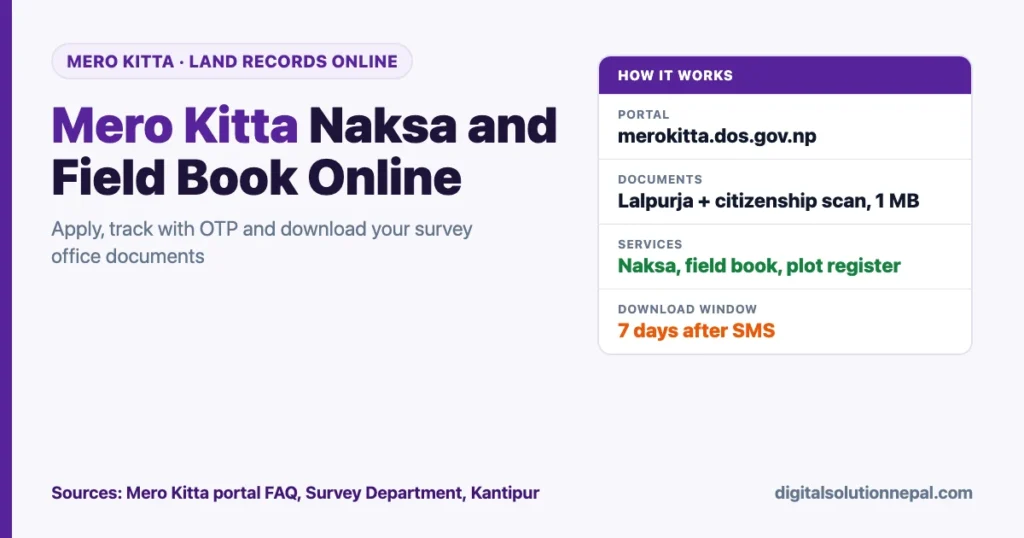
| Documents | Scan of the लालपुर्जा (land ownership certificate) and the owner’s citizenship, each under 1 MB |
| Account | No password; your mobile number plus an OTP sent at submission |
| Track status | “निवेदनको अवस्था” page, mobile number plus OTP |
| Payment | Online through the portal (eSewa, Khalti, connectIPS per the June 2026 launch report) or a printed bank voucher |
| Delivery | PDF uploaded by the office; SMS alert; download within 7 days |
| Fees | Not published on the portal; the amount comes by SMS after the office checks your file |
What Mero Kitta does and does not cover
Nepal’s land records sit in two offices. The survey office (नापी कार्यालय) keeps the maps, field books and plot registers. The land revenue office (मालपोत कार्यालय) keeps ownership records and handles transfers, inheritance (नामसारी) and registration.
Mero Kitta is the survey office’s window only. From it you can get:
| Service | What you receive | Typical use |
|---|---|---|
| नक्सा प्रिन्ट (map print) | PDF of the cadastral sheet showing your plot (कित्ता) and neighbours | Sale, bank loan, boundary disputes, building permit |
| फिल्डबुक उतार (field book copy) | Copy of the survey record of the plot: area, type, owner at survey time | Verifying area, old ownership history |
| प्लट रजिस्टर उतार (plot register copy) | Copy of the plot register entry | Checking subdivisions and plot numbers |
| रेखाङ्कन (field demarcation) | An appointment for a surveyor to mark boundaries on the ground | Fencing, construction, disputes |
Anything that changes ownership stays with the land revenue office. For a sale you still visit Malpot; our guide to land registration fees in Nepal covers that cost, and the capital gains tax on land and houses explains the seller’s tax.
Before you start: two scans
The portal asks for exactly two documents from an ordinary user:
- The land ownership certificate (जग्गाधनी प्रमाणपुर्जा, the लालपुर्जा), scanned so that it is readable, at 1 MB or smaller.
- The citizenship certificate of the landowner named on that certificate, also readable and 1 MB or smaller.
Scan with a phone app and export as a compressed JPG or PDF; a bright photo of the page at normal resolution is usually 300 to 800 KB. The office rejects files it cannot read, and the status will tell you so.
You will also need the details printed on the certificate: the former VDC or municipality (साबिक गा.वि.स./न.पा.), ward number, map sheet number (नक्सा नं.) and plot number (कित्ता नं.).
How to apply on Mero Kitta, step by step
- Open https://merokitta.dos.gov.np and choose EN or NE at the top. Click “सेवालिनको लागी निवेदन” (apply for a service).
- Select the survey office (सेवा लिने कार्यालय) that holds your records. The list loads from the system; pick the office for the district and area where the land is.
- Select the local level (स्थानीय तह) and the service type: नक्सा प्रिन्ट, फिल्डबुक उतार, प्लट रजिस्टर उतार or रेखाङ्कन.
- Enter the landowner’s name and mobile number, then upload the लालपुर्जा scan and the citizenship scan. There is a field for other documents if the office needs them, for example an authorisation letter if you are applying for a relative.
- Enter the citizenship number, issue date and issuing district.
- Enter the plot details as printed on the certificate: former VDC or municipality, ward, map sheet number and plot number.
- Type the captcha code and submit.
- An OTP arrives on the mobile number you gave. Keep it. The portal’s FAQ says the same code is needed for the whole life of the application, including status checks and the final download.
Applications are handled in the order received. Onlinekhabar’s 2021 explainer reported a Survey Department directive giving offices 15 days to act on an application; the portal itself does not show a deadline.
Tracking the application
Open “निवेदनको अवस्था” (application status) on the portal, enter the mobile number used at submission and the OTP, and search. The same page is in the app. You will see whether the office has checked the file, whether payment is due, and whether the PDF is ready.
The portal also has “कारोबारको अवस्था” (transaction status) and a daily transactions page, which are mostly for institutional users such as banks.
Fees and payment
The fee is not listed on the portal. After the office checks your application, an SMS tells you the revenue amount (राजस्व) to pay. The June 2026 app launch, as reported by Kantipur, added payment through eSewa, Khalti and connectIPS inside the app; the portal FAQ also allows printing a voucher and paying at a bank. Field demarcation fees can be paid online the same way.
We could not find a current published fee table on dos.gov.np, and the department’s citizen charter PDF was not reachable when we checked, so this page does not quote amounts. Pay only the figure in the SMS from the system, and only through the portal, the app or a bank voucher.
Getting your naksa or copy
Once payment is confirmed, the office uploads a digital PDF and the system sends another SMS. Log in to the status page with the mobile number and OTP and download the file. Two rules from the FAQ:
- The download link works for seven days. Save the PDF to your phone and a second place.
- To print, open the PDF in a standard viewer and set custom scale to 100 percent, so the map keeps its true scale.
For a field demarcation request the flow is different: after payment, wait for a further SMS inviting you to choose a convenient date, and a surveyor will then visit the plot.
The Mero Kitta mobile app
The Survey Department released the मेरोकित्ता app on 4 June 2026 (21 Jestha 2083), in the presence of the Minister for Land Management, Cooperatives, Federal Affairs and General Administration, as reported by Kantipur. The app offers the same four services, OTP-based status tracking, online payment through eSewa, Khalti and connectIPS, and the contact numbers of the office chief and information officer at each survey office. The web version continues alongside it.
Install it only from Google Play or the App Store, and check that the publisher is the Survey Department (नापी विभाग).
Which offices are covered
The help page on the portal lists survey offices across the country, starting from Taplejung in the east, with the office chief and information officer’s phone numbers for each. When Mero Kitta launched in April 2021 it covered only the Kathmandu Valley offices at Kalanki, Dillibazar and Bhaktapur, with a plan to extend it to all survey offices, as Onlinekhabar reported at the time. The application form now loads the office list from the live system, so the practical check is to open the form and see whether your office appears.
If your office is not listed, or the plot is in an area where records have not been digitised, you will still need to visit in person.
Institutional users
Banks, financial institutions and local governments use a separate “संस्थागत लगईन” (institutional login) with a username and password, and can get documents in bulk for loan processing and local planning. The FAQ says institutional accounts are created under section 5 of the Survey Department’s 2078 directive on digital service delivery, and lists the papers: a Nepal Rastra Bank licence and company registration for banks, registration certificate and company registration for other financial institutions, and an official letter for local levels, plus a user request form in each case.
What still needs a visit
| Job | Where | Online through Mero Kitta? |
|---|---|---|
| Naksa print, field book, plot register copies | Survey office | Yes |
| Field demarcation (surveyor visit) | Survey office | Application and payment online; the survey itself is in person |
| Plot subdivision (कित्ता काट) and merger | Survey office and Malpot | No |
| Sale, gift or transfer (रजिस्ट्रेशन पास) | Malpot | No |
| Inheritance transfer (नामसारी) | Malpot | No |
| Replacement लालपुर्जा | Malpot | No |
| Correction of area or name in records | Both offices | No |
| Land tax (मालपोत) payment | Local ward office | No, paid at the ward or through its own system |
Mero Kitta removes the queue for copies, which is where most people’s survey office visits begin and end. For the rest, the copies you download are the papers you will be asked for at the counter, so getting them first still saves a trip.
Need your naksa or field book copy without the queue?
Digital Solution can scan your documents, file the Mero Kitta application, track the OTP status and download the PDF for you. जग्गाको नक्सा र फिल्डबुक अनलाइन निकाल्न हामीलाई सम्पर्क गर्नुहोस्।
Frequently asked questions
What is Mero Kitta?
Mero Kitta is the Survey Department’s online portal and app for survey office services: naksa print, field book copy, plot register copy and field demarcation applications. It is at merokitta.dos.gov.np.
Do I need an account or password?
No. You submit the form with your mobile number and receive an OTP. That mobile number and OTP are used to check status and download the document.
What documents are required?
A readable scan of the लालपुर्जा (land ownership certificate) and of the landowner’s citizenship certificate, each 1 MB or smaller, plus the plot details printed on the certificate.
How much does a naksa print cost on Mero Kitta?
The portal does not publish a fee table. After the office checks your application, an SMS tells you the amount to pay online or by bank voucher.
How long is the download link valid?
Seven days from the SMS telling you the PDF is ready. Download and save it straight away.
Can I do namsari or land registration through Mero Kitta?
No. Those are land revenue office (मालपोत) services. Mero Kitta covers survey office records only.
Conclusion
Mero Kitta turns the most common survey office errand into a form, an OTP and a PDF. Scan the लालपुर्जा and citizenship, apply at merokitta.dos.gov.np or in the app, pay the amount sent by SMS, and download the naksa, field book or plot register within seven days.
It does not replace the land revenue office for transfers, inheritance or a lost लालपुर्जा, and it does not publish its fees online, so keep the SMS and the receipt. For everything else about the plot, start here before you travel.
Sources
- Survey Department, Mero Kitta portal (home, application form, status, FAQ and help pages), checked 20 October 2026: https://merokitta.dos.gov.np/
- Survey Department, official website and services list: https://dos.gov.np/
- Kantipur (eKantipur), “मेरोकित्ता” mobile app launched; land services from home (4 June 2026): https://ekantipur.com/business/2026/06/04/merokitta-mobile-app-launched-now-land-related-services-can-be-availed-from-home-18-06.html
- Onlinekhabar English, Mero Kitta: everything you need to know about the government’s land survey online platform (22 April 2021): https://english.onlinekhabar.com/mero-kitta-everything-you-need-to-know-nepal.html
- Ministry of Land Management, Cooperatives and Poverty Alleviation: https://molcpa.gov.np/
Digital Solution Pvt. Ltd. is an independent publisher and is not affiliated with the Survey Department. Procedures are as shown on the portal on the date above; fees are set by the department and communicated by SMS for each application.

Rabin Paudel
Rabin Paudel is the Founder of Digital Solution, a Content Creator, and an AI Trainer. He shares practical and easy-to-understand content on Artificial Intelligence, Digital Literacy, Online Services, FinTech, and Technology. His mission is to make technology simple, accessible, and useful for everyone.
View all posts by Rabin Paudel →