
Last updated: July 2026 (Shrawan 2083). MDMS rules, allowances and fees follow NTA/customs’ current provisions — verify on mdms.nta.gov.np before traveling or buying.
You bought a phone in Dubai, landed in Kathmandu, inserted your SIM — and within weeks, no network. Welcome to MDMS (Mobile Device Management System): Nepal’s IMEI-registration regime that decides whether a phone works on Nepali networks at all. This guide covers who must register, the two-phone allowance for returning workers, the exact registration process on mdms.nta.gov.np, and the used-phone check that saves you from buying a brick.
What MDMS Is (In One Paragraph)
Every phone has an IMEI — a unique 15-digit hardware ID (see yours: dial *#06#). Nepal’s telecom regulator NTA runs MDMS, a national registry of legal IMEIs. Phones imported officially are pre-registered by importers; phones arriving in luggage or gray-market channels are not — and unregistered IMEIs eventually get blocked: your SIM simply stops working in that device. The system exists to squeeze the gray market and track stolen devices.
Who Needs to Register?
| You | MDMS Duty |
|---|---|
| Bought from an official Nepali store | ✅ Nothing — importer already registered it |
| Bringing phone(s) from abroad | Register — allowance below |
| Foreigner staying > 15 days | Register your device for local SIM use |
| Bought second-hand locally | Check the IMEI before paying (below) |
| Received a phone as a gift from abroad | Register it — same as carrying it yourself |
The Returning-Traveler Allowance
- Travelers may bring up to two mobile phones into Nepal.
- Workers returning after 6+ months of foreign employment get favorable customs treatment for new phones — with proper documents (labour permit/travel proof).
- Beyond allowances, customs duty applies — declare and keep the customs receipt; it’s a registration document.
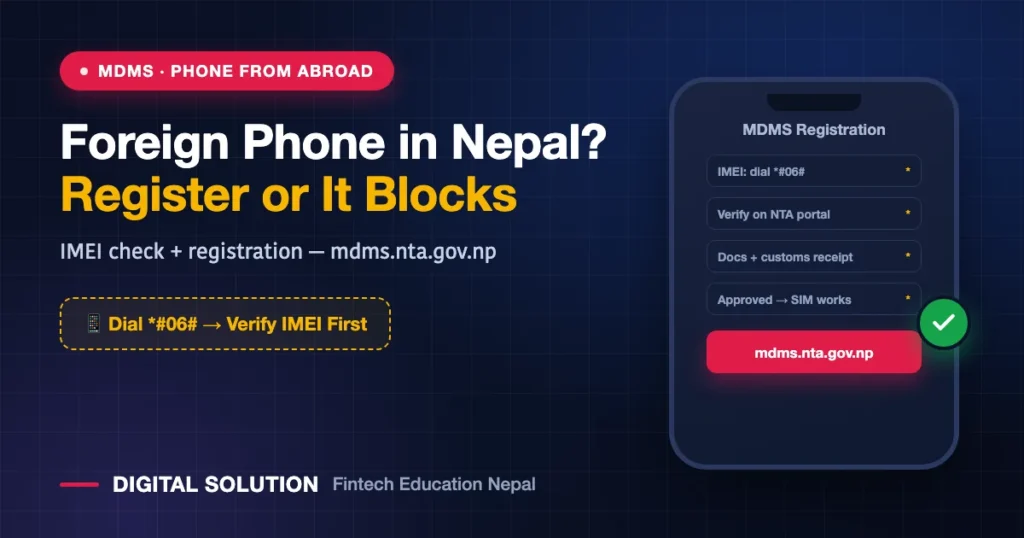
How to Register Your IMEI (Individual Registration)
- Get your IMEI(s): dial
*#06#— note both IMEIs for dual-SIM phones. - Check first: on mdms.nta.gov.np, use the IMEI verification option — it may already be registered.
- Individual Registration form: on the same portal, submit your details with documents: passport/citizenship, arrival stamp or boarding pass, and the customs receipt where applicable.
- Track approval — once approved, the IMEI is whitelisted and Nepali SIMs work normally in it.
- Stuck? NTA’s helpdesk and operator centers handle MDMS queries; keep document scans ready.
Buying a Used Phone? 60-Second Safety Check
- Dial
*#06#on the actual device — match the IMEI against the box/bill if offered. - Verify on mdms.nta.gov.np before money changes hands — unregistered = future brick; blocked = possibly stolen.
- A working SIM in the phone today is not proof — enforcement catches up. Registration status is the only proof.
- Suspiciously cheap “fresh from abroad” phones on marketplace groups are cheap precisely because of this. (Lost your own phone? IMEI is also how it gets flagged — the lost-phone playbook.)
Special Cases
- Diaspora gifting phones home: the recipient registers with the traveler’s documents — coordinate the paperwork before the phone changes hands. More Nepal-abroad digital logistics: keeping your SIM alive overseas.
- eSIM phones: same rules — MDMS is about the device’s IMEI, not the SIM’s form (NTC eSIM / Ncell eSIM both need a whitelisted device).
- Tourists: short stays typically ride on roaming; beyond 15 days with local SIMs, registration applies.
FAQ
How do I check if my phone is registered in MDMS?
Dial *#06# for your IMEI, then verify it on mdms.nta.gov.np’s IMEI-check option. Registered = you’re fine; unregistered = start Individual Registration.
How many phones can I bring from abroad?
Up to two, with favorable customs treatment for 6-month+ foreign-employment returnees carrying proper documents. Keep the customs receipt — it’s part of registration.
What happens if I don’t register?
The IMEI eventually gets blocked — Nepali SIMs stop working in that phone entirely (calls, SMS, data). Wi-Fi still works, but as a phone it’s done in Nepal.
Is there a fee for MDMS registration?
Registration itself runs through the portal; customs duty (where applicable at entry) is the real cost item. Check current fee provisions on mdms.nta.gov.np — they’ve evolved over time.
I bought a phone locally and it just got blocked. What now?
It was likely gray-market and never registered. Gather your purchase proof, attempt Individual Registration with NTA, and pursue the seller — this is exactly why the 60-second check before buying matters.
🤝 MDMS registration confusing? Documents scattered?
Digital Solution helps with online government processes — we’ll guide the registration end to end.
Disclaimer: Digital Solution Nepal is an independent educational website. MDMS provisions, allowances and fees follow NTA/customs’ current rules — mdms.nta.gov.np and official notices are final.

Rabin Paudel
Rabin Paudel is the Founder of Digital Solution, a Content Creator, and an AI Trainer. He shares practical and easy-to-understand content on Artificial Intelligence, Digital Literacy, Online Services, FinTech, and Technology. His mission is to make technology simple, accessible, and useful for everyone.
View all posts by Rabin Paudel →