
Last updated: July 2026 (Shrawan 2083). Flows and charges follow Ncell’s current practice and offers — verify on ncell.com.np or the Ncell app before applying.
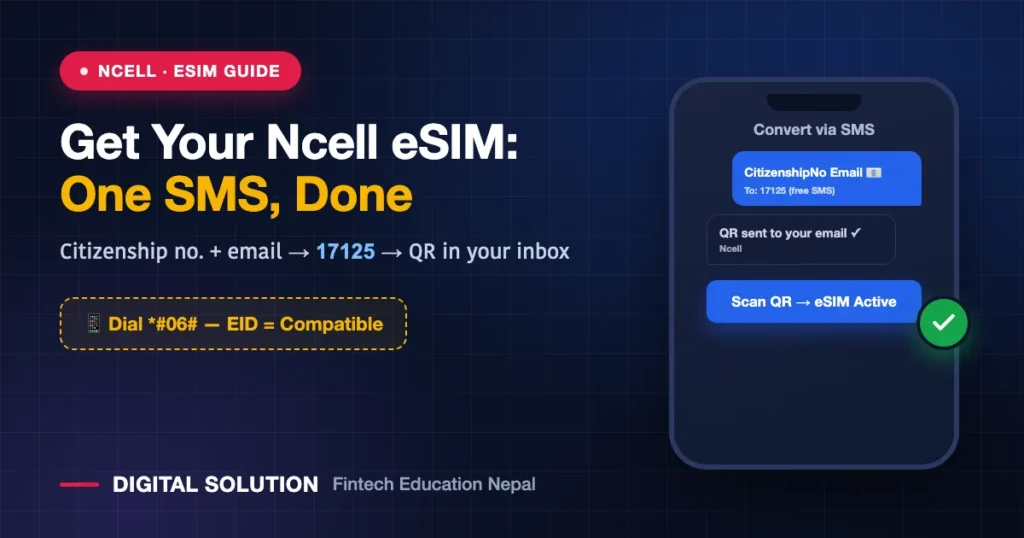
Ncell users, your turn: after our Nepal Telecom eSIM guide, the most-asked question was “अनि Ncell को नि?” Getting an Ncell eSIM is arguably even simpler — the conversion runs through one SMS to 17125, and your activation QR arrives by email. Here’s the full process for converting your existing Ncell SIM, getting a new one, the compatibility check, and what it costs.
First: Check Your Phone (10 Seconds)
Dial *#06#. If an EID number appears in the list, your phone supports eSIM. No EID = your phone can’t use eSIM, full stop. As a rule of thumb: iPhone XS/XR and newer, and most mid-to-high-end Androids from 2020 onward, are eSIM-ready — but the EID check is the truth.
Also: phones bought abroad can be carrier-locked even when the EID shows — confirm your device is unlocked before converting.
Path 1: Convert Your Existing Ncell SIM to eSIM (The SMS Method)
The whole thing runs from your current SIM:
- Compose an SMS containing your Citizenship number and email address (the details must match your SIM’s registered ownership).
- Send it to 17125 — the SMS itself is free.
- Wait for verification — Ncell checks the details against your SIM’s KYC record. If your SIM is registered under someone else’s name (very common with old family SIMs), fix ownership first — our SIM ownership & KYC guide covers exactly how.
- Receive your QR code by email.
- Install: Settings → Mobile/Cellular → Add eSIM → scan the QR from another screen (or print). Your number moves into the phone’s software and the old plastic SIM deactivates.
Path 2: The Ncell Centre Route (Face-to-Face)
Prefer help, or the SMS route failed? Visit your nearest Ncell Centre with your original citizenship certificate, passport, or National ID:
- Staff verify your identity (including biometric verification).
- You receive a printed QR code on the spot.
- Scan it in Settings and your eSIM activates immediately.
This is also the route for a brand-new Ncell eSIM number — new SIM issuance follows Nepal’s standard SIM-KYC rules with your ID document.
What Does It Cost?
Here’s the honest answer: sources conflict. Ncell has run the upgrade as free for existing users in its offers, while some reports cite a Rs 100 conversion charge. Treat it as free-to-cheap — and confirm the current terms in the Ncell app or at the counter before converting. (For comparison: NTC’s conversion deducts its charge from your balance — details in the NTC eSIM guide.)
NTC vs Ncell eSIM: Quick Comparison
| Nepal Telecom | Ncell | |
|---|---|---|
| Convert online via | Portal: esim.ntc.net.np (OTP) | SMS to 17125 (citizenship no. + email) |
| QR delivery | Download from portal | Emailed to you (or printed at Centre) |
| Offline option | NTC office / NT app | Ncell Centre (biometric verify) |
| Charge | Balance deduction (keep Rs 50+) | Free per current offers; some report Rs 100 — confirm |
| Compatibility check | Same for both: dial *#06# → EID present = ready | |
QR Installation Tips (Same Rules as Any eSIM)
- Install over Wi-Fi — profile downloads mid-install shouldn’t drop.
- The QR is effectively single-use — scan it only on the phone you actually want the number on.
- Changing phones later? eSIMs don’t hop between devices like plastic — you’ll need a fresh QR/profile for the new phone. Plan before wiping the old one.
- After install: assign the eSIM for calls/SMS/data in Settings; restart once if the network doesn’t latch.
Why Bother Switching?
Same wins as any eSIM, with one Nepal-specific standout: OTP security. A stolen phone with a physical SIM lets a thief eject your SIM into another phone and receive your banking OTPs; an eSIM can’t be ejected. Add dual-SIM convenience (Ncell eSIM + another operator’s physical SIM in one phone) and no more lost/damaged SIM replacement runs, and the ten-minute switch pays for itself.
FAQ
How do I convert my Ncell SIM to eSIM?
SMS your citizenship number and email to 17125 from the SIM you want to convert. After verification, the activation QR arrives in your email — scan it in your phone’s Settings.
Is the Ncell eSIM upgrade free?
Ncell has offered free upgrades for existing users; some sources report a Rs 100 charge. Confirm the current term in the Ncell app or at an Ncell Centre before converting.
The SMS to 17125 isn’t working. Why?
The most common cause: your SIM’s registered ownership doesn’t match the citizenship number you sent. Verify your SIM ownership first (how to check and fix) — or use the Ncell Centre route with your original ID.
Can I get a completely new Ncell number as eSIM?
Yes — at an Ncell Centre with your ID under standard SIM-KYC rules; you’ll walk out with a printed QR and an active eSIM.
Does my Ncell balance and package survive the conversion?
Yes — your number, balance and active packs carry over. Only the SIM’s physical form changes.
🤝 SIM ownership mismatch? KYC stuck?
Digital Solution helps with SIM, KYC and telecom processes — send a screenshot and we’ll point you right.
Disclaimer: Digital Solution Nepal is an independent educational/digital-service assistance website, not affiliated with Ncell. Flows, charges and offers change — ncell.com.np, the Ncell app and Ncell Centres are final.

Rabin Paudel
Rabin Paudel is the Founder of Digital Solution, a Content Creator, and an AI Trainer. He shares practical and easy-to-understand content on Artificial Intelligence, Digital Literacy, Online Services, FinTech, and Technology. His mission is to make technology simple, accessible, and useful for everyone.
View all posts by Rabin Paudel →