
As of 13 October 2026 (27 Asoj 2083). Based on Nepal Police’s Online Police Clearance Registration System, the Crime Investigation Department’s information page and Nepal Police’s own questions and answers, all read on that date. We did not create an account or submit an application.
A police report online in Nepal is applied for on one website: opcr.nepalpolice.gov.np, the Online Police Clearance Registration System of Nepal Police. The document itself is the police clearance report, called chalchalan pramanpatra (चालचलन प्रमाणपत्र, a character certificate) in Nepali.
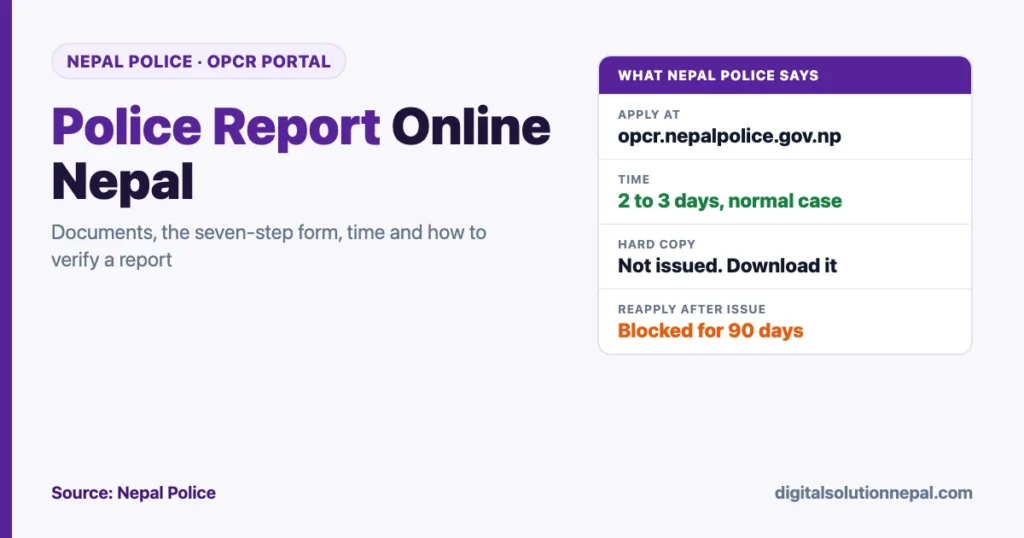
You register with an email address, fill a seven-step form, upload your documents and download the report when it is issued. Nepal Police says that takes two to three days in a normal case. No hard copy is given.
This guide follows the portal and the police’s own pages. It covers the documents for each type of applicant, the form step by step, the photo rule, the problems the police list most often, and how an embassy or employer can verify your report.
Quick answers
| Question | Answer from Nepal Police |
|---|---|
| Where to apply | opcr.nepalpolice.gov.np |
| Who can apply | Nepali citizens, foreigners and refugees |
| Login | Email address and password |
| Time | 2 to 3 days from submission, excluding public holidays, if your details match no suspect |
| Hard copy | Not issued. Download and print in colour |
| Verification | “Verify Online” on the portal, with the dispatch number |
| Reapplying after issue | Blocked for 90 days, except the Saturday correction window |
| Help line | 01-5719865, 9851285920 |
| chalchalan@nepalpolice.gov.np |
Who needs a police report
Most people apply for one of these reasons:
- a work visa or foreign employment;
- a student visa or permanent residence application abroad;
- a job in Nepal that asks for a character certificate;
- a foreigner or refugee who lived in Nepal and now needs proof of record from here.
The form asks for the country you are going to and the reason for the visit, so have both ready.
Documents required
The Crime Investigation Department lists the documents by applicant type.
| Applicant | Documents |
|---|---|
| Nepali citizen in Nepal | Copy of passport; copy of citizenship certificate; copy of marriage registration if married; a recent passport-size colour photo |
| Nepali citizen abroad | Passport pages 2, 3 and 31; the passport page with the Nepal Immigration departure stamp from the last time you left Nepal; citizenship copy; marriage registration if married; a recent passport-size colour photo |
| Foreigner | Scan of unexpired passport; scan of the Nepal Immigration arrival stamp, and the departure stamp if no longer in Nepal; scan of a valid visa if living in Nepal; a recent passport-size colour photo |
| Refugee | Scan of unexpired refugee travel document; scan of the travel document with the Nepal Immigration arrival or departure stamp; scan of refugee card; a letter from the refugee camp; a recent passport-size colour photo |
The portal’s own checklist for Nepali applicants adds four conditions:
- Under 16: a minor certificate in place of citizenship.
- Applying with a spouse’s name: the marriage certificate.
- Moved recently: an address verification document, the migration certificate known as basai sarai (बसाइँ सराइ).
- Name differs between citizenship and passport: an extra document that explains the difference.
Photo size and rules
People search for a “police report photo size” in pixels. Neither the portal nor the police pages give one. What they do give is this:
- a recent passport-size colour photo;
- a clear image on a plain background;
- both ears visible;
- the head covering 50% or more of the image.
File size matters more than dimensions. Nepal Police’s answers say the error “Server could not generate response data” usually appears when an uploaded photo is too large. Reduce the file size of your photo and scans, then fill the form again.
How to apply for a police report online: step by step
Part 1: create the account
- Open opcr.nepalpolice.gov.np and choose Register.
- Select who you are: Nepali, foreigner or refugee. The portal then shows the documents you will need.
- Enter your first, middle and last name, gender, mobile number and email address, and type the six-digit number shown as a captcha.
- A temporary password comes by email or SMS. Log in with it and set your own password.
Type your name carefully at this stage. The police say the name printed on the report comes from the account details, not from a later page.
Part 2: fill the form
The form has seven steps.
| Step | What it asks |
|---|---|
| 1. Personal Information | Name, father’s or husband’s name, date of birth in BS and AD, gender, nationality, your photo |
| 2. Address | Whether you live in Nepal or abroad, address as in citizenship, current address, country you are visiting, reason, a relative’s contact number |
| 3. Documents | Citizenship number with front and back images, passport number with pages 2 and 3 and page 31, marriage or minor certificate where it applies |
| 4. Criminal History | Criminal history details |
| 5. Stay Period in Nepal | For foreigners |
| 6. Visa Detail | For foreigners: first and current visa |
| 7. Confirmation | A declaration that the details are true |
If you live abroad, the form also asks for your departure date and a departure document, which is the passport page with the exit stamp.
The address step lets you choose how your address appears on the report: in the old format on your citizenship or in the new province system. Pick the one the receiving authority expects.
Part 3: download the report
When the report is issued, log in and download it. Nepal Police does not provide a hard copy. Print it in colour if the receiving office wants paper.
If the download fails, the police suggest switching browser or using a private window.
Is there a fee?
We could not confirm one way or the other. The portal’s public pages, the Crime Investigation Department’s page and the police’s answers do not state a fee for the report, and we did not submit an application to see the final screen.
Two practical points follow from that:
- If the system asks for payment, it will be on the portal itself after you log in. Nobody needs to collect a “government fee” from you in cash.
- Attestation for use abroad is a separate service of the Department of Consular Services, with its own charge.
How long it takes
Nepal Police’s answer is specific. If your details do not match any suspect, you receive the report within two to three days of submitting, not counting public holidays.
Around Dashain and Tihar, count the holidays. An application made just before a long closure waits until offices reopen.
Applying from abroad
A Nepali living abroad uses the same portal and selects “I am living in Foreign”. The key document is the departure stamp.
| Problem | What Nepal Police says to do |
|---|---|
| Departure date unclear, or that passport is lost | Apply to the Department of Immigration at Kalikasthan, Dillibazar, Kathmandu for your departure date, quoting the passport number you travelled on. Upload the letter in the departure field |
| Left through an airport other than Tribhuvan International, for example Delhi | Get a recommendation from your ward stating the date you left, and upload it under additional documents |
Common problems and the official fix
| Problem | Fix |
|---|---|
| Application on hold | Your details matched a suspect’s. Contact the character certificate section at Police Headquarters, Naxal, with a copy of your citizenship and your application ID. A relative can go in your place |
| Wrong details after applying through Nagarik App | The app’s data was used. Have it corrected at the District Administration Office and reapply, or apply on the portal |
| Mistake in an issued report | You cannot file a new form for 90 days. The system opens for corrections every Saturday from 10 AM to 5 PM |
| Name printed wrongly | It came from your account registration. Register again with a new email address and reapply |
| Temporary password not received | Use Forgot Password with your registered email |
| Reference number missing | That number is not issued by the police. It comes from the Department of Consular Services |
If Nagarik App itself is the problem, see our guide to Nagarik App verification failures.
Police report online check: how to verify a report
The portal has a Verify Online page, opened from the Nepal Police website. Anyone holding the report can use it.
- Enter the dispatch number printed on the report.
- Enter the holder’s last name and date of birth.
- Type the captcha and search.
The result shows the name, date of birth, father’s name, gender, age, nationality, the date of issue, the signing officer and the status. An employer or embassy can check a report this way without contacting the police.
To follow your own application before it is issued, log in to your account. Nepal Police’s answers refer to an application being put on hold, which is explained above.
Using the report abroad
A police report for a foreign authority often needs attestation by the Department of Consular Services, and sometimes a translation. Those are separate steps after the police issue the report.
- Our guide to consular e-attestation explains the online process.
- Translation and attestation of Nepali certificates covers what foreign offices usually ask for.
- Students should also read the NOC guide for study abroad.
How long a police report stays valid is decided by the authority that receives it, not by Nepal Police. Check that country’s rule before you apply, so the report is not too old when you submit it.
Where to get help
| Channel | Detail |
|---|---|
| Phone | +977 01-5719865, 9851285920 |
| Hours | Sunday to Thursday 10 AM to 5 PM, Friday 10 AM to 3 PM |
| chalchalan@nepalpolice.gov.np, opcr@nepalpolice.gov.np | |
| Office | Character certificate section, Nepal Police Headquarters, Naxal, Kathmandu |
Need help with the police report form?
We help with scans, photo resizing and form filling. Police report को फारम भर्न सहयोग चाहिए भने सम्पर्क गर्नुहोस्।
Frequently asked questions
How do I apply for a police report online in Nepal?
Register on opcr.nepalpolice.gov.np with your email, fill the seven-step form, upload your photo and documents, and download the report from your account when it is issued.
How many days does a police report take in Nepal?
Nepal Police says two to three days from submission, excluding public holidays, if your details do not match any suspect.
What is the photo size for a police report?
No pixel size is published. The photo must be a recent passport-size colour photo, clear, on a plain background, with both ears visible and the head covering at least half the image. Keep the file small.
Can I apply for a Nepal police report from abroad?
Yes, on the same portal. You need passport pages 2, 3 and 31 and the page with your Nepal Immigration departure stamp, along with your citizenship copy and photo.
Can I get a hard copy of the police report?
No. Nepal Police does not issue one. Download the report from your account and print it in colour.
How can I check whether a police report is genuine?
Use Verify Online on the portal with the dispatch number, the holder’s last name and date of birth.
Conclusion
Getting a police report online in Nepal is a matter of one portal, clean scans and a correctly typed name. Register on the OPCR system, complete the seven steps, keep your photo and scans small, and expect the report in two to three working days.
Check it line by line as soon as you download it. A mistake found later means a 90-day wait or the Saturday correction window.
Sources
- Nepal Police, Online Police Clearance Registration System: https://opcr.nepalpolice.gov.np/
- Nepal Police, Crime Investigation Department, information on the character certificate: https://cid.nepalpolice.gov.np/information-police-clearance-report/
- Nepal Police, frequently asked questions on the online police clearance report: https://www.nepalpolice.gov.np/faq/6/
- Nepal Police website, links to Apply Online and Verify Online: https://www.nepalpolice.gov.np/
Digital Solution Pvt. Ltd. is an independent publisher and is not affiliated with Nepal Police. The steps reflect the portal’s public screens and Nepal Police’s published answers on the date shown. Screens after login may differ. Confirm requirements with the authority that will receive your report.

Rabin Paudel
Rabin Paudel is the Founder of Digital Solution, a Content Creator, and an AI Trainer. He shares practical and easy-to-understand content on Artificial Intelligence, Digital Literacy, Online Services, FinTech, and Technology. His mission is to make technology simple, accessible, and useful for everyone.
View all posts by Rabin Paudel →