
As of 28 October 2026 (11 Kartik 2083). Steps, documents, charges and statuses are from Nepal Telecom’s own pages: the NT Postal Online SIM Service page on ntc.net.np, the Postal SIM Service home page and the customer guide on esim.ntc.net.np, all checked on 28 October. The launch details are from Ratopati’s report of 14 October 2026.
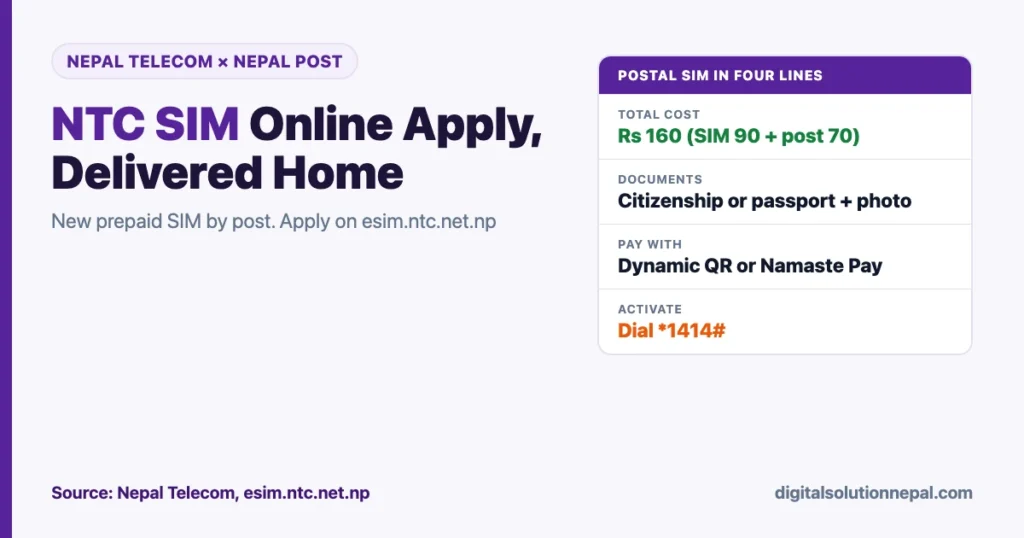
You can now do the NTC SIM online apply process from home and get a new Nepal Telecom prepaid SIM delivered to your door by Nepal Post. The whole service costs Rs 160: Rs 90 for the SIM and Rs 70 for postal delivery. No queue at a Telecom office, no trip to the city.
Nepal Telecom and the Department of Postal Services launched the Postal SIM Service in mid-October 2026. This guide walks through every step on the portal, the documents you need, what each status on your dashboard means, and how to activate the SIM when it arrives.
Quick answers
| Question | Answer |
|---|---|
| What is it? | Online application for a new Nepal Telecom prepaid physical SIM, delivered by Nepal Post |
| Where to apply | esim.ntc.net.np, then Postal SIM Portal |
| Cost | Rs 160 total (SIM Rs 90 + postal delivery Rs 70) |
| Documents | Citizenship certificate or passport (front and back photos) and a recent profile photo |
| You also need | A working alternate mobile number for OTP, an email, a full address with landmark |
| Payment | Dynamic QR (any banking app or wallet) or Namaste Pay |
| Delivery attempts | Up to 3; then collect from your chosen NT counter |
| Activation | Enter the activation code on the portal, or dial *1414# from the new SIM |
| SIM type | Prepaid physical SIM |
What the Postal SIM Service is
Until now, a new Nepal Telecom SIM meant visiting a Telecom office or an authorised dealer with your documents. The Postal SIM Service moves the application online and uses Nepal Post’s nationwide network for delivery.
According to Ratopati, Minister for Communications and Information Technology Dr Vikram Timalsina inaugurated the service at the Department of Postal Services and received a SIM by post himself to mark the launch. The minister said postal delivery currently takes one or two days and should get faster, especially in urban areas.
Nepal Telecom says the service is designed for people in remote areas, busy professionals, senior citizens and anyone who prefers to apply from home.
Need help ordering your NTC SIM online?
Digital Solution helps you upload clear documents, pay by QR and activate your new Nepal Telecom SIM or eSIM. Message us on WhatsApp.
Documents and details you need
Have these ready before you start. Nepal Telecom says blurred or cropped documents are the most common reason an application is sent back.
| What | Details |
|---|---|
| ID document | Valid citizenship certificate or passport |
| ID photos | Clear photos of the front and back, uncropped |
| Profile photo | Recent photo with your face clearly visible |
| Personal details | Full name and date of birth |
| Delivery address | Full address plus a nearby landmark |
| Alternate mobile number | For OTP verification during the application |
| For portal login and to receive the activation code |
Photo tips: take ID photos in daylight on a dark, flat surface, with all four corners visible and no glare on the lamination. Keep file sizes reasonable so the upload does not fail on mobile data.
NTC SIM online apply: step by step
Step 1: Log in to the portal
Go to esim.ntc.net.np. Register with your email if you do not have an account, then log in and choose Postal SIM Portal (the home page card is called “NT Postal SIM”).
Step 2: Fill in the application
Select Start Application. The form has three parts: Personal Details, Document Upload, and Review and Submit. Enter your full name, date of birth, delivery address, nearest landmark and an alternate mobile number for OTP. You can save as a draft and come back later; the portal also auto-saves as you move between steps.
Step 3: Upload documents and choose a counter
Upload your profile photo and the front and back of your citizenship or passport. Then select your preferred Nepal Telecom counter. This counter matters: if delivery fails, this is where you collect the SIM. Review everything and submit.
Step 4: Wait for verification
Nepal Telecom’s team checks your application and sends an SMS with the result:
- Approved: go to payment.
- Correction needed: fix the marked fields and resubmit.
- Rejected: you must submit a new application.
Step 5: Pay Rs 160
On the payment page, check the total, then pay by scanning the Dynamic QR with any banking app or wallet, or pay with Namaste Pay.
Step 6: Receive your number and activation code
After payment, a Nepal Telecom customer service representative assigns your mobile number. Your number and an activation code arrive by SMS and email. Keep the code safe; you need it after delivery.
Step 7: Track the delivery
Your nearest post office receives the SIM and books it with Nepal Post. A Nepal Post order ID then appears on your dashboard. Use the Track on Nepal Post button to follow the consignment.
Step 8: Receive the SIM at your door
A Nepal Post employee brings the SIM to your address. You must give your mobile number and verification details as proof. If delivery fails three times, you are told to collect the SIM from your chosen Nepal Telecom counter with your original ID.
Step 9: Activate the SIM
Either log in to the portal and enter the activation code on the activation page, or insert the SIM, dial *1414# and follow the prompts. Once done, your SIM is live.
What each dashboard status means
| Status | What it means |
|---|---|
| Draft | Saved, not yet submitted |
| Under Review | Nepal Telecom is checking your documents |
| Correction Needed | Fix the flagged fields and resubmit |
| Approved | Pay now to continue |
| Payment Confirmed | Waiting for number assignment |
| Awaiting Dispatch | The SIM is at the post office |
| In Transit | On the way via Nepal Post |
| Collect from Counter | Delivery failed; pick it up at your NT counter |
| Delivered | Received; activate your SIM |
| Activated | Done |
Common problems and how to fix them
- Application sent back for correction: usually a blurred, cropped or glare-covered ID photo. Retake in good light and upload again.
- OTP not arriving: the alternate number must be active and able to receive SMS. Check signal and SMS inbox space.
- Courier cannot find the house: add a landmark that locals know, such as a school, temple, chowk or shop name. Keep your phone on during the delivery window.
- Not home for delivery: after three failed attempts, collect from the counter you chose. Bring the original citizenship or passport.
- Lost activation code: check your email; the code is sent by both SMS and email.
- More than one SIM: Nepal Telecom says this depends on the administrator’s settings. If allowed, each application shows separately on your dashboard.
Before applying, it is also worth checking how many SIMs are already registered in your name. Our guide on checking SIMs registered in your name in Nepal explains how.
Postal SIM, eSIM or office visit: which is better?
The same esim.ntc.net.np portal also offers a new prepaid eSIM, conversion from a physical SIM to eSIM, and lost or damaged SIM replacement.
| Option | Best for | What you get |
|---|---|---|
| Postal SIM | Any phone, people far from a Telecom office | Physical prepaid SIM by post for Rs 160 |
| New prepaid eSIM online | Newer phones that support eSIM | eSIM profile online, no delivery wait |
| Telecom office or dealer | Same-day need, help with documents | Physical SIM in person |
Our reading: if your phone supports eSIM and you need the number quickly, the online eSIM is faster. If you use a basic or older phone, or you want a physical card, the Postal SIM is the convenient choice.
Frequently asked questions
How can I apply for an NTC SIM online?
Log in to esim.ntc.net.np, open the Postal SIM Portal, fill in your details, upload your citizenship or passport and a profile photo, choose a Nepal Telecom counter and submit. After approval, pay Rs 160 and the SIM is delivered by Nepal Post.
How much does the NTC postal SIM cost?
Rs 160 in total: Rs 90 for the SIM card and Rs 70 for postal delivery, according to Nepal Telecom.
How do I activate an NTC postal SIM?
Enter the activation code you received by SMS and email on the portal’s activation page, or insert the SIM and dial *1414#.
What happens if I miss the delivery?
Nepal Post tries up to three times. After that, you are notified to collect the SIM from your chosen Nepal Telecom counter with your original ID.
Can I get a postpaid SIM by post?
Nepal Telecom describes the Postal SIM Service as a service for new prepaid physical SIM cards. For postpaid, visit a Telecom office.
Conclusion
The NTC SIM online apply service lets you order a new Nepal Telecom prepaid SIM on esim.ntc.net.np and receive it from Nepal Post for Rs 160. Prepare clear ID photos, an alternate number for OTP and an address with a landmark, keep your activation code safe, and dial *1414# when the SIM arrives.
Need help uploading documents, paying by QR or activating the SIM? Digital Solution can help you complete the application.
Sources
- Nepal Telecom: NT Postal Online SIM Service (checked 28 October 2026)
- Nepal Telecom: Postal SIM Service customer guide (checked 28 October 2026)
- Nepal Telecom: Postal SIM Service home
- Nepal Telecom Digital Services Portal
- Ratopati: Nepal Telecom SIM cards can now be delivered to your home (14 October 2026)
Charges and steps can change. Check the total on the payment page before you pay.

Rabin Paudel
Rabin Paudel is the Founder of Digital Solution, a Content Creator, and an AI Trainer. He shares practical and easy-to-understand content on Artificial Intelligence, Digital Literacy, Online Services, FinTech, and Technology. His mission is to make technology simple, accessible, and useful for everyone.
View all posts by Rabin Paudel →