
Last updated: July 2026 (Shrawan 2083). Codes are stable but offers change — the Ncell app and ncell.com.np are final if anything behaves differently.
Yesterday we covered NTC’s codes — now the purple side. This is the complete 2026 reference for Ncell balance check, recharge, data checks and sapati (emergency credit): every USSD code that works, the SMS shortcuts, and when the Ncell app beats dialing codes entirely.
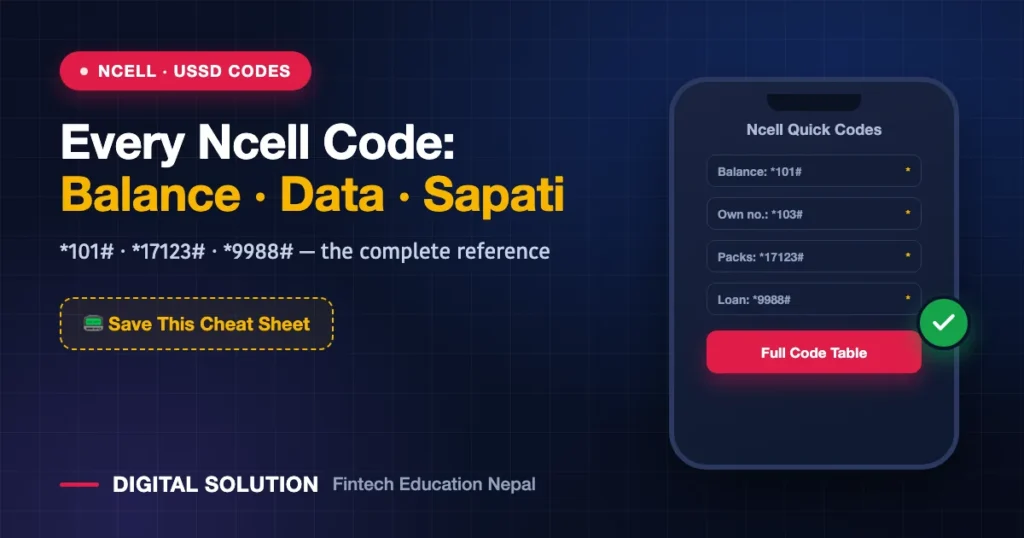
The Essential Ncell Codes (Save This Table)
| What You Want | Dial / Send | Notes |
|---|---|---|
| Check balance | *101# (also *901#) | Free, instant |
| Find your own number | *103# (also *903#) | For that “यो SIM को नम्बर के हो?” moment |
| Check balance validity | *144# | Shows when your balance expires |
| Recharge with card PIN | *902*PIN# | 16-digit scratch-card PIN |
| Browse/activate data packs | *17123# | Wait for the menu, pick your pack |
| Check remaining data | SMS S to 17123 | SMS reply with volume + expiry |
| Sapati / emergency credit | *9988# | Available when balance is below ~Rs 5 |
Balance & Number Checks
- Main balance:
*101#— the everyday code.*144#adds the expiry date, which matters more than people think: balance without validity is money you can’t spend. - Own number:
*103#— essential for secondary SIMs and when registering the number somewhere official. - The Ncell App: shows balance, data, validity, active packs and your personalized offers in one place — and app-exclusive offers are frequently the best deals Ncell has (more in tomorrow’s packs guide).
Recharging Ncell: All Routes
- Scratch card: dial
*902*+ 16-digit PIN +#. - Wallets and banking apps: eSewa, Khalti and mobile banking recharge any Ncell number instantly — the default for most people now.
- Ncell App: in-app recharge, plus recharge-for-others.
- From abroad: international recharge platforms support Ncell top-ups — a lifeline for keeping family numbers (and your own OTP number) alive; full playbook in this week’s abroad guide.
Sapati on Ncell: How Emergency Credit Works
When your balance drops below roughly Rs 5, dial *9988# to request sapati — instant advance credit for that must-make call. The advance plus a small service fee deducts automatically from your next recharge. Same advice as NTC’s version: it’s a bridge for emergencies, not a financing plan — the fee makes it expensive balance.
Data Checks Without Burning Data
The SMS route (S to 17123) is underrated: it returns your remaining volume and expiry without opening the app or the data connection — perfect when you’re rationing the last 50 MB. For activating new packs, *17123# works anywhere, though the app usually shows better personalized prices for the same sizes.
Security Notes (Read Once, Save Forever)
- No one legitimate ever calls asking for recharge PINs or OTPs. “Ncell बाट बोल्दैछु, PIN भन्नुहोस्” = scam, every single time. (Patterns and what to do: fraud recovery guide.)
- Your number is your OTP identity — if this SIM receives banking codes, consider converting it to eSIM so a thief can’t eject it: Ncell eSIM via one SMS to 17125.
- SIM under someone else’s name? Sort ownership before it bites you — SIM ownership & KYC guide.
FAQ
How do I check my Ncell balance?
Dial *101#. For balance validity, dial *144#. The Ncell app shows everything together.
How do I know my own Ncell number?
Dial *103# or *903# — your number displays on screen instantly.
How do I take sapati (loan) on Ncell?
Dial *9988# when your balance is below about Rs 5. The advance plus a service fee is recovered from your next recharge.
How do I check my remaining Ncell data?
SMS the letter S to 17123 for an instant summary, or check the Ncell app.
Can I transfer balance between Ncell numbers?
Ncell’s person-to-person balance transfer has changed availability over time — check the current provision in the Ncell app or with 9005 support before relying on it; for family top-ups, wallet recharges are the dependable route.
🤝 Stuck with a SIM, recharge or KYC problem?
Send a screenshot — Digital Solution will point you to the fix.
Disclaimer: Digital Solution Nepal is an independent educational website, not affiliated with Ncell. Codes, fees and offers follow Ncell’s current terms — ncell.com.np and the Ncell app are final.

Rabin Paudel
Rabin Paudel is the Founder of Digital Solution, a Content Creator, and an AI Trainer. He shares practical and easy-to-understand content on Artificial Intelligence, Digital Literacy, Online Services, FinTech, and Technology. His mission is to make technology simple, accessible, and useful for everyone.
View all posts by Rabin Paudel →