
As of 24 October 2026 (7 Kartik 2083). Contact details and status stages are from the Office of the Prime Minister and Council of Ministers’ Hello Sarkar portal (gunaso.opmcm.gov.np) as captured on 10 July 2026. The live portal and opmcm.gov.np did not load from our connection on 24 October 2026, so confirm the numbers on the portal before you rely on them. Complaint figures are from Republica (5 August 2026) and eKantipur, with attribution.
A Hello Sarkar complaint (हेलो सरकार, the grievance desk of the Office of the Prime Minister and Council of Ministers, OPMCM) is the route for a gunaso (गुनासो, complaint or grievance) about any public office that has ignored you, delayed your file or asked for something it should not. You do not need to know which ministry is responsible. Hello Sarkar forwards the complaint to the office concerned and follows it up.
This guide explains each channel and which one fits which problem, how to track a complaint, how to write one that gets acted on, and where to go if Hello Sarkar does not solve it.
Quick answers
| Question | Answer |
|---|---|
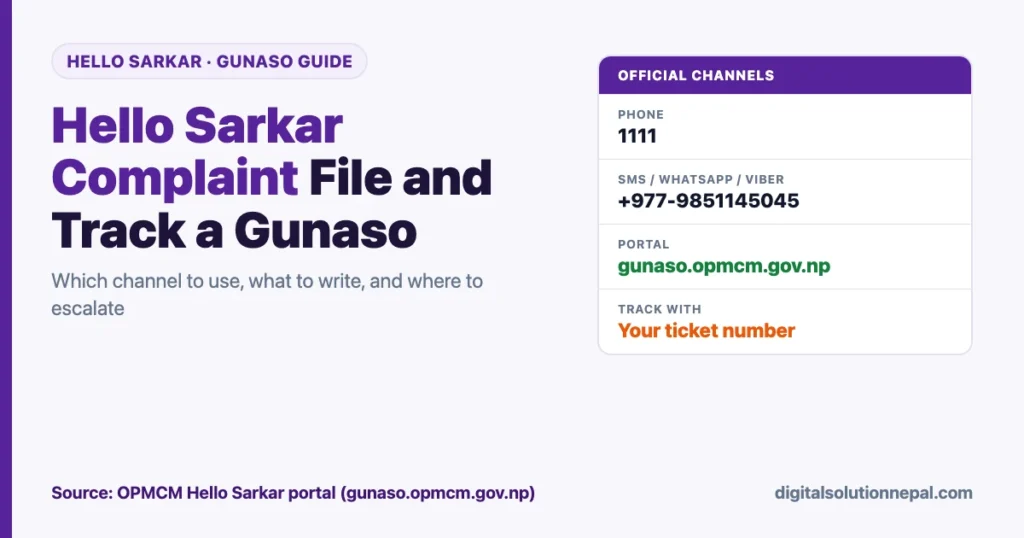
| Toll-free phone | 1111 |
| SMS, WhatsApp and Viber | +977-9851145045 (same number for all three) |
| Office phone | 01-5970087 |
| 1111@nepal.gov.np | |
| Online portal | https://gunaso.opmcm.gov.np |
| Social media | facebook.com/hellosarkar.np and x.com/hello_sarkar |
| How to track | “Track your registered complaints” on the portal: enter the ticket number (and password if one was given) |
| Fee | None shown anywhere on the portal |
| Who runs it | Hello Sarkar branch, OPMCM, Singhadurbar, Kathmandu |
What Hello Sarkar handles, and what it does not
The portal describes Hello Sarkar as OPMCM’s ICT-based system for complaint and grievance management, and asks for inquiries, complaints or suggestions about the work of public bodies. That covers federal ministries and departments, and in practice the offices people deal with every day: transport offices, land revenue offices, ward and municipal offices, passport and citizenship desks, utilities and hospitals run by the state.
It is a follow-up channel, not a court. Hello Sarkar can push an office to act, but it does not decide disputes between private people. A quarrel with a neighbour, a shop that cheated you, or a fraud on social media has its own body (see the escalation table below).
Use Hello Sarkar when:
- an office has held your file beyond the time in its citizen charter (नागरिक बडापत्र, citizen charter on the office wall);
- staff asked for an extra payment or a document not on the list;
- a public service (road, water, power, school) has failed and the local office has not responded;
- you were sent back and forth between offices.
Choosing the right channel
| Your situation | Best channel | Why |
|---|---|---|
| Urgent, happening now (blocked road, outage, unsafe site) | Call 1111 | A person takes it at once; you can explain the place |
| You have photos, a receipt or a token slip | WhatsApp or Viber +977-9851145045 | You can attach images and keep the chat as proof |
| No smartphone or data | SMS to +977-9851145045 | Works on any phone |
| Long or detailed complaint, file numbers, many dates | Online portal | Gives you a ticket you can track later |
| Formal record with documents | Email 1111@nepal.gov.np | Leaves a dated written trail |
| Public pressure on a widely felt problem | Facebook or X | Visible, but less private; avoid posting personal data |
Our reading: for anything you may need to escalate later, use the portal or email so you have a ticket number or a dated message. Phone and chat complaints are useful for speed, but write down the date, time and any reference you are given.
Republica reported on 5 August 2026 that complaint counts it quoted did not include those received through social media, Viber, WhatsApp or email. That suggests those channels are logged separately for now, which is another reason to keep your own record.
How to file a Hello Sarkar complaint on the portal
- Open https://gunaso.opmcm.gov.np (choose English or Nepali at the top).
- Click Submit a complain. The portal opens the complaint-type page; pick the type closest to your problem. A Login link is also on the page if you have an account.
- Fill in your details and the complaint. Name the office, the district and the exact service.
- Attach supporting files if the form allows: a photo of the token, receipt, notice or the citizen charter.
- Submit and save the ticket number the portal gives you. Screenshot it.
Portal tickets for web complaints follow a pattern like HS-WEB- followed by numbers and letters, based on archived links we saw. Keep yours with the date.
How to track a Hello Sarkar complaint
- On the portal home page click Track your registered complaints.
- Enter the ticket number. There is also a password field; fill it if you were given one.
- Click proceed and read the status.
The portal shows these stages on its public dashboard:
| Status shown | What it means for you |
|---|---|
| Registered on the complaint portal | Received, not yet acted on |
| Being processed or investigated by the relevant authority | Forwarded; the office is working on it |
| Resolved by the relevant authority / by the government office | The office says it is done; check that it really is |
| Reviewed, but no action taken | The office saw it and did nothing; follow up |
| Not addressed by the relevant authority | No response; escalate |
If the status says resolved but your problem is not fixed, file a follow-up quoting the same ticket number. Republica reported that a draft directive would count a case as resolved only after the complainant confirms it, but that rule was still a draft when reported.
Writing a gunaso that gets acted on
Officers forward thousands of complaints. A clear one moves faster. Keep it short and factual, in Nepali or English.
Use this structure:
- Who and where: the office, district and ward.
- What service: the exact service and your file, token or registration number.
- What happened: dates, in order.
- What you want: a specific result, such as “issue the licence card” or “explain the delay in writing”.
- Your contact: a mobile number that works.
Sample text (edit the details):
Subject: Driving licence card not issued after 4 months
Office: Transport Management Office, Pokhara, Kaski
I passed the trial on 2083/03/10 and paid the card fee the same day (receipt number attached). The office says the card is “in print” each time I visit. Four visits so far: Shrawan 5, Bhadra 2, Bhadra 28 and Asoj 20. Please ask the office to issue the card or tell me in writing when it will be issued.
Contact: (your mobile number)
What to leave out: abuse, guesses about officers’ motives, and personal data you do not need to share, such as your full citizenship number, unless the form asks for it. Do not send money or OTPs to anyone who calls claiming to speed up your gunaso; Hello Sarkar shows no fee.
How long it takes
There is no published deadline in force that we could find. Republica reported on 5 August 2026 that OPMCM had drafted a Citizen Grievance and Integrated Service Management Directive proposing these response times:
| Urgency (proposed) | Response time (proposed) |
|---|---|
| Emergency | Within 24 hours |
| Highly urgent | Within 3 days |
| Urgent | Within 7 days |
| Regular | Within 15 days |
Treat these as a guide to when to follow up, not as a legal right, until the directive is published.
The same report said Hello Sarkar received 69,724 complaints in fiscal year 2025/26, up 321 percent from 16,568 the year before. Kantipur reported that 59,731 complaints were registered in the first four months of the current government, with 25,443 resolved (42.59 percent). The two counts cover different periods, so they are not directly comparable. Our reading: expect a wait, and follow up with your ticket number after the period above.
Escalation path if Hello Sarkar does not solve it
- The office itself. Ask for the information officer or the grievance officer (गुनासो सुन्ने अधिकारी). Get a written reply if you can.
- Hello Sarkar. File with all details and keep the ticket.
- Follow up on the same ticket after the response time above, by portal, email or 1111.
- The specialist body for your type of problem:
| Problem | Where it belongs |
|---|---|
| Bribe demand, abuse of authority by an official | Commission for the Investigation of Abuse of Authority (CIAA) |
| Internet, mobile or telecom billing | Nepal Telecommunications Authority: see our NTA complaint guide |
| Online fraud, hacked account, cyber harassment | Nepal Police Cyber Bureau: see our Cyber Bureau complaint guide |
| Overcharging or defective goods by a seller | Consumer protection route: see our Consumer Protection Act guide |
| Violation of human rights | National Human Rights Commission |
For other online services you can use without visiting an office, our list of online government services in Nepal shows where each one lives.
Need help writing or tracking a gunaso?
Digital Solution helps you draft a clear Hello Sarkar complaint, attach the right proof and follow up with your ticket number. गुनासो लेख्न र ट्र्याक गर्न हामी सहयोग गर्छौं।
Frequently asked questions
Is calling 1111 free?
The portal lists 1111 as the phone channel and shows no charge, and Republica describes it as a toll-free hotline. If your operator charges you, mention it in your complaint.
What is the Hello Sarkar WhatsApp number?
The portal lists +977-9851145045 for WhatsApp, Viber and SMS. Check the number on gunaso.opmcm.gov.np before sending, and be wary of any other number shared on social media.
Can I make a Hello Sarkar complaint from abroad?
Yes, by the portal, email, WhatsApp or Viber. Phone 1111 is a Nepal short code and may not work from foreign networks. Migrant workers with labour permit or recruitment problems can also use the Department of Foreign Employment’s own complaint portal, ujuri.dofe.gov.np.
Can I complain without giving my name?
We could not find a clear anonymous option on the portal. If you fear retaliation, say so in the complaint and share only what is needed to identify the case.
My complaint says resolved but nothing changed. What now?
File a follow-up quoting the same ticket number, explain what is still pending, and attach fresh proof. If it involves a bribe or abuse of authority, take it to the CIAA.
Conclusion
A Hello Sarkar complaint works best when it is specific and traceable. Use 1111 for urgent problems, WhatsApp or Viber when you have photos, and the portal or email when you want a ticket and a written record. Track the ticket, follow up after a reasonable wait, and move to the specialist body if the office still does not act.
Sources
- Office of the Prime Minister and Council of Ministers, Hello Sarkar Gunaso portal, English home page (captured 10 July 2026): https://gunaso.opmcm.gov.np/en (archived copy: https://web.archive.org/web/20260710225430/https://gunaso.opmcm.gov.np/en)
- OPMCM, Hello Sarkar track complaint and FAQ pages (captured 24 January 2026): https://gunaso.opmcm.gov.np/track-complain and https://gunaso.opmcm.gov.np/faqs
- Office of the Prime Minister and Council of Ministers: https://www.opmcm.gov.np
- Republica, ‘Hello Sarkar’ set for major upgrade as public complaints surge 321% (5 August 2026): https://myrepublica.nagariknetwork.com/news/hello-sarkar-set-for-major-upgrade-as-public-complaints-surge-321-74-36.html
- eKantipur, Call 1111: complain directly to the government (5 August 2026): https://ekantipur.com/video/2026/08/05/en/call-1111-complain-directly-to-the-government-24-37.html
This guide is general information; Digital Solution is not part of Hello Sarkar or OPMCM, and the portal’s own instructions apply.

Rabin Paudel
Rabin Paudel is the Founder of Digital Solution, a Content Creator, and an AI Trainer. He shares practical and easy-to-understand content on Artificial Intelligence, Digital Literacy, Online Services, FinTech, and Technology. His mission is to make technology simple, accessible, and useful for everyone.
View all posts by Rabin Paudel →