
As of 13 October 2026 (27 Asoj 2083). The forms, attachments, submission routes and phone extensions on this page are from the Nepal Police Cyber Bureau’s own website, read on that date. We read the forms but did not file a complaint.
A Cyber Bureau complaint is a written application to Nepal Police about an online offence: money lost to a scam, a hacked or fake account, or private photos and videos posted without consent. The Cyber Bureau publishes a separate form for each of those. You fill the form, attach your identity document and clear screenshots, and hand it in at a police office or email it.
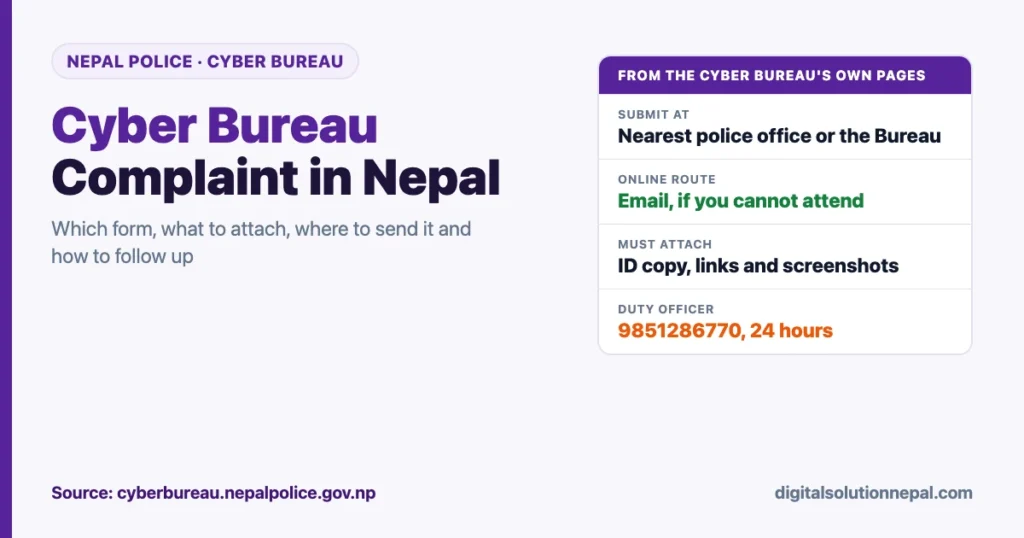
There is no web form to fill online. The online route is email, to cyberbureau@nepalpolice.gov.np, and the Bureau offers it for people who cannot attend in person.
If money is still leaving your account, call your bank or wallet first and the police second. The steps below start from there.
Quick answers
| Question | Answer from the Cyber Bureau |
|---|---|
| Where to get the form | The “Report cyber crime” page on cyberbureau.nepalpolice.gov.np |
| Can I complain online | By email, if you cannot go in person. There is no web form |
| cyberbureau@nepalpolice.gov.np | |
| Where to submit in person | The nearest police office, or the Cyber Bureau at Bhotahiti, Kathmandu |
| Must attach | A copy of your identity document, and the links and screenshots |
| Duty officer, 24 hours | +977 9851286770, or 01-5319044 extension 100 |
| Follow-up on online fraud | 01-5319044 extension 108 |
| Law used | Electronic Transactions Act, 2063, chapter 9 |
First, if money is involved
This part is our advice, not the Bureau’s text.
- Call your bank or wallet at once and ask it to block the account, card or wallet and to flag the transaction.
- Change the password and PIN from a device you trust.
- Do not delete anything. Chats, call logs, payment messages and the scammer’s profile are your evidence.
- Take screenshots now, with the link visible, before the other side removes the account.
The Bureau’s fraud form has a box for this very situation. It asks you to mark whether money is still being transferred from the victim’s account.
Our guide to digital payment and banking complaints explains the bank’s side of the process.
Which form to use
The Bureau’s reporting page offers a form for each kind of case.
| Your case | Form on the Bureau’s page |
|---|---|
| Money lost to an online scam or fraud | Online financial fraud application |
| A hacked account, or a fake ID in your name, to be recovered or closed | Fake or hacked ID application |
| An obscene audio, video or photo of you or someone you know posted on social media | Complaint form for that case |
| Anything else | General complaint form, also available in English |
Three notes come with the forms.
- You may type the application or write it by hand in the same format, in English, Nepali or both.
- Fill in the details as far as you have them.
- An organisation applies on its official letterhead, with its stamp.
What to attach
The Bureau marks two things as compulsory.
- A copy of the applicant’s identity document: citizenship certificate, national identity card, passport or driving licence. For a child, the birth registration certificate.
- The links and screenshots: the web addresses of the profile, post or page, and screenshots that can be read clearly.
What the online fraud form asks
The fraud form is three pages. It helps to gather these before you sit down to fill it.
| Section | What it asks |
|---|---|
| Your account | The ID or link of your own account that was in contact with the scammer |
| The other side | The name, ID or link of the person or organisation |
| Medium | Facebook or Messenger, Instagram, WhatsApp, TikTok, Telegram, a website, or other |
| When | Date and time of the incident |
| What happened | A short account |
| Loss | The total amount, in figures and in words |
| High-risk signal | Whether money is still moving out of the account |
| About you | Name, sex, date of birth, address, phone, alternative phone, guardian’s phone, email and signature |
The last page is a transaction details sheet, and the form says it is compulsory. For each payment it asks for:
- the date;
- the bank or wallet, account number and account holder on your side;
- the bank or wallet, account holder and account number the money went to;
- the amount.
Your bank statement or wallet history has all of this. Print or screenshot it and copy the lines across.
The form also lists types of scam for the office to tick, among them payment fraud, phishing, account takeover, impersonation, fake investment or crypto schemes, e-commerce fraud, job scams, romance scams, parcel or customs scams, QR fraud, OTP or SIM fraud, lottery scams and multi-level marketing schemes.
The fake or hacked ID form
This form asks for the platform, whether the account was hacked or a fake one was created, the link and full name of that account, the language used on it, the date it was hacked and your own details. For a hacked page it asks for the admin’s details.
The Bureau’s own answers add something useful: you can report a fake Facebook account yourself through Facebook’s “Report an imposter account” form. It says reports made regularly from the victim’s usual phone tend to work faster.
Our step-by-step guide to recovering a hacked Facebook account covers the platform’s own recovery tools.
Where to submit the complaint
| Route | Detail |
|---|---|
| Nearest police office | District Police Office, area or ward police office, or police circle |
| Cyber Bureau | In person at Bhotahiti, Kathmandu |
| The full application and attachments to cyberbureau@nepalpolice.gov.np, if you cannot attend in person |
You do not have to travel to Kathmandu. The Bureau lists the local police office first.
If you email, scan the signed form and the identity document, attach the screenshots, and put the links in the body of the email as text so they can be opened.
How to follow up
The Bureau’s contact page gives one hotline, 01-5319044, with an extension for each purpose during office hours.
| Extension | Purpose |
|---|---|
| 100 | General enquiry. The duty officer answers around the clock |
| 108 | Follow-up on online fraud |
| 109 | Whether a case has been registered, and prosecution |
| 111 | Case section |
| 112 | Follow-up on hacked accounts, pages and fake IDs |
| 114 | If you emailed an application and received no registration number |
The duty officer’s mobile number is +977 9851286770. Keep the registration number you are given. Every follow-up starts with it.
Offences under the Electronic Transactions Act
For cases such as source code theft, unauthorised access, publishing illegal material in electronic form and other computer-related fraud, the Bureau points to chapter 9 of the Electronic Transactions Act, 2063, titled offences relating to computer.
For these it recommends an application on the organisation’s letterhead with its stamp, and asks for registration details, proof of ownership or intellectual property rights and other relevant documents.
Mistakes that weaken a complaint
- Screenshots without the link. A picture of a profile does not identify it. The address does.
- Deleting the chat out of embarrassment or anger.
- Waiting. Accounts are renamed and money is moved on.
- Paying someone who promises to “recover” the money or the account. That is often a second scam.
- Leaving out the transaction sheet in a fraud case.
- Sending an email with no identity document. It is one of the two compulsory attachments.
Know the common tricks
Most reports begin with one of a few patterns. These guides explain them:
- Screen-sharing scams
- SIM swap fraud
- OTP, PIN and password safety
- How to verify a fake notice
- Warning signs of online job scams
Need help writing the application?
We help prepare the form, the screenshots and the email. निवेदन र प्रमाण तयार गर्न सहयोग चाहिए भने सम्पर्क गर्नुहोस्।
Frequently asked questions
How do I file a Cyber Bureau complaint in Nepal?
Download the form for your case from the Cyber Bureau’s reporting page, fill it, attach a copy of your identity document and clear screenshots with links, and submit it at the nearest police office or the Bureau, or email it.
Can I report cybercrime online in Nepal?
There is no web form. If you cannot attend in person, the Bureau accepts the full application by email at cyberbureau@nepalpolice.gov.np.
What is the Cyber Bureau’s contact number?
The hotline is 01-5319044. The duty officer is on +977 9851286770 around the clock.
What documents do I need for a cybercrime complaint?
A copy of your citizenship, national identity card, passport or driving licence, and the links and screenshots. A fraud case also needs the transaction details sheet.
Do I have to go to Kathmandu to complain?
No. The Bureau lists the nearest District Police Office, area or ward police office and police circle as places to submit.
How do I check the status of my complaint?
Call 01-5319044 and use the extension for your case: 108 for online fraud, 112 for hacked or fake accounts, 109 to ask whether it has been registered.
Conclusion
A Cyber Bureau complaint is a form, an identity document and evidence that can be read. Pick the form that matches your case, attach the links as well as the screenshots, and submit it at the nearest police office or by email.
In a fraud case, speed matters more than neat paperwork. Call the bank first, mark the form if money is still moving, and keep the registration number for every follow-up.
Sources
- Nepal Police Cyber Bureau, report cyber crime page and complaint forms: https://cyberbureau.nepalpolice.gov.np/report-cyber-crime/
- Nepal Police Cyber Bureau, contact numbers and follow-up extensions: https://cyberbureau.nepalpolice.gov.np/about-us/contact-us/
- Nepal Police Cyber Bureau, frequently asked questions: https://cyberbureau.nepalpolice.gov.np/faq
Digital Solution Pvt. Ltd. is an independent publisher and is not affiliated with Nepal Police. The form fields and routes are translated from the Cyber Bureau’s Nepali pages as read on the date shown. The first-steps list and the mistakes list are our own advice. This is general information, not legal advice.

Rabin Paudel
Rabin Paudel is the Founder of Digital Solution, a Content Creator, and an AI Trainer. He shares practical and easy-to-understand content on Artificial Intelligence, Digital Literacy, Online Services, FinTech, and Technology. His mission is to make technology simple, accessible, and useful for everyone.
View all posts by Rabin Paudel →