
As of 24 October 2026 (7 Kartik 2083). The steps follow TechPana’s walkthrough of the Health Insurance Board e-portal published this week. Premium, coverage and target-group rules were checked on the official e-portal (eportal.hib.gov.np) on 24 October. The national ID rule is from eKantipur’s report of the Board’s decision. The Board’s main website, hib.gov.np, did not respond from our network on this date.
You no longer need to wait at a ward office or find an enrolment assistant to join the government health insurance programme. The Health Insurance Board (स्वास्थ्य बीमा बोर्ड) now lets a family register, add members, upload documents and pay the yearly contribution online through its e-portal.
This guide covers health insurance online enrollment in Nepal from start to finish. It explains what it costs, who gets it free, which documents to keep ready, the eleven screens you will pass through, and what to do when something goes wrong. It also covers the new national ID rule that starts on Poush 1, 2083.
Quick answers
| Question | Answer |
|---|---|
| Where to apply | eportal.hib.gov.np (Health Insurance Board e-Portal) |
| Who opens the account | The family head (परिवारमूली), using a mobile number or email |
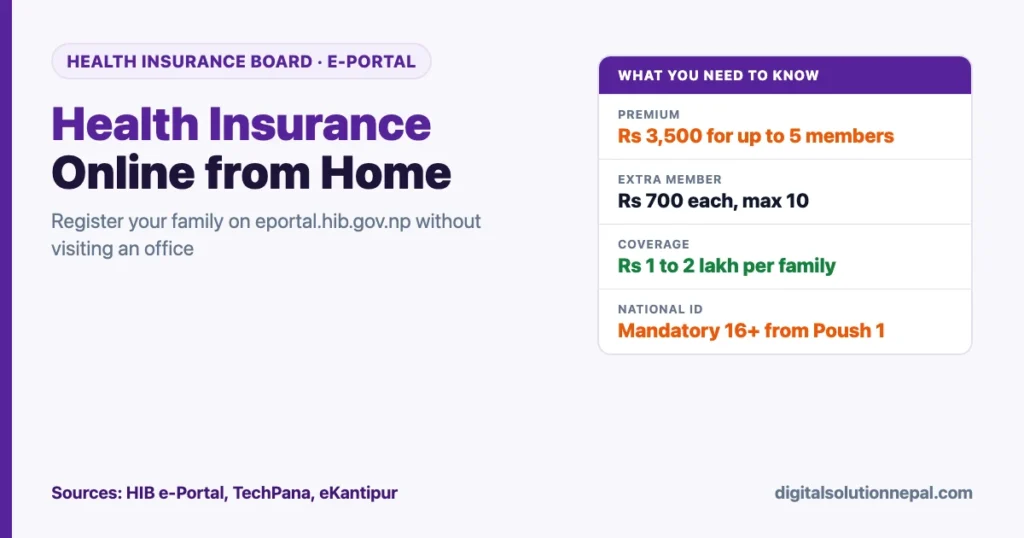
| Yearly contribution | Rs 3,500 for a family of up to 5, plus Rs 700 for each extra member, up to Rs 7,000 for 10 |
| Coverage | Rs 1 lakh to Rs 2 lakh per family per year, plus an extra Rs 1 lakh for serious illness |
| Maximum members online | 10, according to TechPana’s walkthrough |
| Free for | Red-card ultra-poor families, fully disabled people, people with HIV, MDR-TB or leprosy and their families, and citizens aged 70+ |
| Discount | 50% for female community health volunteers and their families |
| National ID | Mandatory for everyone aged 16+ from Poush 1, 2083 for enrolment, renewal and services |
| Help | Board hotline 1161, during office hours (9 am to 5 pm) |
What the programme costs and covers
The e-portal’s own home page states the contribution in plain terms. A family pays Rs 3,500 a year for up to five members. Each member beyond five adds Rs 700, so a family of ten pays Rs 7,000. A family of three or four still pays the full Rs 3,500, because that is the minimum.
| Family size | Yearly contribution | Note |
|---|---|---|
| 1 to 5 members | Rs 3,500 | Minimum, even for a single person |
| 6 members | Rs 4,200 | Rs 3,500 + Rs 700 |
| 7 members | Rs 4,900 | Rs 3,500 + Rs 1,400 |
| 8 members | Rs 5,600 | Rs 3,500 + Rs 2,100 |
| 9 members | Rs 6,300 | Rs 3,500 + Rs 2,800 |
| 10 members | Rs 7,000 | Highest amount shown on the e-portal |
In return, the e-portal says the family gets health insurance services worth Rs 1 lakh to Rs 2 lakh a year, with an additional Rs 1 lakh for patients with serious illnesses. Remember that this is a family ceiling, not a per-person amount. One member’s long hospital stay can use up cover that the rest of the family was counting on. Our comparison of the government scheme, SSF and private cover explains that trade-off in more detail.
The portal does not ask you to work out the amount yourself. After you add every member, it calculates the bill on the review screen, according to TechPana.
Need help enrolling your family in health insurance?
Digital Solution can register your family on the Health Insurance Board e-portal, upload documents and guide you through payment and renewal. Message us on WhatsApp.
Who gets it free or at a discount
The e-portal lists the target groups whose contribution the Government of Nepal pays. You can still enrol them online, but the head of the family must belong to the group and upload proof.
- Ultra-poor families holding a red card (रातो कार्ड)
- Fully disabled persons and their families
- People living with HIV and their families
- MDR-TB patients and their families
- People with leprosy and their families
- Senior citizens who have reached 70 (the person, not the whole family)
- Female community health volunteers and their families, at a 50% discount
TechPana adds an important warning. A target-group application without the required official ID or certificate can be rejected. These applications also go through an extra check by the Board after the district office verifies them, so expect them to take longer.
The national ID rule from Poush 1, 2083
eKantipur reported on 5 October 2026 that the Board, at its second meeting under new chair Suwas Pyakurel, decided that the national identity card (राष्ट्रिय परिचयपत्र) will be mandatory from Poush 1, 2083 (mid-December 2026). It applies to every citizen aged 16 or older, for new enrolment, renewal and receiving services. Board spokesperson Bikesh Malla described it as part of digitising the service.
The same report says the Board will ask all insured families, general and target group alike, to update their details on the e-portal. The goals are to confirm identity, stop duplicate enrolment and make claims more reliable. TechPana’s article repeats the Poush 1 date.
Earlier reports gave different start dates for national ID based enrolment, including one in Republica that mentioned a mid-July date. Treat Poush 1 as the current deadline, and check the e-portal for the Board’s formal notice. If anyone in your family aged 16+ still lacks a national ID number, apply for it now rather than in Mangsir.
Documents and details to keep ready
Hamro Patro’s report on the launch of online family registration and TechPana’s guide list the same core items. Gather them before you start, because the portal asks for them screen by screen.
- [ ] A working mobile number for the family head (SMS notices go here)
- [ ] Email address (optional)
- [ ] National ID number and date of birth of the head, if issued
- [ ] Full name, date of birth and relationship to the head for every member
- [ ] Proof of relationship where the portal asks for it
- [ ] Permanent and current (temporary) address
- [ ] Migration certificate (बसाईं सराइ) if your permanent address has changed
- [ ] Profession and education of the head
- [ ] Official ID or certificate if the head belongs to a target group
- [ ] A way to pay online
Keep scans or clear phone photos of the documents in one folder. Blurry uploads are a common reason for an application to be sent back.
How to enroll in health insurance online, step by step
These eleven steps follow TechPana’s walkthrough of the portal. Button names are given in Nepali as they appear on screen.
- Open the portal. Go to eportal.hib.gov.np. If your family was enrolled before, use the option to fetch your old details instead of starting again. For a first-time family, click नयाँ परिवार दर्ता (new family registration) and read the instructions.
- Decide who the family head is. This is usually the senior member who makes the household’s money and practical decisions. If a member belongs to a target group and meets the conditions, the family can make that person the head so the discount applies.
- Enter the head’s name and mobile number. Type the full name in English, the mobile number and, if you have one, an email. Use the head’s own number where possible. A number of another family member is fine, but TechPana advises against using anyone’s number from outside the family. Click नयाँ दर्ता (new registration).
- Verify with OTP and set a password. Click ओटीपी पठाउनुहोस् (send OTP), enter the 6-digit code sent to the number, and create a password. Write down the user ID and password somewhere safe, because you will need them for renewal.
- Start the enrolment. Log in, open मेरो बीमालेख (my insurance record) and choose नयाँ आबद्धता (new enrolment). Read the electronic consent form (विद्युतीय मञ्जुरीनामा) and tick to accept.
- Fill in the head’s personal details. If the head has a national ID, enter the ID number and date of birth and click खोज्नुहोस् (search). Check the data the system pulls in, then complete the remaining fields. Without a national ID, choose manual entry.
- Add permanent and current address. If the permanent address has changed from the one on the national ID, select बसाईं सराइ and upload the migration document. Enter your current residence as the temporary address. The portal picks your nearest first service point from this address, and TechPana reports the Board will use it for referrals in future.
- Enter profession and education. Both are mandatory. If the head has no profession, choose the dependent (आश्रित) option. If the head is in a target group, pick the right option and upload the official card or certificate.
- Add the other members. Use परिवार सदस्य (family members) to add each person, with personal details and relationship to the head. Upload proof of relationship where asked. Up to 10 members can be added.
- Review and pay. Click समीक्षा र पेस (review and submit). Check every name, date and address carefully. The portal shows the amount due. Pay using one of the payment methods the portal offers.
- Wait for certification and track status. After payment, the form goes to the health insurance office in the district of the head’s permanent address for certification. Track it with the bell (घण्टी) icon. You can download the insurance record as a PDF, and an SMS arrives once it is approved and the card is issued.
The e-portal itself summarises the same journey in four stages: create the account, fill in family details, pay the contribution, and receive the membership card after payment is confirmed and the Board certifies it. It also links official tutorial videos for new family registration, KYC update and renewal.
Renewing your health insurance online
The e-portal has a renewal section and an official renewal tutorial video, and Republica reported that the Board planned online renewal so members could renew from home when cover expires. Log in with the same user ID and password, open your policy, and follow the renewal screens.
Renewal is yearly. Renew before your cover runs out so there is no gap when someone falls sick. With the Poush 1 rule, members aged 16+ will need a national ID linked to the record to renew, so update KYC early. Our report on how the Board cleared its dues to hospitals gives context on how the programme’s finances affect service.
Common problems and how to fix them
OTP does not arrive. Check that the number is typed correctly and has network. Wait a minute before asking for another code. If it still fails, try the email option the registration page offers, or call the 1161 hotline during office hours.
National ID search shows wrong or no data. Confirm the ID number and date of birth match the card exactly. If the record is wrong at the source, it has to be corrected through the national ID office, not the insurance portal. Until Poush 1, you can still choose manual entry.
Address does not match. If you moved districts, use the migration (बसाईं सराइ) option and upload the certificate. Put where you actually live now as the temporary address, because that decides your first service point.
Target-group application rejected. Almost always a missing or unreadable certificate. Upload a clear copy of the red card, disability card or other official document and resubmit.
Payment went through but status has not changed. Certification is done by the district office, so allow some days. Check the bell icon and keep the payment receipt. If nothing moves, contact your district health insurance office; the e-portal lists district contacts and district registration officers.
Forgot password. Use the sign-in page’s recovery option with the registered mobile number. This is why the head’s own number matters.
Frequently asked questions
How much does government health insurance cost in Nepal?
The e-portal states Rs 3,500 a year for a family of up to five members. Each additional member costs Rs 700, so ten members pay Rs 7,000. Target groups such as red-card ultra-poor families and citizens aged 70+ pay nothing, and female community health volunteers get 50% off.
Can I enroll in health insurance from my phone?
Yes. The e-portal works in a mobile browser, and Hamro Patro reported that registration can also start by scanning the Board’s QR code. You need the family head’s mobile number to receive the OTP.
Is the national ID card mandatory for health insurance?
From Poush 1, 2083, yes, for everyone aged 16 and above, for new enrolment, renewal and using services, according to eKantipur’s report of the Board’s decision. Before that date, you can still enter details manually.
How many family members can be added online?
TechPana’s guide says up to 10 members can be added. The e-portal’s fee scale also stops at ten members and Rs 7,000.
How do I know my enrolment is approved?
Watch the bell icon on the portal for status. Once the district office certifies the application and the card is issued, an SMS is sent to the registered number, and you can download the insurance record as a PDF.
Conclusion
Online enrolment removes the biggest hassle of the government health insurance programme: the office visit. For most families it is a single sitting of about eleven screens, as long as the head’s mobile number, national ID details and members’ documents are ready before you start.
Do it before Poush 1, 2083, when the national ID becomes mandatory for anyone 16 or older. Check every name and date on the review screen before paying, keep your login safe for renewal, and call 1161 during office hours if you get stuck.
Sources
- TechPana: How to enroll in health insurance online from home
- Health Insurance Board e-Portal: new registration page, premium and target groups
- eKantipur: National ID mandatory for health insurance services from Poush 1
- Hamro Patro: Health Insurance Board launches online family registration
- Republica: Health Insurance Board to facilitate citizens to join health insurance from home

Rabin Paudel
Rabin Paudel is the Founder of Digital Solution, a Content Creator, and an AI Trainer. He shares practical and easy-to-understand content on Artificial Intelligence, Digital Literacy, Online Services, FinTech, and Technology. His mission is to make technology simple, accessible, and useful for everyone.
View all posts by Rabin Paudel →