
Published 2 August 2026. Batch details, package prices and the registration link below are taken from the official course page at learnaiwithrabin.com. Seats and dates can change — confirm on the registration page before paying.
Everyone in Nepal is being told to “learn AI.” Almost nobody is being shown how — in Nepali, with real assignments, applied to the work you actually do. That is the gap this training exists to close, and the next batch starts in a few days.
AI Mastery Course — 10-Day Practical AI Training in Nepali
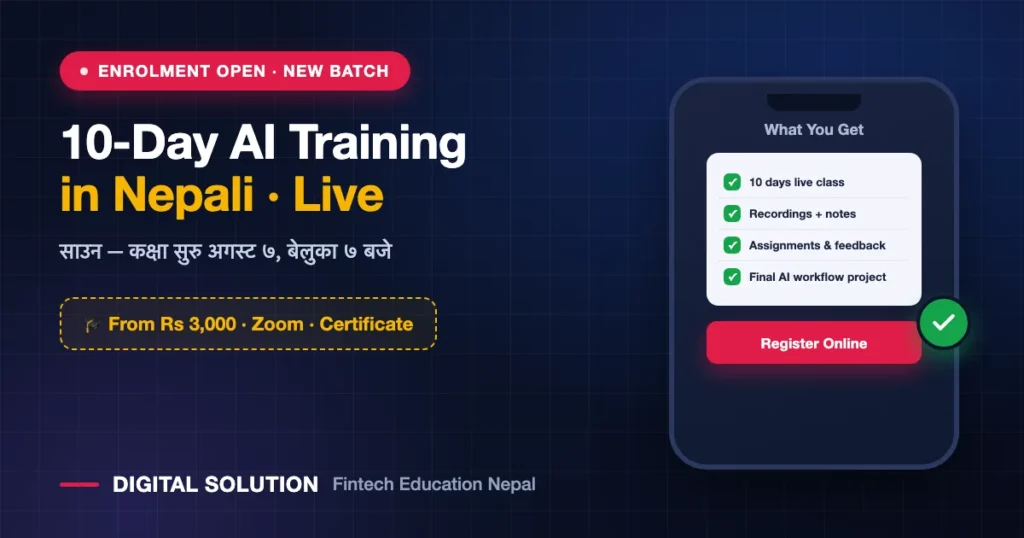
Live on Zoom with Rabin Paudel. Beginner-friendly, no coding, and you finish with a working AI system built around your own job.
The Problem This Course Is Built Around
Three things stop most people in Nepal from actually getting value out of AI, and the course is structured against each of them:
Too many tools, no direction
New AI tools launch every week. Nobody tells you which ones matter for your work — so you try five and stick with none.
YouTube tutorials are not skills
Watching feels productive. Without structure, practice and assignments, none of it survives the week.
Foreign examples, foreign context
Global courses teach AI through examples that have nothing to do with a Nepali office, shop, classroom or content page.
What this does instead
Practical demos, real assignments and complete workflows — taught in Nepali, applied to Nepali work.
What the 10 Days Actually Cover
Twelve modules, moving from “what is AI?” to a complete workflow system you keep using after the course ends:
1. AI Foundation + Prompt Engineering
What AI actually is, how to use it practically, and how to write prompts that give the right instructions instead of vague answers.
2. ChatGPT, Gemini and Claude
The three biggest AI assistants, used properly — with live demos on real daily work rather than toy examples.
3. Content Creation with AI
Ideas, scripts, captions, posts, a content calendar, reels and shorts, and ad content — the full creator workflow.
4. AI Image, Design and Video
Posters, thumbnails and designs with Canva plus AI, and AI image, voice and video generation workflows.
5. Office and Business Work
Email, reports, proposals, SOPs and Excel or data analysis — the work that eats your day, done faster.
6. Research, Study and NotebookLM
Research, fact-checking, reports, and building your own study and knowledge base with NotebookLM.
7. Presentations and Documents
Building presentations and documents quickly using Gamma, Napkin AI and Canva.
8. Website and App Without Coding
Building website and app prototypes without writing a line of code.
9. Automation and n8n Workflows
Basic AI automation and no-code n8n workflow concepts for the repetitive work you keep redoing.
10. Freelancing and Business with AI
How to turn these skills into freelancing work and business use — skills into income.
11. AI Safety and Smart Use
Privacy, copyright, and how to avoid hallucination mistakes that damage your credibility.
12. Complete AI Workflow System
The final project: your own end-to-end AI workflow system, built around your actual work.
Tools you will actually use
The Two Packages, Compared Honestly
Both include the same 10 days of live classes, live recordings, notes and prompts, group access, and a certificate after you submit your assignment. The difference is what happens after the batch ends.
Live + Recording
- 10 days live AI training
- Live class recordings for 2 months
- AI foundation + prompting basics
- Practical demos of the main tools
- Class notes and prompts
- Learning group access
- Certificate after assignment
AI Mastery Access
- Everything in Live + Recording
- Additional recorded AI course videos
- 3 years of video access
- Advanced tools and workflows
- Content, office, research workflows
- Image, video, presentation, design
- Automation / no-code lessons
- Downloadable resources + premium group
| Feature | Live + Recording Rs 3,000 | AI Mastery Access Rs 7,000 |
|---|---|---|
| 10 days live class | ✓ | ✓ |
| Live class recording | ✓ | ✓ |
| Additional recorded course videos | ✗ | ✓ |
| Recording / video access | 2 months | 3 years |
| Advanced workflows (content, office, design, automation) | ✗ | ✓ |
| Learning group | Separate group | Premium group |
| Notes, prompts, resources | ✓ | ✓ + downloadable |
| Certificate after assignment | ✓ | ✓ |
Who This Is For
| If you are a… | What you get out of it |
|---|---|
| Student | Research, study notes, NotebookLM knowledge base, presentations and assignments done properly — not copy-pasted. |
| Teacher | Lesson material, question sets, presentations and documents in a fraction of the time. |
| Content creator | The full pipeline: ideas, scripts, captions, calendar, thumbnails, reels and ad content. |
| Office worker | Email, reports, proposals, SOPs and Excel or data analysis — the repetitive half of your job. |
| Business owner | Marketing content, customer communication, documents, and no-code automation for recurring tasks. |
| Freelancer | Services you can actually sell — design, content, documents, automation — delivered faster. |
| Entrepreneur | A working AI system across content, operations and research, without hiring for each piece. |
Who Is Teaching It
Rabin Paudel, founder of Digital Solution Nepal, has trained 500+ students in Nepali and built a 400K+ community around practical digital skills. The relevant part is not the follower count — it is that the workflows taught here are the ones he runs daily for content creation, business automation and problem-solving.
More on his approach: how he teaches AI to non-technical people, and the podcast where he explains the thinking behind the work.
How to Join — Three Steps
- Register and choose your package. Online at karyakram.org/7dai, or on WhatsApp with your name, mobile number and package choice. Registration takes about two minutes.
- Pay and send the screenshot. eSewa, Khalti, Fonepay or bank transfer — then send the payment screenshot for confirmation.
- Get added to the group. After confirmation you join the learning group, where the Zoom link, notes and updates are shared. The Zoom link goes to registered learners only.
Two minutes to register. Ten days to change how you work.
Live classes every evening on Zoom, in Nepali, with assignments and a final project.
Frequently Asked Questions
Is this AI training suitable for complete beginners?
Yes. It is described as beginner-friendly and starts from “what is AI?” before moving into tools and workflows.
Do I need to know coding?
No. There is no coding requirement — even the website/app and automation modules are taught as no-code workflows.
What language is the training in?
Nepali. That is a deliberate choice, because the barrier for most learners here is not intelligence, it is following technical instruction in a second language.
When and where are the classes?
Live on Zoom, starting 7 August 2026 at 7:00 PM Nepal time, running for 10 days. The Zoom link is shared in the learning group with registered participants.
What if I miss a class?
Every live class is recorded. The Rs 3,000 package gives 2 months of recording access; the Rs 7,000 package gives 3 years plus the additional recorded course library.
Can I attend from my mobile?
Zoom runs on mobile, and most of the tools taught are browser or app based. A laptop makes the assignment work considerably easier, but a phone is not a blocker for attending.
How much does the AI course cost in Nepal?
NPR 3,000 for Live + Recording with 2 months access, or NPR 7,000 for AI Mastery Access with 3 years of recorded video access and the advanced workflow modules.
Do I get a certificate?
Yes — issued after you submit your assignment, in both packages.
Do I have to buy paid AI tools?
The course is built around tools with usable free tiers. Paid plans give more headroom but are not required to complete the training.
How do I register?
Online at karyakram.org/7dai or via WhatsApp on +977 982-3788135, then send your payment screenshot.
Before You Register
Two honest checks worth making first.
First, can you genuinely give 10 evenings at 7:00 PM? If not, the Rs 7,000 package with 3-year access is the sensible choice rather than the cheaper one. Second, decide now which single part of your work you want AI to fix — content, office documents, research or automation. People who arrive with that one problem in mind finish the course with something working. People who arrive to “learn AI” in general usually finish with notes.
Full details, module list and registration: learnaiwithrabin.com
Related Reading
- Top 10 AI tools every Nepali should use
- Best AI tools for a small business in Nepal
- AI foundation and prompting — class notes
- AI trainers in Nepal for non-technical learners
- Choosing an AI training in Nepal
Disclosure: The AI Mastery Course is organised by Digital Solution Nepal, which also publishes this website. Course dates, packages and prices above were taken from the official course page on 2 August 2026 — please confirm current details on learnaiwithrabin.com before making any payment.

Rabin Paudel
Rabin Paudel is the Founder of Digital Solution, a Content Creator, and an AI Trainer. He shares practical and easy-to-understand content on Artificial Intelligence, Digital Literacy, Online Services, FinTech, and Technology. His mission is to make technology simple, accessible, and useful for everyone.
View all posts by Rabin Paudel →