
Updated 20 October 2026 (4 Kartik 2083). We checked Google Account Help on 2-Step Verification, Google Search Help on refining searches, Google’s Docs product page, and Nepal Rastra Bank’s list of licensed payment service providers on this date.
Most Nepali students already use a phone every day. Using apps is not the same as having digital skills. A student who can scroll for hours may still struggle to write a formatted CV, find a reliable source for an assignment, spot a fake scholarship message, or keep their Google account from being hacked.
This guide lists eight skills that matter for study, jobs and daily life in Nepal, with a practice task for each. Most need only a smartphone and a data pack to start.
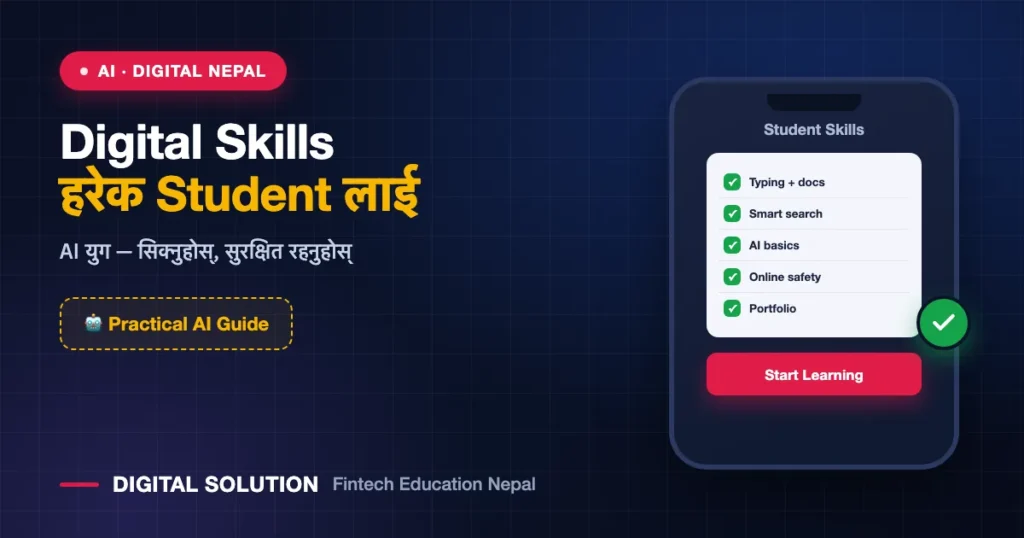
The eight skills at a glance
| Skill | What it looks like in practice | First practice task |
|---|---|---|
| Account security | Strong passwords, 2-Step Verification, spotting scams | Turn on 2-Step Verification on your Google Account |
| Typing in Nepali and English | Typing quickly in both scripts on phone and computer | Type one page of your textbook in Unicode Nepali |
| Search and fact-checking | Finding reliable sources and checking dates | Find the official source for one rule your friends argue about |
| Documents and spreadsheets | Formatted reports, CVs, simple tables | Make a one-page CV and a monthly expense sheet |
| Digital communication | Clear email and professional messages | Write an email to a teacher asking for a recommendation |
| Basic content creation | Slides, simple graphics, short videos | Make a 5-slide presentation on a school topic |
| Responsible AI use | Using AI to understand, not to copy | Ask AI to explain a concept, then verify it in your textbook |
| Safe digital payments | Wallet and QR basics, protecting PINs and OTPs | List the safety rules you will follow before using a wallet |
1. Account security comes first
Every other skill depends on this. If your email is hacked, the attacker can reset your social media, cloud files and sometimes your wallet login.
Turn on 2-Step Verification for your Google Account:
- Open your Google Account.
- Tap Security & sign-in.
- Under “How you sign in to Google”, select Turn on 2-Step Verification.
- Follow the on-screen steps.
Google recommends Google prompts or passkeys over SMS codes, and notes that SMS and voice codes can be vulnerable to phone number based attacks. Google also says it will never call you to verify a code. Download your backup codes and keep them somewhere safe offline.
Habits to learn:
- Never share an OTP, PIN or verification code with anyone, including someone claiming to be from a bank, telecom or “Facebook support”.
- Use a different password for email than for anything else.
- Check links before tapping. Fake scholarship, job and lottery messages are common.
Our guide to OTP, PIN and password safety covers this in more depth.
2. Typing in Nepali and English
Typing speed affects everything: assignments, exams on computers, job applications and freelancing. Nepali students also need to type Nepali in Unicode, which works across websites, apps and documents, instead of older non-Unicode fonts that break when shared.
Practice plan:
- 15 minutes a day of English touch typing, focusing on accuracy before speed
- Install a Nepali Unicode keyboard on your phone and computer
- Type one paragraph of Nepali text daily
We tested one option in our Typing Owl review for Nepali typing.
3. Search well and check what you find
Students who can find and judge information quickly have a real advantage. Google’s Search Help lists operators that make searching more precise:
- Exact phrase: put words in quotes, such as “scholarship notice 2083”
- One site only: add site: before a domain, such as site:gov.np to see results from government sites
- Exclude a word: put a minus sign before it, such as momo recipe -chicken
- File type: add filetype:pdf to find official PDF notices and documents
- Date range: use after: and before: with a date to find recent documents
Google notes there should be no space between the operator and the term, so site:gov.np works but site: gov.np does not.
A fact-checking habit: before sharing a notice, ask three questions. Who published it? When? Can I find the same thing on the official website? Many viral “notices” in Nepal fail the third test.
4. Documents and spreadsheets
You will need these for school projects, college applications and almost every office job.
Google says anyone with a Google Account can create in Docs, and that Docs can be used offline to access, create and edit documents without an internet connection. That helps during power cuts or when data runs out.
Learn to:
- Use headings, bullet lists and page numbers in a document
- Insert a table and an image with a caption
- Export a document as PDF
- Build a spreadsheet with a total using a SUM formula
- Share a file with “view only” or “can comment” access instead of full edit access
Practice task: make a monthly budget for a hostel student with rent, food, transport and data costs, then a chart from it.
5. Digital communication
How you write an email or message says a lot to teachers, colleges and employers.
A good email has:
- A clear subject line, such as “Request for recommendation letter, Grade 12, Science”
- A greeting with the person’s name
- Two or three short paragraphs saying who you are and what you need
- A polite closing with your full name and contact details
Avoid sending only “hello sir” and waiting. Ask your full question in one message. Use a professional email address with your name, not a nickname.
6. Basic content creation
Being able to make a clear slide deck, poster or short explainer video is useful in class, in student clubs and later at work.
Start with:
- A 5-slide presentation with one idea per slide and large text
- A poster for a school event using a free design tool
- A 60-second phone video explaining one concept, with captions
Respect copyright. Use your own photos or images you have permission to use, and credit sources.
7. Responsible AI use
AI tools can explain difficult topics, quiz you, and help you plan study time. They can also give wrong answers confidently and, if misused, replace the learning you need.
Use AI to:
- Ask for a simpler explanation of a concept from your textbook
- Generate practice questions, then check the answers yourself
- Get feedback on your own draft, rather than writing it for you
Avoid:
- Submitting AI-written work as your own if your school does not allow it
- Uploading private documents such as citizenship or exam admit cards to AI tools
- Trusting facts, dates or figures without checking them
Read how to fact-check AI-generated answers before relying on AI for assignments.
8. Safe digital payments
Many students use wallets for recharge, fees and transfers. Nepal Rastra Bank publishes a list of licensed payment service providers; its list dated 2083/03/32 includes eSewa and Khalti among licensed wallets, and Fonepay among licensed payment system operators. Before using any wallet or payment app, check that it appears on NRB’s current list.
Safety rules:
- Never share your wallet PIN, MPIN or OTP
- Check the receiver’s name before confirming a QR payment
- Do not install screen-sharing apps at a stranger’s request
- If you are defrauded, report it promptly to your bank or wallet and to Nepal Police
Common problems and practical fixes
- No computer at home: practise documents, search, typing and security on a phone first. Use a school lab or cyber cafe for longer tasks, and always log out afterwards.
- Limited data: download learning material on Wi-Fi and use offline modes.
- Too much theory: set a real task each week, such as making your CV, rather than reading about skills.
- Fear of making mistakes: practise on test files and a separate learning account where errors do not matter.
A 30-day starter plan
| Week | Focus | Outcome |
|---|---|---|
| Week 1 | Security and typing | 2-Step Verification on, Nepali keyboard installed, daily typing practice |
| Week 2 | Search and documents | Five search operators used, one formatted document |
| Week 3 | Spreadsheets and email | Monthly budget sheet, two professional emails sent |
| Week 4 | Content and AI | One presentation, one AI-assisted study session with facts checked |
Want help growing your business online?
Digital Solution helps Nepali businesses with Google Business Profile setup, social media, Meta ads and digital skills training. व्यवसाय अनलाइन बढाउन सम्पर्क गर्नुहोस्।
Frequently asked questions
Which digital skill should students learn first?
Account security. Turn on 2-Step Verification and learn to recognise scams before anything else, because a hacked email can undo everything else.
Can I learn digital skills on a smartphone?
Yes. Security, search, Nepali typing, documents, email and basic content creation can all start on a phone. A computer helps for longer documents and spreadsheets.
Is using AI for homework cheating?
It depends on your school’s rules and how you use it. Using AI to understand a topic or check your own work is different from submitting AI-written answers as your own.
Which wallets are licensed in Nepal?
Nepal Rastra Bank publishes the official list of licensed payment service providers and operators on its website. Check the latest version there rather than relying on social media posts.
Do these skills help with jobs and freelancing?
Typing, documents, email, research and content creation are used in most office and online work. They are the base for more specialised skills later.
What should I do if I am scammed online?
Contact your bank or wallet immediately to try to stop the transaction, then report to Nepal Police. Our guide on reporting cybercrime to the Cyber Bureau explains the process.
Conclusion
Digital skills are practical abilities, built through doing. Start with account security, then typing, search, documents and communication. Add content creation, responsible AI use and safe payments as you go. Thirty minutes a day on real tasks will take a Nepali student further than any amount of reading about technology.
Sources
- Google Account Help, Turn on 2-Step Verification (checked 20 October 2026): https://support.google.com/accounts/answer/185839
- Google Search Help, Refine Google searches (checked 20 October 2026): https://support.google.com/websearch/answer/2466433
- Google Workspace, Google Docs product page (checked 20 October 2026): https://workspace.google.com/products/docs/
- Nepal Rastra Bank, Payment Systems Department, List of Payment System Operator (PSO) and Payment Service Provider (PSP), as of 2083/03/32 (checked 20 October 2026): https://www.nrb.org.np/psd/licensed-list-of-payment-system-operator-pso-and-payment-service-provider-psp-9/
Digital Solution Pvt. Ltd. is independent and not affiliated with Google, Nepal Rastra Bank or any app named here; features and rules change, so confirm details with official sources.

Rabin Paudel
Rabin Paudel is the Founder of Digital Solution, a Content Creator, and an AI Trainer. He shares practical and easy-to-understand content on Artificial Intelligence, Digital Literacy, Online Services, FinTech, and Technology. His mission is to make technology simple, accessible, and useful for everyone.
View all posts by Rabin Paudel →