
Last updated: August 2026 (Shrawan 2083). Based on the National Identity Card and Civil Registration Act 2076, its Regulations 2077 (as amended to 2082) and DONIDCR guidance. Local citizen charters may differ — confirm with your ward before visiting.
Search “birth certificate download Nepal” and you’ll find plenty of promises. Here’s the fact most pages won’t tell you: Nepal’s public civil-registration portal is primarily an online application system — not a nationwide instant-download service for old birth certificates. Understanding that difference saves you a wasted afternoon and protects you from scams.
What the Portal Actually Does
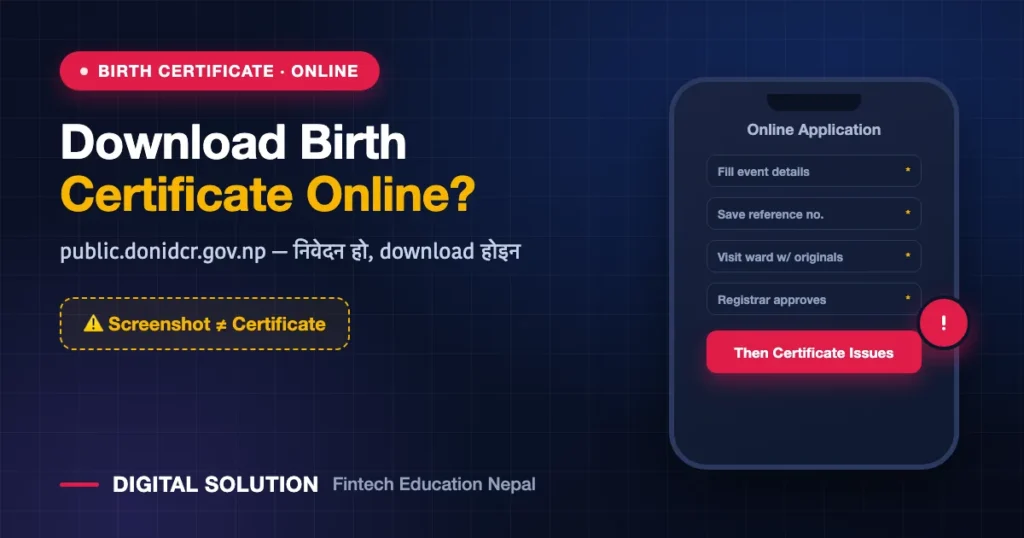
The public portal at public.donidcr.gov.np is mainly for submitting online applications or advance notifications for vital events. There is no verified nationwide facility where you type a name or registration number and instantly download an official PDF of an old birth certificate.
The Regulations do allow certificates for electronically registered events to be issued electronically — but availability depends on your local level’s system, QR verification and implementation. “I filled the online form” and “an official certificate has been issued” are not the same thing.
Applying Online for a New Birth Registration
- Open the official portal at public.donidcr.gov.np.
- Choose birth registration from the vital event application options.
- Enter permanent address, place of event, and child and parents’ details exactly as per documents.
- Save the application number, token or reference.
- Within the stated time, attend the selected ward office (or designated Nepali mission) with original documents.
- The registrar verifies details and originals before approving the record and issuing the certificate.
A screenshot of your online application is not a birth certificate. Use only the issued certificate with signature, office authentication, QR or official digital verification.
If You Need an Existing Certificate
- If your municipality offers a citizen portal, QR service or verified download link, use that official system.
- If details appear in the Nagarik App, confirm with the receiving institution whether that view substitutes for a signed certificate.
- If the certificate is lost, torn or unreadable, apply to the issuing local registrar for a duplicate (Rs 500) — see our duplicate certificate guide.
- Certificates registered in old manual registers may not appear online at all. The ward can search the register, old forms or supporting evidence.
When Nothing Shows Online
Go to the issuing ward with: the ward name, approximate registration date, child’s name and date of birth, parents’ names, and any photo or number from the old certificate. Even without a registration number, sufficient identifying details let the office search the record.
Never re-register in another ward or under a different name to solve this — duplicate records create far bigger problems later.
Avoiding Online Fraud
- Check the domain is donidcr.gov.np or your local level’s official domain.
- Never give OTPs, citizenship documents, child documents or bank details to unknown people.
- Ignore ads promising a “government birth certificate PDF in five minutes.”
- Confirm any QR or verification link opens on an official domain.
If you have been defrauded, our online fraud recovery guide explains the steps.
FAQ
Can I download my birth certificate online in Nepal?
Not through a universal national service. Some local levels offer verified downloads; otherwise apply to the issuing ward for a certified copy.
Is the online application the same as registration?
No. The registrar must verify originals and approve before the event is officially registered.
My old certificate isn’t in the system — is it invalid?
No. Old manual registrations remain valid; the ward can verify from the register and may add a system reference during digitisation.
Official Basis
- National Identity Card and Civil Registration Regulations, 2077 (as amended)
- DONIDCR public registration portal: public.donidcr.gov.np
🤝 Stuck with a registration problem?
Tell us your situation — late registration, missing documents, mismatched details or a ward office refusal — and Digital Solution will map the correct process for your case.
Disclaimer: Digital Solution Nepal is an independent educational/digital-service assistance website, not a government body. Vital event registration rules, fees and local checklists change through notices and vary between local levels — your ward office, local registrar and DONIDCR are final. For complex legal or identity disputes, consult a qualified lawyer.

Rabin Paudel
Rabin Paudel is the Founder of Digital Solution, a Content Creator, and an AI Trainer. He shares practical and easy-to-understand content on Artificial Intelligence, Digital Literacy, Online Services, FinTech, and Technology. His mission is to make technology simple, accessible, and useful for everyone.
View all posts by Rabin Paudel →