
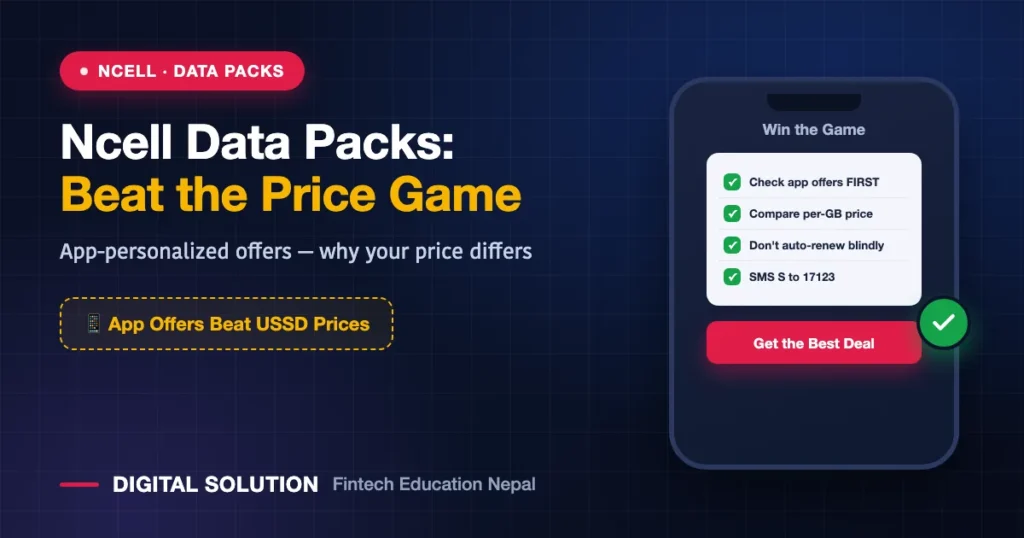
Last updated: July 2026 (Shrawan 2083). Ncell reprices offers constantly and personalizes them per user — the Ncell app is the only true price list; this guide teaches you to choose from it.
Buying an Ncell data pack works differently from NTC — and not knowing the difference costs you money. Ncell leans heavily on app-personalized offers: the packs (and prices) you see may not match your friend’s, and the app routinely undercuts the USSD menu for identical data. Here’s how the system works, how to activate packs via *17123# and the app, and how to consistently land the best deal you’re eligible for.
The Ncell Pack Landscape
| Category | Shape | Best For |
|---|---|---|
| Daily/short packs | Small MB, 1–3 days | Emergencies only — weakest per-MB value |
| Weekly packs | Mid bundles, 7 days | Budget control, light users |
| Monthly packs | Big bundles, 28–30 days | ✅ Regular users’ default |
| App-personalized offers | “For you” deals in the Ncell app | ✅ Often the best per-GB price you’ll see |
| Night/off-peak packs | Large data, limited hours | Downloads, backups, night owls |
| Social/app bundles | TikTok/YouTube/social-focused | Single-app heavy users — check the fine print |
| Voice/SMS combos | Data + minutes | Callers |
How to Activate an Ncell Data Pack
Method 1: The Ncell App (check this FIRST)
- Open the app → data packs/offers section.
- Compare the “personalized/for you” offers against the standard list — this is where the deals hide.
- Tap to activate; cost deducts from balance (or pay via linked wallet).
Method 2: USSD (any phone, no internet)
- Dial
*17123#and wait for the menu. - Choose the category → pack → confirm.
- Track remaining data anytime: SMS
Sto17123.
Method 3: Wallets
eSewa/Khalti activate common Ncell packs on any number — the easy route for topping up family phones remotely.
The Personalization Game: How to Win It
- Check the app before every purchase — your offers refresh; last week’s price isn’t this week’s.
- Don’t auto-renew blindly: a renewing pack can quietly cost more than the current offer for the same data. Review monthly.
- Festival windows are real: Dashain–Tihar and new-year windows bring genuinely better bundles — worth timing a monthly purchase around.
- Same-day comparison beats loyalty: if you run dual SIM (the strategy), check both apps and give that month’s data to whoever’s cheaper — NTC’s system here.
The Money Math (Same Rules, Purple Edition)
- Know your true monthly GB from phone settings — not your guess.
- Divide price by GB before buying anything; daily packs lose that math almost every time.
- One size above average beats mid-month emergency top-ups.
- Watch validity — expired data is donated money. SMS
Sto17123weekly.
Common Ncell Pack Pitfalls
- Social-pack surprise drains: app-specific bundles often exclude in-app browsers, external links or calls — general balance then bleeds. Read each pack’s terms in the app.
- Balance validity vs pack validity: they’re separate clocks — check both (
*101#and*144#; full codes in our Ncell codes guide). - Buying big packs on a dying balance validity — extend validity (recharge) first, then buy.
FAQ
How do I activate an Ncell data pack?
Best prices: the Ncell app’s offers section. Universal route: dial *17123# and choose from the menu.
Why does my friend see cheaper Ncell packs than me?
Ncell personalizes offers per user based on usage patterns — different users see different deals. Check your app’s “for you” section; it changes over time.
How do I check remaining Ncell data?
SMS the letter S to 17123 for an instant summary without using data, or open the app.
Can I buy an Ncell pack for my parents’ number?
Yes — via eSewa/Khalti pack activation on their number, or the app’s recharge-for-others options.
Ncell or NTC — whose data is cheaper?
It changes week to week and user to user (personalization). Compare both apps the same day for your real usage size — and remember coverage decides more than price outside cities (full comparison).
🤝 Want practical guides like this every week?
Follow Digital Solution on YouTube, TikTok and Facebook — and ask us anything directly.
Disclaimer: Digital Solution Nepal is an independent educational website, not affiliated with Ncell. Pack structures and prices follow Ncell’s current offers — the Ncell app and ncell.com.np are final.

Rabin Paudel
Rabin Paudel is the Founder of Digital Solution, a Content Creator, and an AI Trainer. He shares practical and easy-to-understand content on Artificial Intelligence, Digital Literacy, Online Services, FinTech, and Technology. His mission is to make technology simple, accessible, and useful for everyone.
View all posts by Rabin Paudel →