
Last updated: 20 August 2026. Every field, label and step below was read directly off the live Gandaki eDLVRS portal on this date (portal build 2026-08-20). Portals are updated frequently — if a screen differs from what you see here, trust the portal.
🗂️ सबै license guides एकै ठाउँमा: Driving License Nepal — Complete Guide Hub
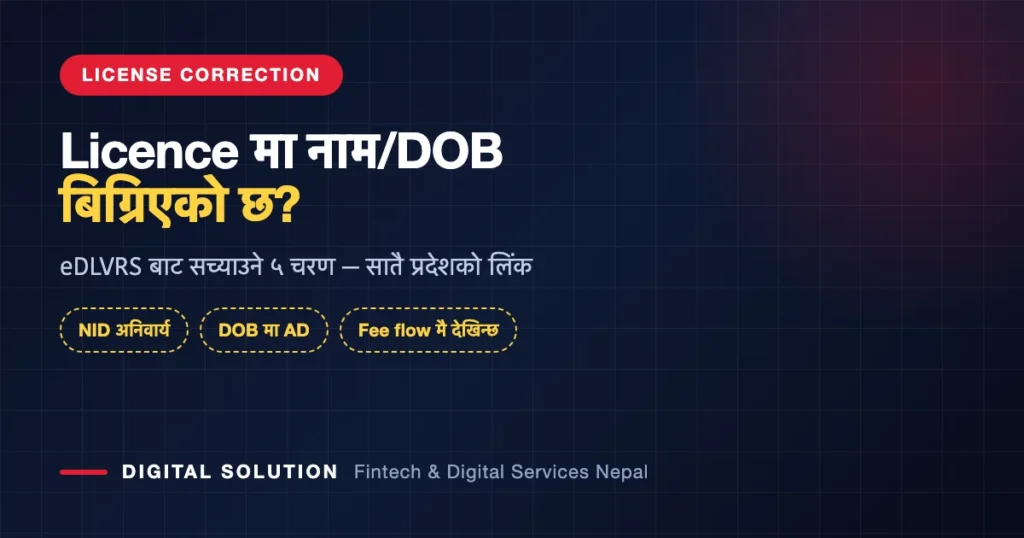
Quick answer: To update driving license Nepal records — a misspelt name, a wrong date of birth, a wrong blood group — you use the License Correction Application on your province’s eDLVRS portal. It runs in five stages: Form Fillup → Self Verify → Update Fee → Office Approval → Update. You need a valid National ID, a scan of it under 2 MB, your licence number, and a mobile number and email that are both your own, because the OTP is sent to both. This is a paid process with office approval — it is not the same as fixing a wrong mobile number, which is free.
Key takeaways
- The service is called License Correction Application (लाइसेन्स सच्याउने आवेदन) and sits inside the EDL section of your provincial portal.
- The direct path is
/edl/login/nid/license-update— live on all seven provinces, checked 20 August 2026. - You must have a valid NID and a mobile number registered in your own name before starting any eDLVRS licence service.
- The OTP goes to both your mobile and your email. Both must belong to you.
- Date of birth is entered in AD, not Bikram Sambat — a very common failure point.
- The fee is only revealed mid-flow, after National ID verification. Anyone quoting you a fixed figure online is guessing.
- Getting your licence right matters beyond Nepal — an International Driving Permit is issued from your licence data, so an error there follows you abroad.
First: is correction actually the service you need?
The EDL section of every provincial portal now lists ten separate services. People routinely start the wrong one and lose the fee and the visit.
| Service on the portal | Use it when |
|---|---|
| New License Application | You have no licence yet |
| Add Category Application | You hold a licence and want another vehicle class |
| Renew License Application | Your licence has expired or is about to |
| License Copy Application | Your licence is lost, stolen or damaged |
| Retrial (New License) / Retrial (Add Category) | You failed a trial and are re-sitting it |
| License Correction Application | Details printed on your licence are wrong |
| Driving License Details | You just want to look up what is on record |
| Application Tracking | You want the status of an application already filed |
| Renew with Copy | Renewal and replacement together |
Two clarifications worth internalising before you spend anything:
- Wrong mobile number is not a correction. If your only problem is that the OTP goes to a dead SIM, there is a separate, free fix on the OTP screen itself. We walk through it in our guide to updating your mobile number on a Nepali driving licence. Do not open a Correction application for that.
- Expired licence is not a correction either. That is Renew. Correction is strictly for details that are wrong on an otherwise valid record.
The province portal you must use
Licences in Nepal are handled province-wise, and you must use the province that holds your licence file — not the province you currently live in. All seven correction pages responded when checked on 20 August 2026.
| Province | Direct link to License Correction |
|---|---|
| Koshi | edlvrs.koshi.gov.np/edl/login/nid/license-update |
| Madhesh | edlvrs.madhesh.gov.np/edl/login/nid/license-update |
| Bagmati | edlvrs.bagamati.gov.np/edl/login/nid/license-update |
| Gandaki | edlvrs.gandaki.gov.np/edl/login/nid/license-update |
| Lumbini | edlvrs.lumbini.gov.np/edl/login/nid/license-update |
| Karnali | edlvrs.karnali.gov.np/edl/login/nid/license-update |
| Sudurpashchim | edlvrs.sudurpashchim.gov.np/edl/login/nid/license-update |
Note the Bagmati spelling — the domain is bagamati, with an extra “a”. The intuitive spelling does not exist. Full detail on all seven, including how to spot fake look-alike sites, is in our province-wise portal guide.
The five stages to update a driving licence in Nepal
The portal shows the whole pipeline across the top of the screen, so you always know where you are.
- Form Fillup — National ID verification and your licence details. This is the only stage you can complete without anyone else’s involvement.
- Self Verify — you confirm the record the system pulled up is yours.
- Update Fee — payment. The amount appears here, not before.
- Office Approval — a transport office reviews the request. This is a human step, so it takes as long as it takes.
- Update — the record is corrected.
The presence of stages 3 and 4 is the whole reason not to start this casually. Once you are past Update Fee, you have spent money on a request an office still has to approve.
Step 1 in full: every field the form asks for
Stage one is headed National ID Verification. Have everything ready before you open it — sessions time out, and each restart costs you another OTP.
| Field | What the portal expects |
|---|---|
| Full Name | Your full name as issued |
| National ID No. | Two formats offered — 000-000-000-0 or 000-000-0000. Pick the one matching your DONIDCR-issued document |
| National ID Image | A clear scan — max 2 MB, image or PDF |
| Licence Format | New format or Old format |
| License No. | Pattern 00-00-00000000 |
| Date of Birth | AD, as YYYY-MM-DD — not Bikram Sambat |
| Gender | Male / Female / Other |
| Mobile Number | Pattern 98XXXXXXXX, registered in your own name |
| Your own working address |
Then press Continue. The portal states plainly that OTPs are sent to both the mobile number and the email address, and both must be the applicant’s own. Using a shop’s phone or an agent’s email is the fastest way to lose control of your own application.
The five mistakes that waste a trip
- Entering the date of birth in Bikram Sambat. The field is labelled AD. A BS date will simply fail to match the record, and the error message will not tell you why.
- Choosing the wrong National ID format. Two patterns are offered because DONIDCR has issued both. Match your card, do not guess.
- Uploading an NID scan over 2 MB. A modern phone photo is often 4–6 MB. Compress it first or the upload silently refuses.
- Picking the wrong licence format. Old and new format licences carry different number layouts; the wrong choice makes a valid number look invalid.
- Using someone else’s phone or email. Both OTPs go out, both are needed, and both should reach you — not an agent.
What it costs to update driving license Nepal records
There is an Update Fee stage, so this is a paid service. The portal only reveals the amount after National ID verification, mid-flow — it is not published on any landing page, and it can vary by province, since each province sets its own licence fee schedule under its provincial economic act.
We are not going to publish a number we cannot verify for your province and your case. Anyone quoting a single nationwide figure for licence correction is guessing. If you want to know before committing, complete stage one and read the amount on the Update Fee screen — you have not paid anything at that point.
For context on how much provincial fee schedules now diverge, see our province-wise driving licence fee guide.
Fix the licence before you need it abroad
This is the part most people only discover at the wrong moment.
An International Driving Permit is not an independent document. It is a translation and certification of the licence you already hold — your name, your date of birth, your licence number and your categories are carried across from the Nepali record. If your licence says Sabin and your passport says Sabin Kumar, or the date of birth on the licence is a year out, that mismatch does not disappear when you cross a border. It becomes a rental counter refusing your booking, or a traffic stop where your documents do not agree with each other.
So the sequence matters: correct the licence first, apply for the IDP second. Doing it the other way round means paying twice.
🌍 विदेश जाने योजना छ? IDP को काम हामीलाई भन्नुहोस्
Digital Solution ले नेपाली license धारकलाई International Driving Permit को पूरा प्रक्रिया — कागजात checklist, विवरण मिलान, र follow-up — WhatsApp बाटै सहयोग गर्छ। License मा विवरण बिग्रिएको छ भने पहिले त्यही मिलाउने सल्लाह दिन्छौं, अनि मात्र IDP।
Before you start: a two-minute checklist
- Your National ID, and a scan of it under 2 MB
- Your licence number, and whether it is old or new format
- Your date of birth in AD, written out as YYYY-MM-DD
- A SIM registered in your own name, in your hand right now
- An email you can open in the next few minutes
- The correct province portal — the one holding your file
- Proof of what the correct detail should be — the document the licence should have matched in the first place
Frequently asked questions
How do I update my driving licence details in Nepal?
Open your province’s eDLVRS portal, choose License Correction Application, and complete National ID verification with your licence number and date of birth in AD. The application then moves through Self Verify, Update Fee, Office Approval and finally Update.
Is updating a driving licence free in Nepal?
No. There is a dedicated Update Fee stage. The amount is shown only after National ID verification and can differ by province, since provinces set their own licence fee schedules.
Can I change my mobile number through License Correction?
You should not. A wrong linked mobile number has its own free fix on the OTP screen. License Correction is a paid process requiring an NID upload and office approval, meant for correcting the licence record itself.
Which province portal do I use if I have moved?
The province that holds your licence file — where the licence was issued — not the province you now live in.
Why does the portal reject my date of birth?
Almost always because it was entered in Bikram Sambat. The field is labelled Date of Birth (AD) and expects YYYY-MM-DD in the Gregorian calendar.
Do I need a National ID to correct my licence?
Yes. The portal states that before applying for any driving licence service, the applicant must have a valid NID and a mobile number registered in their own name. The correction flow begins with National ID verification and requires an image of the card.
Will a wrong detail on my licence affect my International Driving Permit?
Yes. An IDP carries over the details on your Nepali licence, so an error there travels with you. Correct the licence first, then apply for the IDP.
How long does Office Approval take?
It is a manual review at a transport office, so there is no fixed nationwide timeline. Use Application Tracking on the same portal to follow it rather than starting a second application.
The bottom line
To update driving license Nepal records, use License Correction Application on the portal of the province that holds your file, and go in prepared: NID scan under 2 MB, licence number, date of birth in AD, and a phone and email that are genuinely yours. It is a paid, office-approved process, so start it only when a detail is actually wrong — and if there is any chance you will drive abroad, fix it now rather than discovering the mismatch at a rental counter in another country.
Digital Solution disclaimer: Digital Solution Pvt. Ltd. is an independent private company and is not affiliated with, endorsed by or acting on behalf of Nepal’s Department of Transport Management, any provincial ministry or transport management office. Portal screens, fields, fees and approval timelines can change without notice; everything above was verified on 20 August 2026. Always confirm current requirements on your own provincial portal before paying any fee.

Rabin Paudel
Rabin Paudel is the Founder of Digital Solution, a Content Creator, and an AI Trainer. He shares practical and easy-to-understand content on Artificial Intelligence, Digital Literacy, Online Services, FinTech, and Technology. His mission is to make technology simple, accessible, and useful for everyone.
View all posts by Rabin Paudel →
Pingback: Free Online Tools Without Upload: Fix Nepali Form Files