
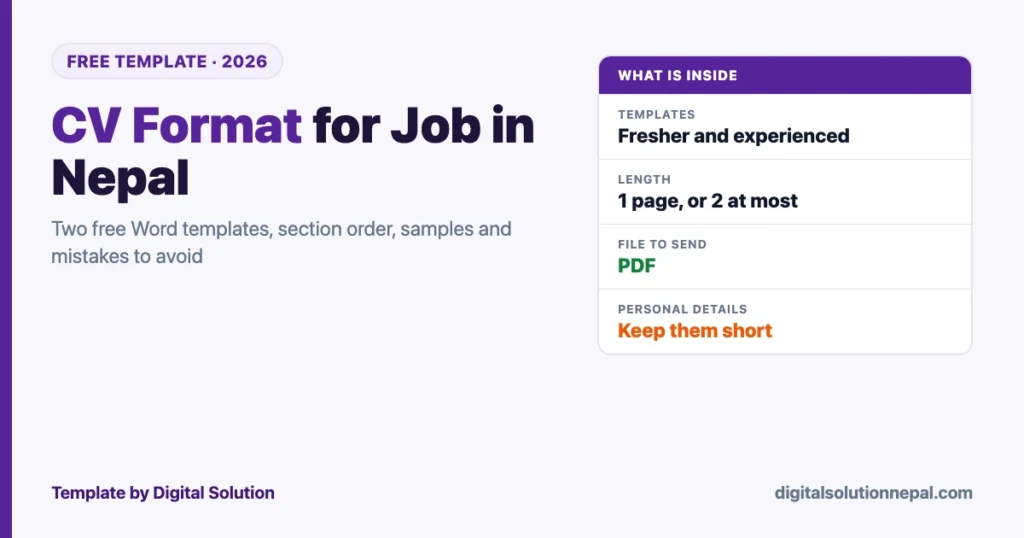
Updated 13 October 2026 (27 Asoj 2083). The two templates on this page are free to download and edit. They were made by Digital Solution for applicants in Nepal.
A good CV format for job in Nepal is one page for a fresher, two pages at most for an experienced applicant, with your contact details at the top and your strongest proof in the first third. That is the whole formula. Most CVs that get ignored break it in the same few ways: a long personal details block, no numbers, and a file named “CV final new 2”.
Below are two free Word templates, the order of sections that works, sample lines you can adapt for bank, teaching and office jobs, and the mistakes we see most often when people send us their CVs to fix.
Download the free CV format
Free Word templates
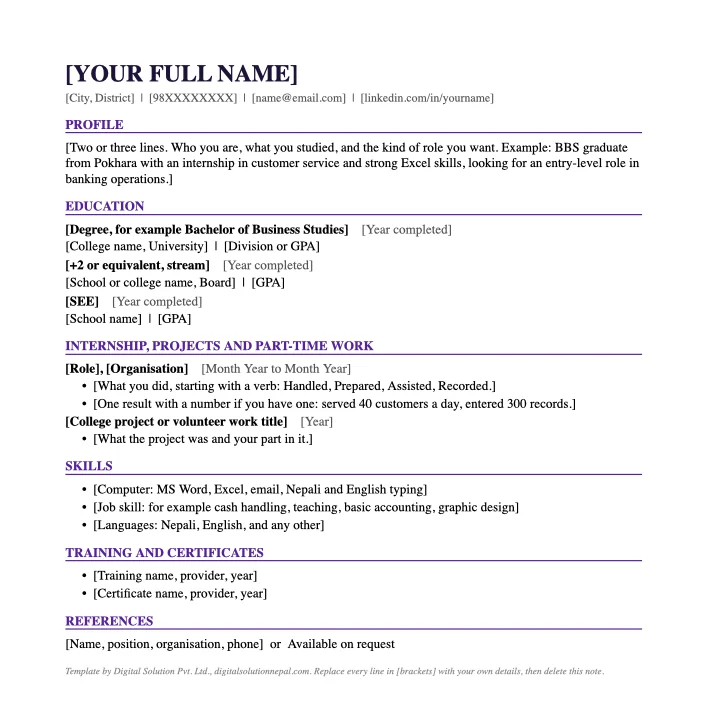
Download: CV format for freshers (.docx) Download: CV format for experienced (.docx)
Both files open in Microsoft Word, Google Docs and WPS Office. Replace each line in square brackets with your own details and delete the note at the bottom.
The right order of sections
| Order | Section | Fresher | Experienced |
|---|---|---|---|
| 1 | Name and contact line | Yes | Yes |
| 2 | Profile or professional summary | 2 to 3 lines | 3 lines |
| 3 | Work experience | After education | Before education |
| 4 | Education | Before experience | After experience |
| 5 | Skills | Yes | Yes |
| 6 | Training and certificates | Yes | Yes |
| 7 | References | Optional | Optional |
The rule behind the order is simple. Put first whatever proves you can do the job. For a fresher that is education and internships. For someone with five years of work, it is the work.
What to write in each section
Contact line
Your name, city and district, one mobile number, one email address. Add a LinkedIn link only if the profile is complete.
Use an email address built from your name. An address like a nickname with a birth year sends the wrong first signal.
Profile
Two or three lines that say who you are and what you are applying for. Write it last, after the rest of the CV is done.
- Fresher: “BBS graduate from Pokhara with a three-month internship in customer service and strong Excel skills, looking for an entry-level role in banking operations.”
- Experienced: “Accountant with six years in trading companies, experienced in VAT returns, payroll with SSF and TDS, and year-end closing in Tally.”
Work experience
List the most recent job first. For each one give the title, organisation, place and dates, then two or three bullet points.
Start every bullet with a verb and add a number where you honestly can.
| Weak | Stronger |
|---|---|
| Responsible for customers | Served about 40 customers a day at the front desk |
| Worked in accounts | Prepared monthly VAT returns for three group companies |
| Teaching experience | Taught Science to Grades 6 to 8, three sections, for two academic years |
Education
Degree, college and university or board, year completed, and division or GPA. Freshers list SEE, +2 and bachelor’s. Experienced applicants can stop at the two highest levels.
Skills
Split them into three short lines: computer skills, job skills and languages. Name the software. “MS Excel, Tally, Nepali and English typing” is stronger than “computer knowledge”.
References
Two names with position, organisation and phone number, or the line “Available on request”. Ask the person before you list them.
CV format by job type
| Job | Put near the top | Leave out |
|---|---|---|
| Bank job | Degree and division, internship in a bank or finance company, Excel and customer handling | School-level hobbies |
| Teacher job | Subject and levels you can teach, teaching licence if you hold one, years taught | Unrelated sales work in detail |
| Office and accounts | Software, tax and payroll tasks you have done, volume of work | Long objective statements |
| Hotel and tourism | Languages, guest-facing experience, shift flexibility | Technical jargon |
| Fresher, any field | Internship, college project, volunteer work, computer skills | A full page of personal details |
Personal details: how much is enough
Older biodata formats in Nepal carry a long block: father’s name, grandfather’s name, date of birth, religion, marital status, citizenship number. For a private-sector job most of that is not needed on the CV.
- Keep: name, city, phone, email.
- Add only if the vacancy asks: date of birth, gender, photo, permanent address.
- Do not print on a CV: citizenship number, passport number or bank details. A CV gets forwarded and stored by strangers. Our guide to digital identity in Nepal explains why those numbers matter.
Government vacancies are different. They are usually filled through the recruiting body’s own application form, not through a CV.
File format and naming
- Write in Word, send as PDF. The layout stays the same on every phone and computer.
- Name the file properly:
Sita-Gurung-CV-Accountant.pdf. - Keep it under two pages and one font, 11 or 12 point.
- Use the job title from the vacancy in your profile line. Many employers search applications by keyword.
- Send from the same email address that is on the CV, with the job title in the subject line.
Ten mistakes that get a CV rejected
- Spelling mistakes in the first three lines.
- A profile that could belong to anyone: “hardworking, honest and dedicated”.
- No dates on jobs or education.
- Duties listed, results missing.
- Three pages for two years of experience.
- A selfie as the photo.
- Different fonts and sizes on one page.
- An old phone number.
- The same CV sent for every vacancy.
- A file that will not open on a phone.
Using AI to improve your CV
AI tools are good at tightening sentences and matching your wording to a vacancy. They are bad at knowing what you actually did, so give them facts and check every line.
A prompt that works: paste the vacancy, paste your CV, and ask for the five places where your CV fails to show what the vacancy asks for. Then rewrite those lines yourself.
Our list of the top AI tools for job seekers in Nepal covers the tools, and the AI prompting guide shows how to ask.
Want your CV written or fixed by us?
Send your details and the vacancy. We return a ready PDF and the editable file. CV बनाउन वा सुधार्न सम्पर्क गर्नुहोस्।
Frequently asked questions
What is the best CV format for a job in Nepal?
A reverse-chronological CV: contact line, short profile, then experience and education with the most recent first, followed by skills and training. One page for a fresher, two at most for an experienced applicant.
What should a fresher write in a CV with no experience?
Internships, college projects, volunteer work, training and computer skills. Put education before experience and keep the profile to two or three lines.
Should I send my CV in Word or PDF?
Send a PDF unless the vacancy asks for Word. Keep the Word file so you can edit it for the next application.
Do I need a photo on my CV in Nepal?
Only if the vacancy asks for one. If you add it, use a plain passport-style photo.
How long should a CV be?
One page for a fresher and two pages at most for someone with experience.
Is a CV the same as a resume or biodata?
In Nepal the words are used loosely for the same document. A biodata traditionally carries more personal details; a modern CV leaves most of them out.
Conclusion
The right CV format for job in Nepal is short, ordered by proof, and free of personal details nobody asked for. Download the template that fits you, fill it with real numbers, save it as a PDF with a proper file name, and change the profile line for each vacancy.
If you would rather have it done for you, that is one of the services we offer.
Digital Solution Pvt. Ltd. provides CV writing and document services. The templates are free for personal use. The advice here reflects our own experience preparing CVs for applicants in Nepal; an employer’s own instructions always come first.

Rabin Paudel
Rabin Paudel is the Founder of Digital Solution, a Content Creator, and an AI Trainer. He shares practical and easy-to-understand content on Artificial Intelligence, Digital Literacy, Online Services, FinTech, and Technology. His mission is to make technology simple, accessible, and useful for everyone.
View all posts by Rabin Paudel →